Radiant Resolve: A Scientist's Gaze - Flux.1.1 pro
提示
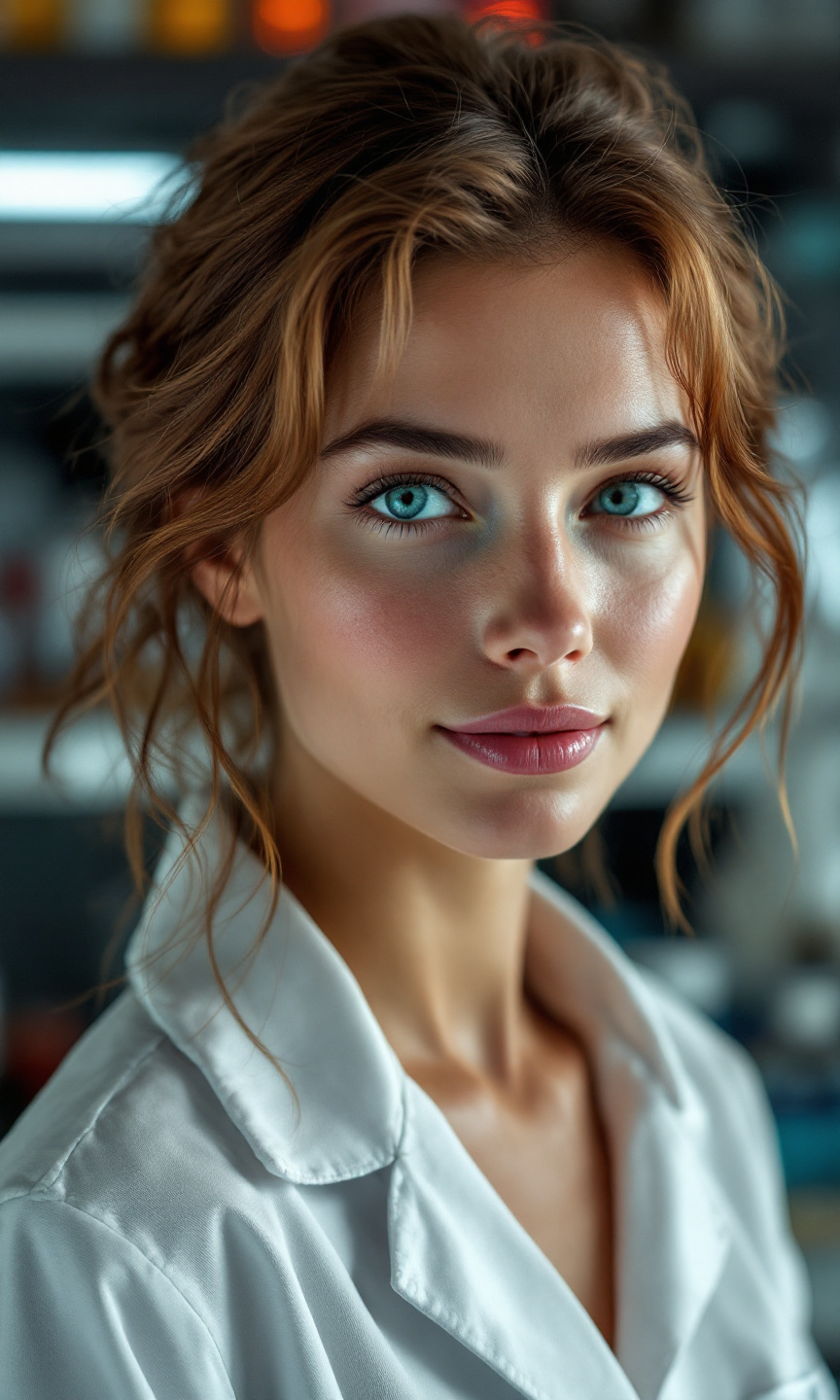
Create a portrait of a female scientist, Caucasian, with sharp, intelligent blue eyes and shoulder-length wavy chestnut hair, slightly tousled as if she’s just emerged from her lab. Her expression is one of focused determination, with a subtle smile that suggests curiosity and confidence. Illuminate her face with soft, diffused lighting that highlights her high cheekbones and fair skin, casting gentle shadows that add depth. The background features a blurred laboratory setting, with beakers and scientific equipment hinting at her profession. The composition should be a close-up, framed from the chest up, using a 50mm lens to create a shallow depth of field. Render in a realistic style, reminiscent of 21st-century portrait photography, emphasizing clarity and detail in her features while maintaining a warm, inviting mood.
Flux AI 图像提示的详细分析
分析用于通过 Flux AI 图像生成器生成图像的详细提示。
探索Flux AI图像生成器的提示词
如何通过 Flux.1.1 pro
按照以下四个简单步骤创建您想要的图像。
步骤 1:输入您的文字 (可以优化您的提示以获得更好的结果)
步骤 2:选择图片宽高比
步骤 3:选择您的 Flux 模型:
步骤 4:点击生成按钮,等待几秒钟获取您的图像
与提示相关的 Flux AI 工具 Flux.1.1 pro
发现来自 Flux AI 的高级工具,提升您的创意工作流程。