Hikaru Kurogane - Flux.1 dev
提示
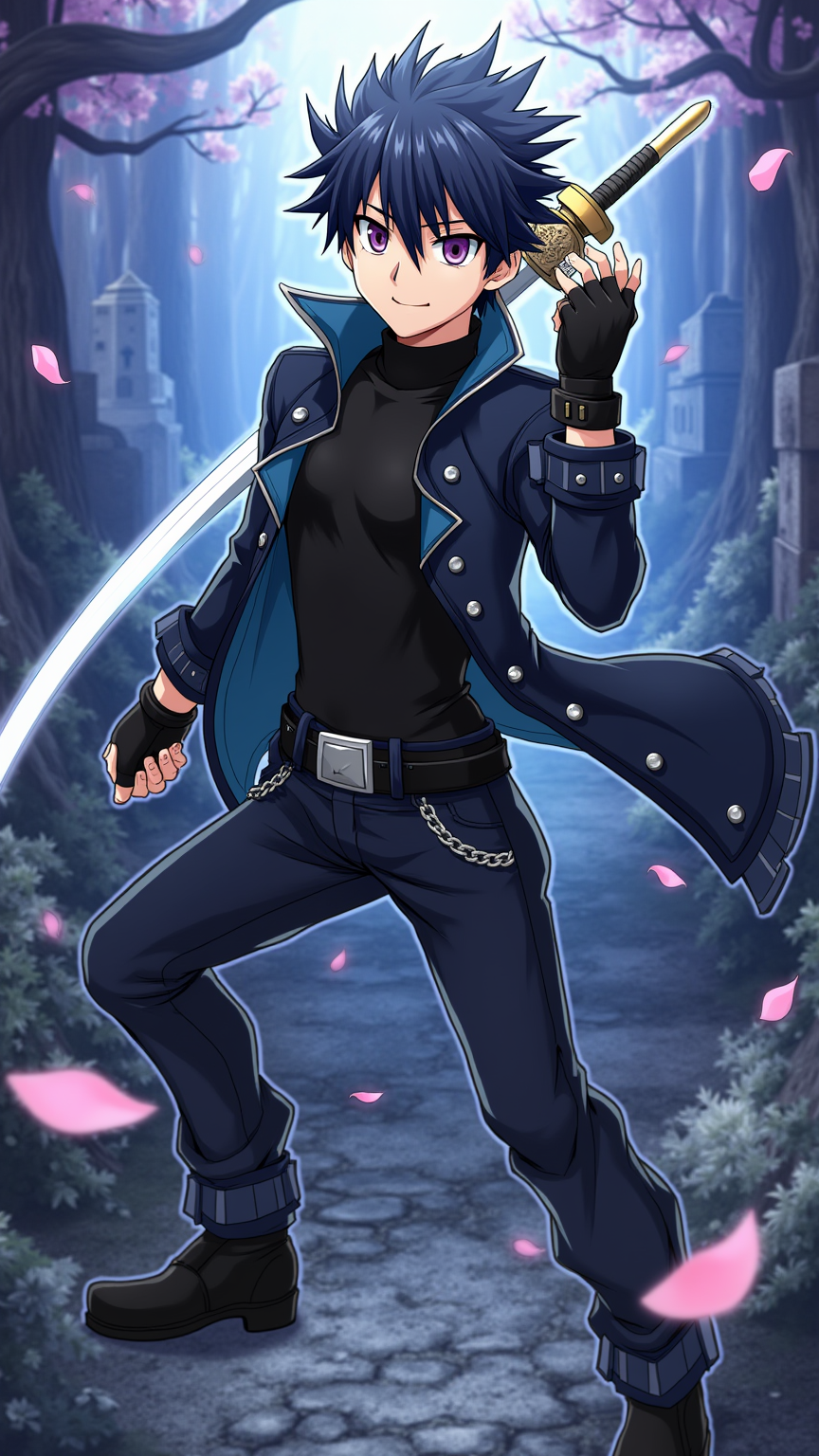
Create an anime-style image of Hikaru Kurogane, featuring his striking spiky black hair with a hint of blue highlights, sharp violet eyes, and a confident expression. He wears a sleek, dark blue jacket adorned with silver accents, layered over a fitted black shirt, and combat pants. His outfit is completed with fingerless gloves and sturdy black boots, showcasing his adventurous spirit. Position him in a dynamic pose, perhaps mid-action, with one hand gripping a sword while the other is raised, ready for battle. The background should depict a mystical forest with ethereal lights and ancient ruins, enhancing the fantasy element. Use a vibrant color palette with bold outlines typical of anime, and incorporate subtle glows around his sword to emphasize its importance. Add a few floating cherry blossom petals to symbolize his connection to nature and his inner strength.
Flux AI 图像提示的详细分析
分析用于通过 Flux AI 图像生成器生成图像的详细提示。
探索Flux AI图像生成器的提示词
如何通过 Flux.1 dev
按照以下四个简单步骤创建您想要的图像。
步骤 1:输入您的文字 (可以优化您的提示以获得更好的结果)
步骤 2:选择图片宽高比
步骤 3:选择您的 Flux 模型:
步骤 4:点击生成按钮,等待几秒钟获取您的图像
与提示相关的 Flux AI 工具 Flux.1 dev
发现来自 Flux AI 的高级工具,提升您的创意工作流程。