Cat's Wild Party: Human Shocked! - Flux.1.1 pro
提示
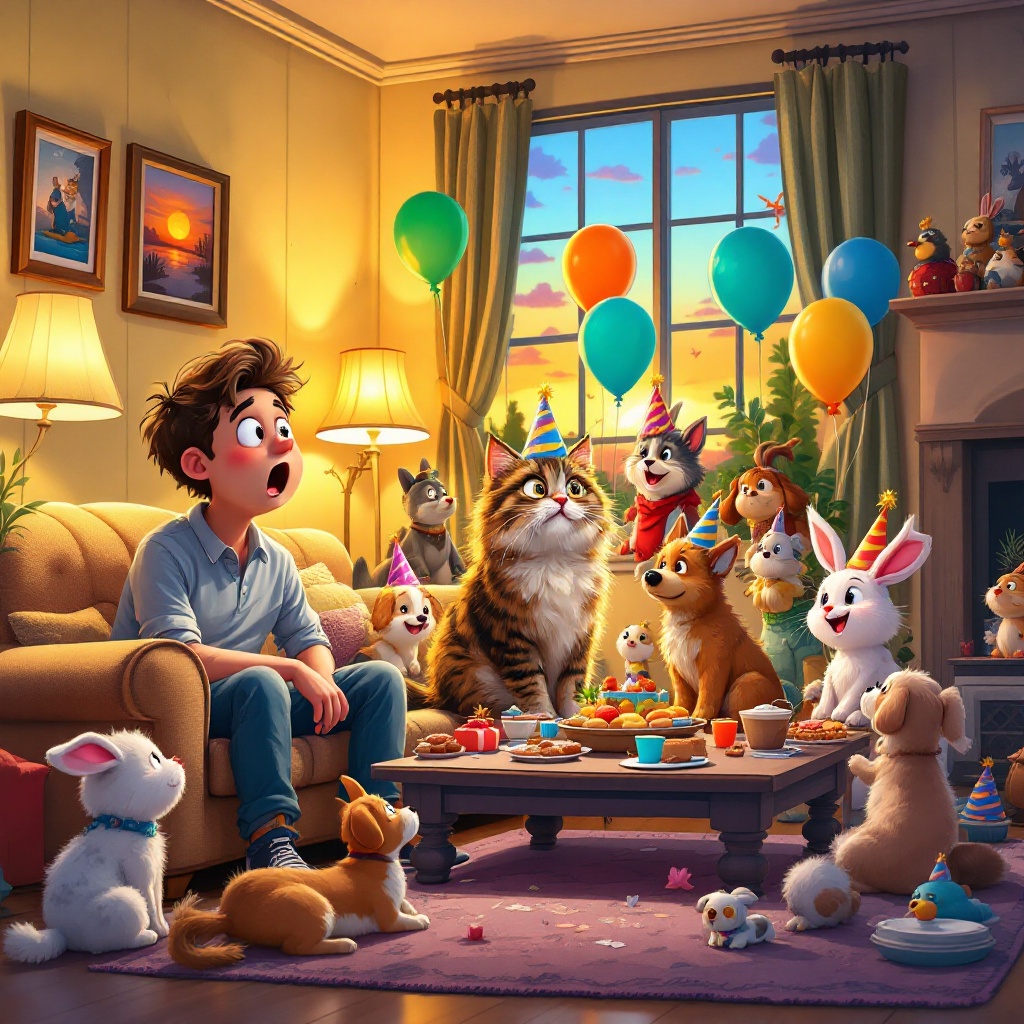
Create a whimsical scene depicting a cozy living room where a surprised human sits on a plush sofa, staring wide-eyed at a vibrant party happening around their cat. The cat, a fluffy tabby, is the center of attention, playfully perched atop a coffee table surrounded by an array of colorful balloons and cheerful party hats. Friends, a diverse group of cartoonish animals—dogs, rabbits, and birds—are mingling, laughing, and enjoying treats. The room is warmly lit with soft golden hues from a nearby lamp, casting playful shadows. A window shows a sunset sky, adding a warm orange glow. The walls are adorned with framed photos of the cat's adventures. Use a playful, cartoonish style with bold colors and exaggerated expressions to enhance the humor of the scene, capturing the contrast between the human's bewilderment and the cat's social success.
Flux AI 图像提示的详细分析
分析用于通过 Flux AI 图像生成器生成图像的详细提示。
探索Flux AI图像生成器的提示词
如何通过 Flux.1.1 pro
按照以下四个简单步骤创建您想要的图像。
步骤 1:输入您的文字 (可以优化您的提示以获得更好的结果)
步骤 2:选择图片宽高比
步骤 3:选择您的 Flux 模型:
步骤 4:点击生成按钮,等待几秒钟获取您的图像
与提示相关的 Flux AI 工具 Flux.1.1 pro
发现来自 Flux AI 的高级工具,提升您的创意工作流程。