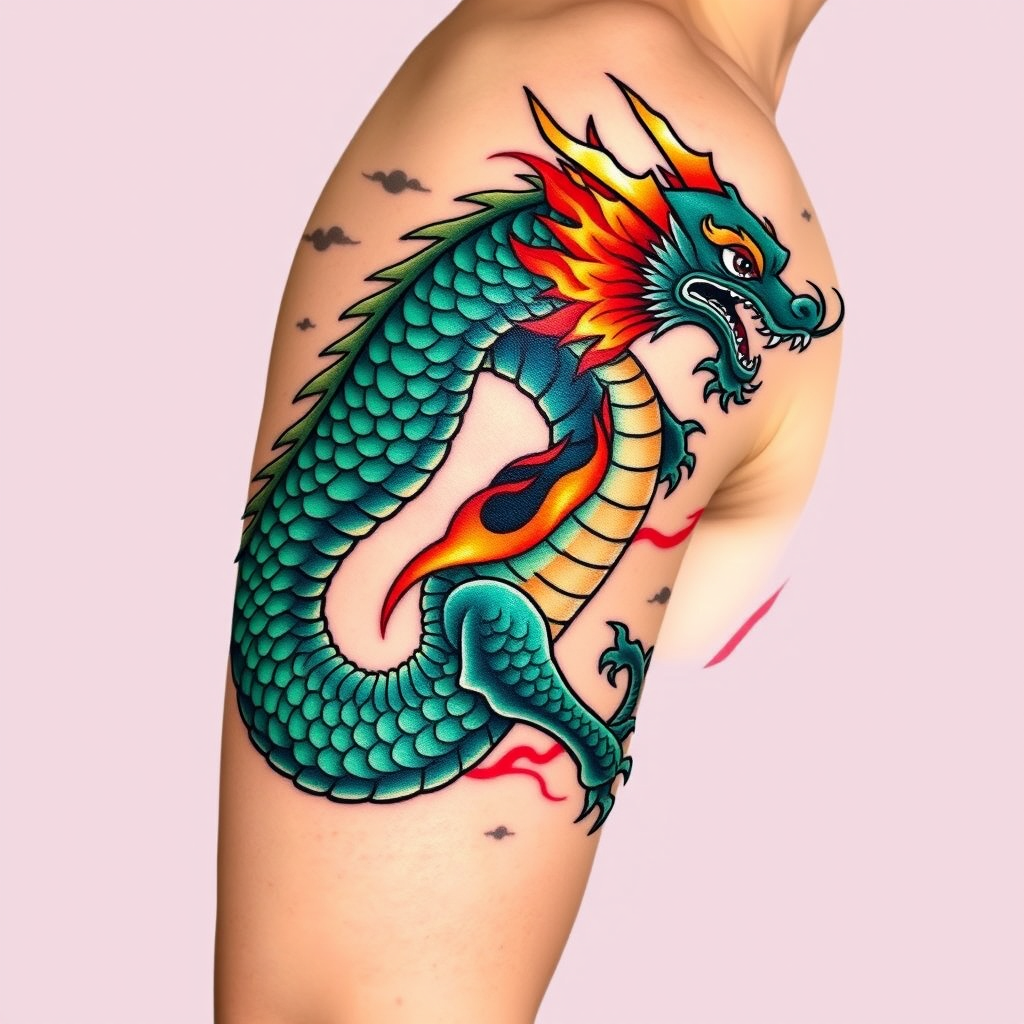
Mythic Dragon Embrace Tattoo - Flux.1 schnell
提示
Create a tattoo design for the side of the upper arm featuring a stylized dragon, its body coiling gracefully around the arm. The dragon should have intricate scales that shimmer with a gradient of deep emerald green and sapphire blue, accented by fiery orange and red flames that dance along its spine. The artistic style should blend traditional Asian influences with a modern twist, incorporating bold outlines and detailed textures. The tattoo should be medium to large in size, wrapping around the arm to create a dynamic flow. Opt for a vibrant color palette, emphasizing the contrast between the cool tones of the dragon and the warm hues of the flames. Include subtle cloud motifs in the background to enhance the mythical theme. The overall mood should evoke strength and power, symbolizing protection and courage, drawing inspiration from Eastern mythology.
Flux AI 图像提示的详细分析
分析用于通过 Flux AI 图像生成器生成图像的详细提示。
探索Flux AI图像生成器的提示词
如何通过 Flux.1 schnell
按照以下四个简单步骤创建您想要的图像。
步骤 1:输入您的文字 (可以优化您的提示以获得更好的结果)
步骤 2:选择图片宽高比
步骤 3:选择您的 Flux 模型:
步骤 4:点击生成按钮,等待几秒钟获取您的图像
与提示相关的 Flux AI 工具 Flux.1 schnell
发现来自 Flux AI 的高级工具,提升您的创意工作流程。