Cancelled Dreams in Dim Light - Flux.1.1 pro
提示
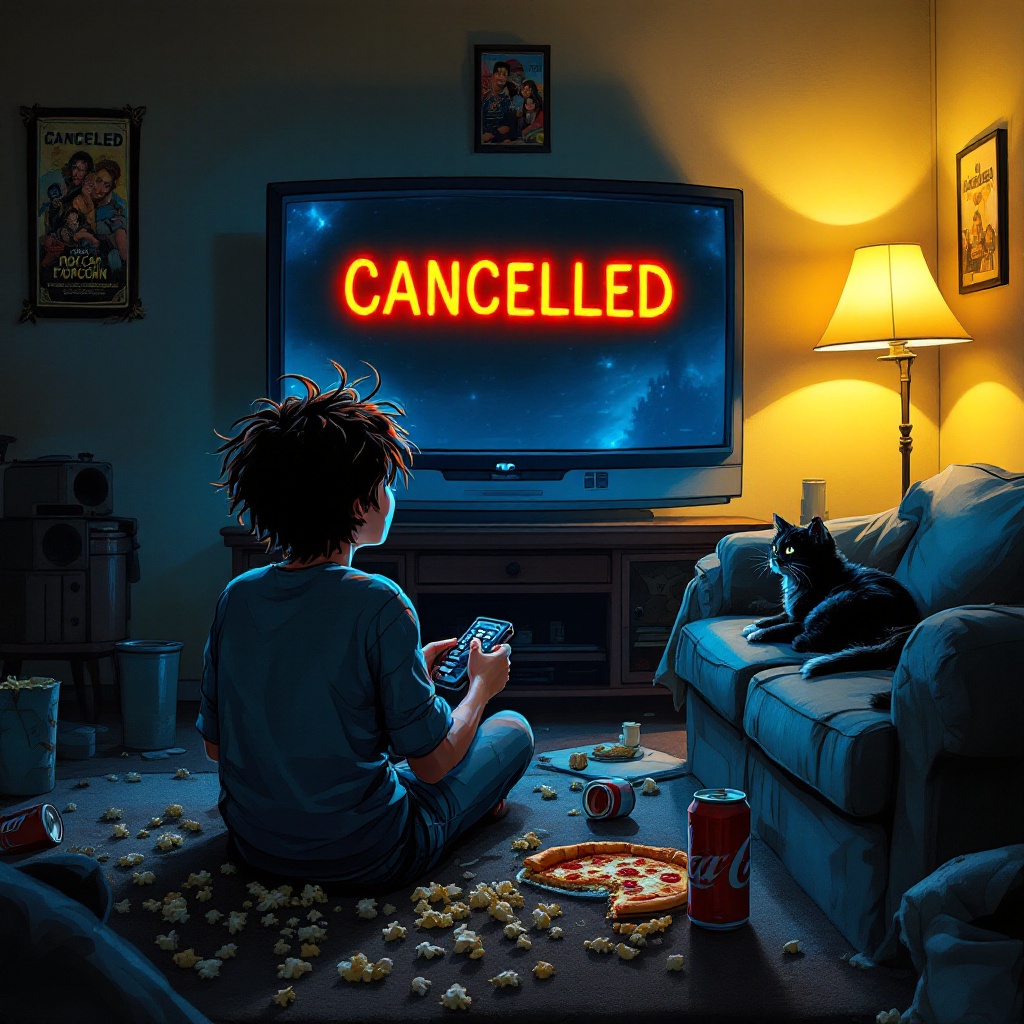
A dimly lit living room filled with scattered popcorn and empty soda cans, the TV screen flickering with the words "CANCELLED" in bold, red letters. A character, a young adult with disheveled hair and a shocked expression, sits on a cozy couch, clutching a remote control. Their eyes are wide, reflecting the harsh glow of the screen, while a half-eaten slice of pizza rests on a side table. The walls are adorned with posters of the show, now faded and peeling. Soft, warm light from a nearby lamp contrasts with the cold blue light of the TV, creating a melancholic atmosphere. A cat curls up on the couch, seemingly indifferent to the drama. The style is a blend of realism and cartoonish exaggeration, with vibrant colors that emphasize the emotional turmoil, using chiaroscuro techniques to enhance the mood of despair and disbelief.
Flux AI 图像提示的详细分析
分析用于通过 Flux AI 图像生成器生成图像的详细提示。
探索Flux AI图像生成器的提示词
如何通过 Flux.1.1 pro
按照以下四个简单步骤创建您想要的图像。
步骤 1:输入您的文字 (可以优化您的提示以获得更好的结果)
步骤 2:选择图片宽高比
步骤 3:选择您的 Flux 模型:
步骤 4:点击生成按钮,等待几秒钟获取您的图像
与提示相关的 Flux AI 工具 Flux.1.1 pro
发现来自 Flux AI 的高级工具,提升您的创意工作流程。