Ryu's Hadouken: Urban Showdown - Flux.1 schnell
提示
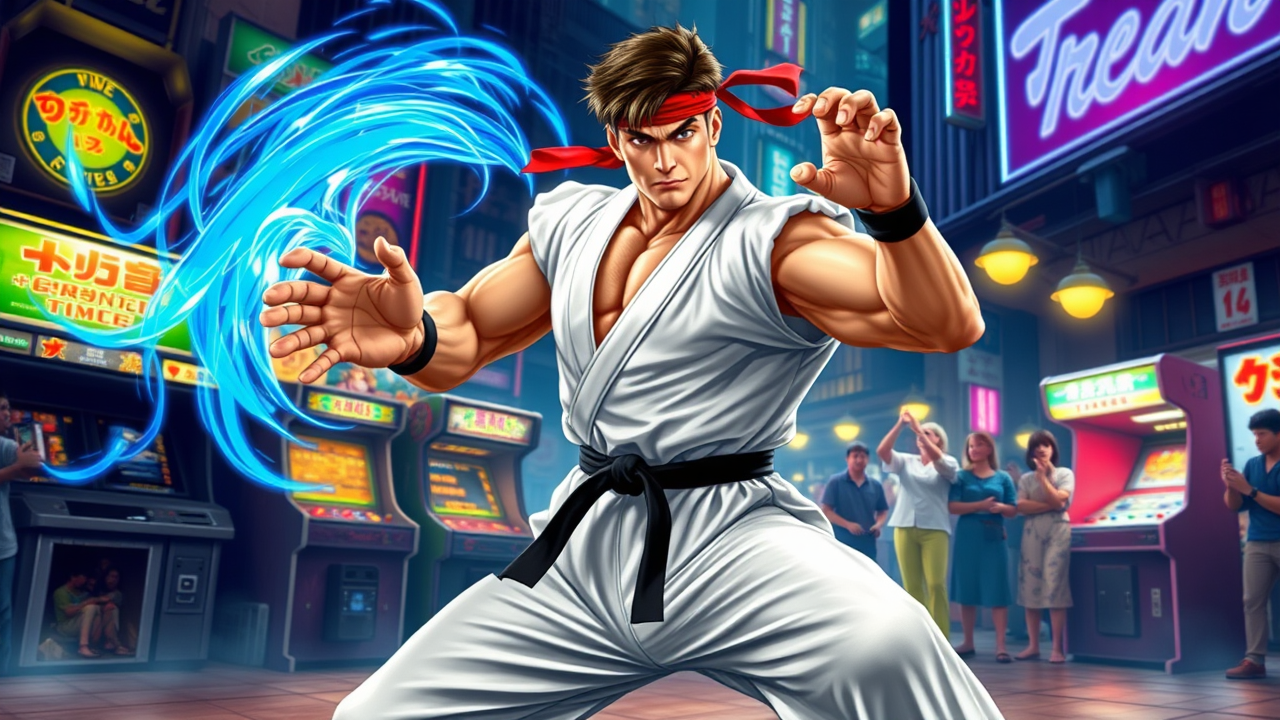
Create a dynamic fighting game scene inspired by "Street Fighter II," showcasing Ryu in a powerful martial arts stance. He is depicted with his iconic white gi, red headband, and black belt, muscles taut and focused, embodying determination and discipline. The background features a vibrant urban environment, with classic arcade machines and neon lights illuminating a bustling street scene. Ryu's signature move, the Hadouken, is captured mid-action, with swirling blue energy emanating from his outstretched palm, creating a sense of motion and intensity. The atmosphere is electric, filled with an air of competition and excitement, as onlookers cheer in the background. The color palette is bold and saturated, emphasizing the energy of the fight and the iconic nature of the character, evoking nostalgia for classic fighting games.
Flux AI 图像提示的详细分析
分析用于通过 Flux AI 图像生成器生成图像的详细提示。
探索Flux AI图像生成器的提示词
如何通过 Flux.1 schnell
按照以下四个简单步骤创建您想要的图像。
步骤 1:输入您的文字 (可以优化您的提示以获得更好的结果)
步骤 2:选择图片宽高比
步骤 3:选择您的 Flux 模型:
步骤 4:点击生成按钮,等待几秒钟获取您的图像
与提示相关的 Flux AI 工具 Flux.1 schnell
发现来自 Flux AI 的高级工具,提升您的创意工作流程。