Ryu's Hadouken: Urban Showdown - Flux.1.1 pro
提示
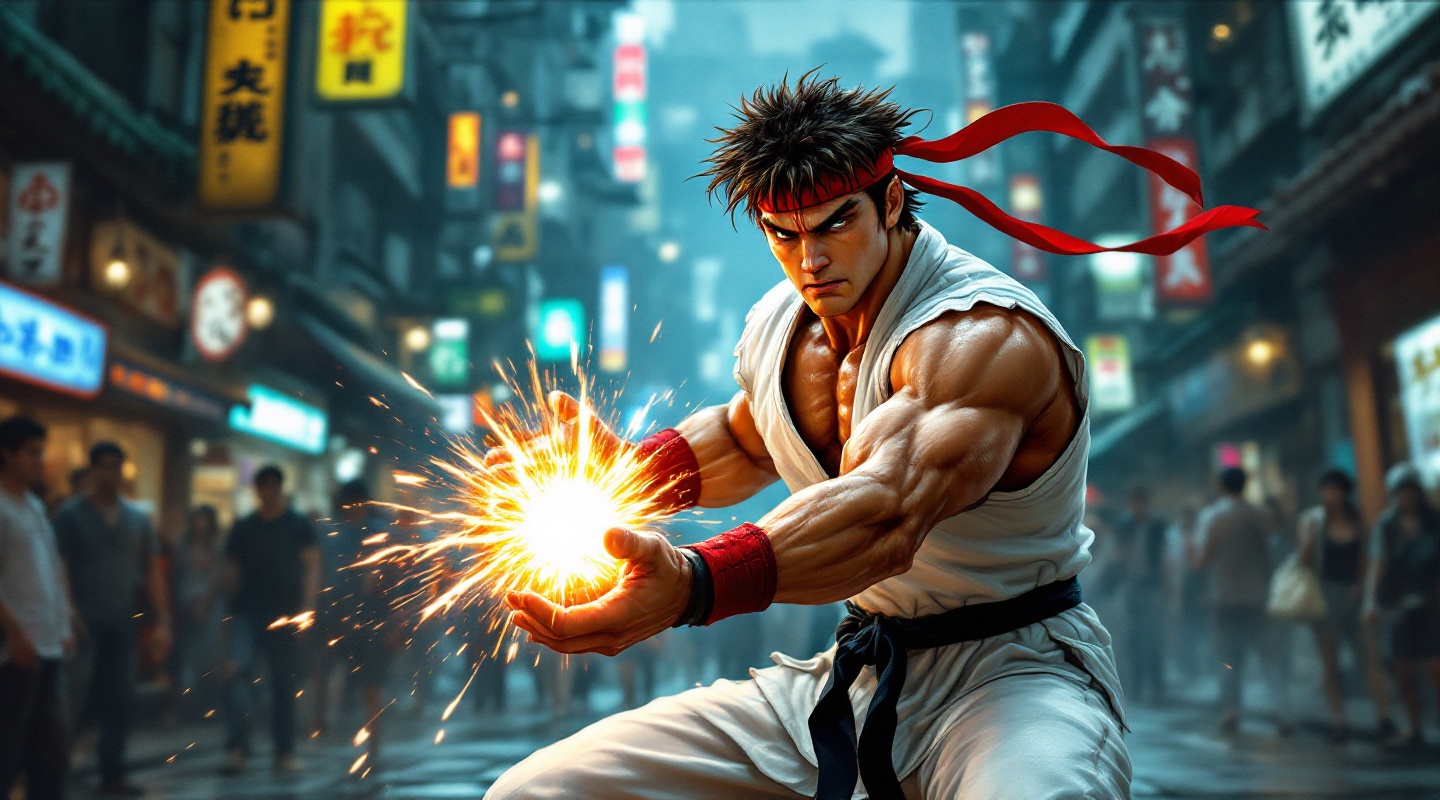
Create a dynamic fighting scene inspired by the classic arcade game "Street Fighter II." Depict Ryu, a muscular martial artist with a white gi, a red headband, and black belt, showcasing his iconic Hadouken move. His expression is fierce and focused, with sweat glistening on his brow. The background features a vibrant urban setting, with neon lights illuminating a bustling street filled with onlookers. The atmosphere is electric, capturing the intensity of a high-stakes battle. Include signature elements like Ryu's glowing energy sphere in his hands, and subtle hints of traditional Japanese architecture in the backdrop. The color palette should be bold and saturated, emphasizing the action and urgency of the fight. Overall, convey a sense of determination and the spirit of competition, resonating with the essence of classic fighting games.
Flux AI 图像提示的详细分析
分析用于通过 Flux AI 图像生成器生成图像的详细提示。
探索Flux AI图像生成器的提示词
如何通过 Flux.1.1 pro
按照以下四个简单步骤创建您想要的图像。
步骤 1:输入您的文字 (可以优化您的提示以获得更好的结果)
步骤 2:选择图片宽高比
步骤 3:选择您的 Flux 模型:
步骤 4:点击生成按钮,等待几秒钟获取您的图像
与提示相关的 Flux AI 工具 Flux.1.1 pro
发现来自 Flux AI 的高级工具,提升您的创意工作流程。