Quest for Courage: Enchanted Glade - Flux.1.1 pro
提示
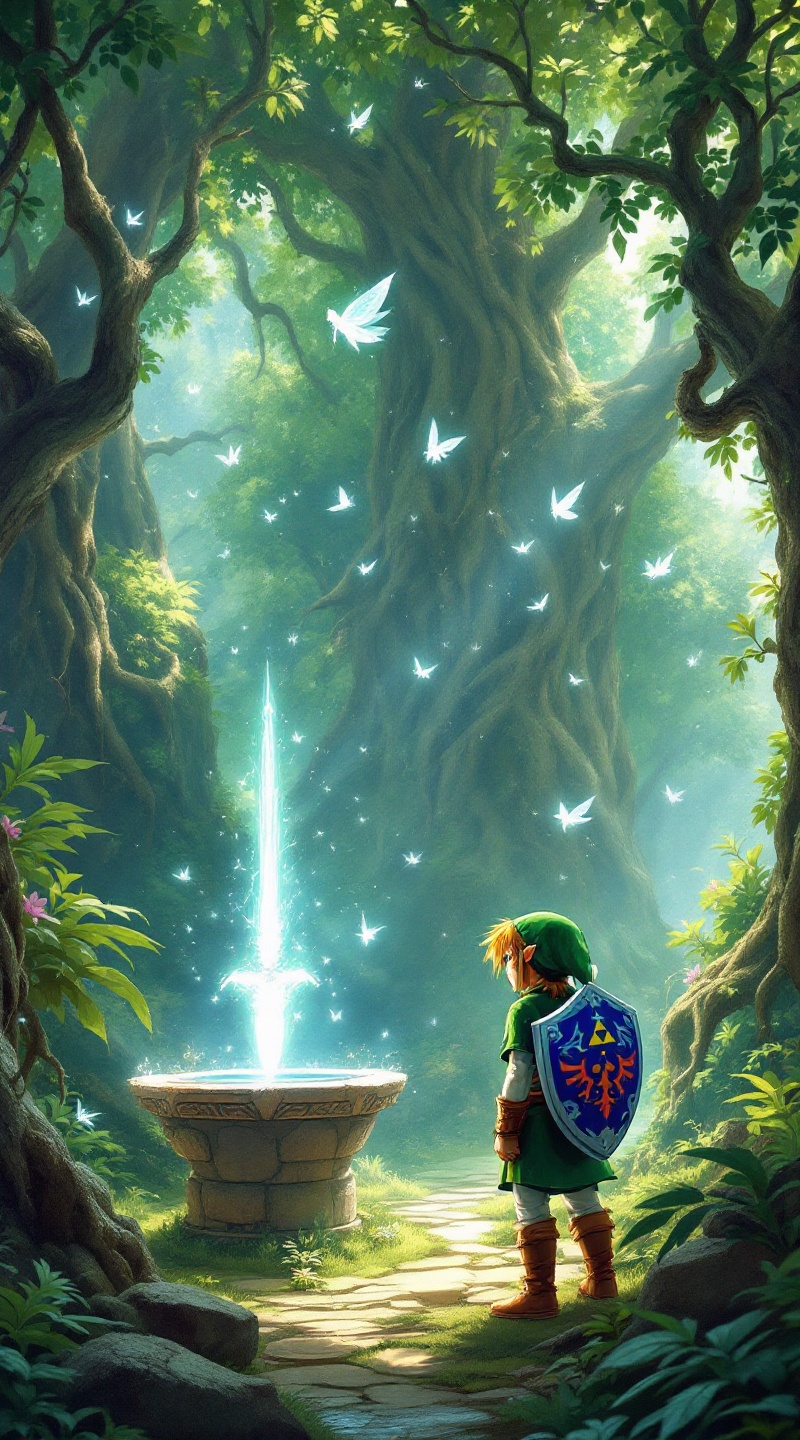
Create a vibrant and enchanting scene inspired by the action-adventure game "The Legend of Zelda: Ocarina of Time." Feature Navi, the glowing fairy companion, with delicate, translucent wings shimmering in shades of blue and white, hovering above a lush, verdant forest glade. The background showcases ancient trees with twisted roots and dappled sunlight filtering through the leaves, creating a magical atmosphere. Include iconic elements like the Master Sword embedded in a stone pedestal nearby, surrounded by ethereal wisps of light. Capture the adventurous spirit with Link, clad in his classic green tunic and cap, gazing determinedly towards the horizon, his trusty Hylian Shield at his side. The mood is a blend of wonder and excitement, evoking a sense of exploration and the timeless quest for courage within a fantastical realm.
Flux AI 图像提示的详细分析
分析用于通过 Flux AI 图像生成器生成图像的详细提示。
探索Flux AI图像生成器的提示词
如何通过 Flux.1.1 pro
按照以下四个简单步骤创建您想要的图像。
步骤 1:输入您的文字 (可以优化您的提示以获得更好的结果)
步骤 2:选择图片宽高比
步骤 3:选择您的 Flux 模型:
步骤 4:点击生成按钮,等待几秒钟获取您的图像
与提示相关的 Flux AI 工具 Flux.1.1 pro
发现来自 Flux AI 的高级工具,提升您的创意工作流程。