Art Deco Dreams: Skyline Ink - Flux.1.1 pro
提示
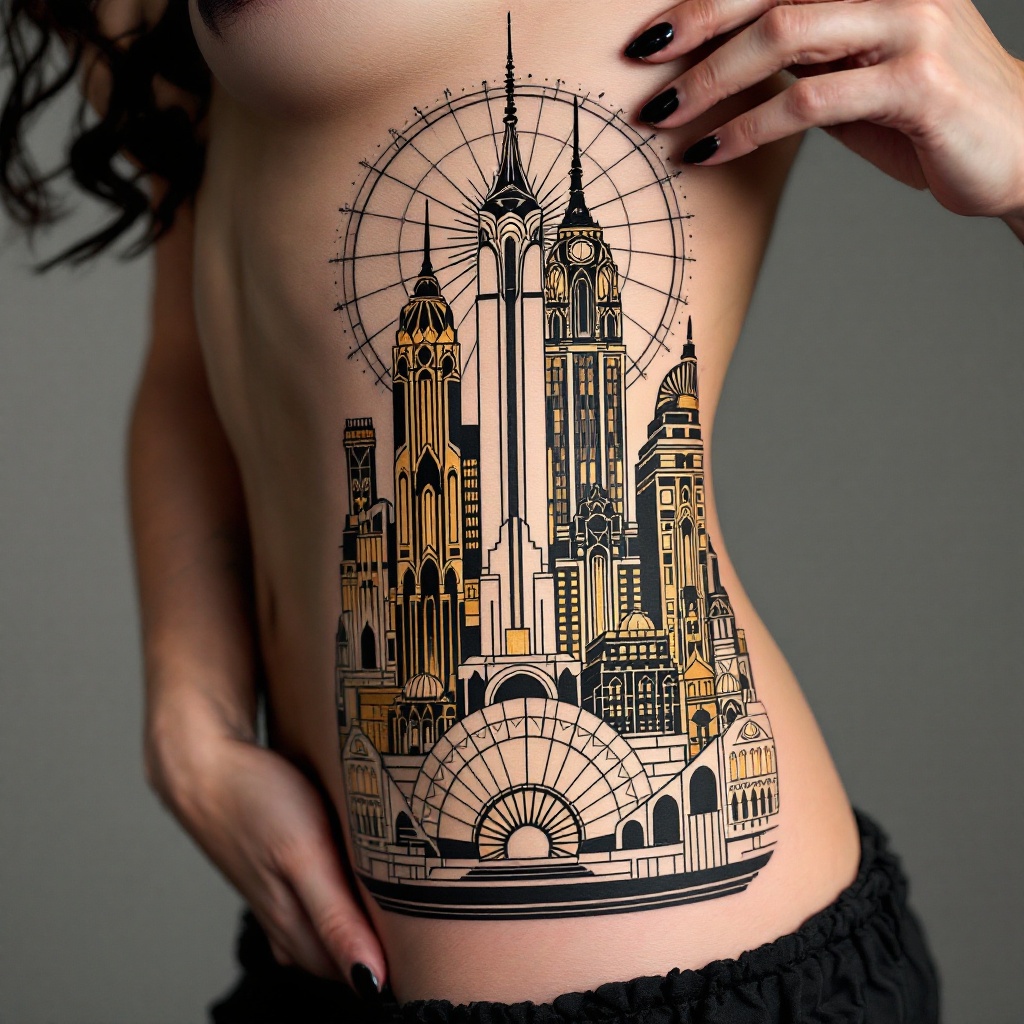
Create a tattoo design for the side of the torso featuring an Art Deco skyline. Incorporate iconic elements such as stylized skyscrapers with geometric patterns, sunbursts, and intricate arches. The artistic style should be bold and graphic, capturing the essence of the 1920s with a modern twist. The tattoo should extend from the ribcage to the hip, measuring approximately 12 inches in height and 6 inches in width. Use a color palette of deep golds, rich blacks, and soft silvers to evoke a sense of luxury and sophistication, while maintaining some sections in black and white for contrast. Include intricate line work and textures to enhance depth and detail. The design should symbolize ambition and the pursuit of dreams, embodying a sense of elegance and nostalgia, with a vibrant yet balanced overall mood.
Flux AI 图像提示的详细分析
分析用于通过 Flux AI 图像生成器生成图像的详细提示。
探索Flux AI图像生成器的提示词
如何通过 Flux.1.1 pro
按照以下四个简单步骤创建您想要的图像。
步骤 1:输入您的文字 (可以优化您的提示以获得更好的结果)
步骤 2:选择图片宽高比
步骤 3:选择您的 Flux 模型:
步骤 4:点击生成按钮,等待几秒钟获取您的图像
与提示相关的 Flux AI 工具 Flux.1.1 pro
发现来自 Flux AI 的高级工具,提升您的创意工作流程。