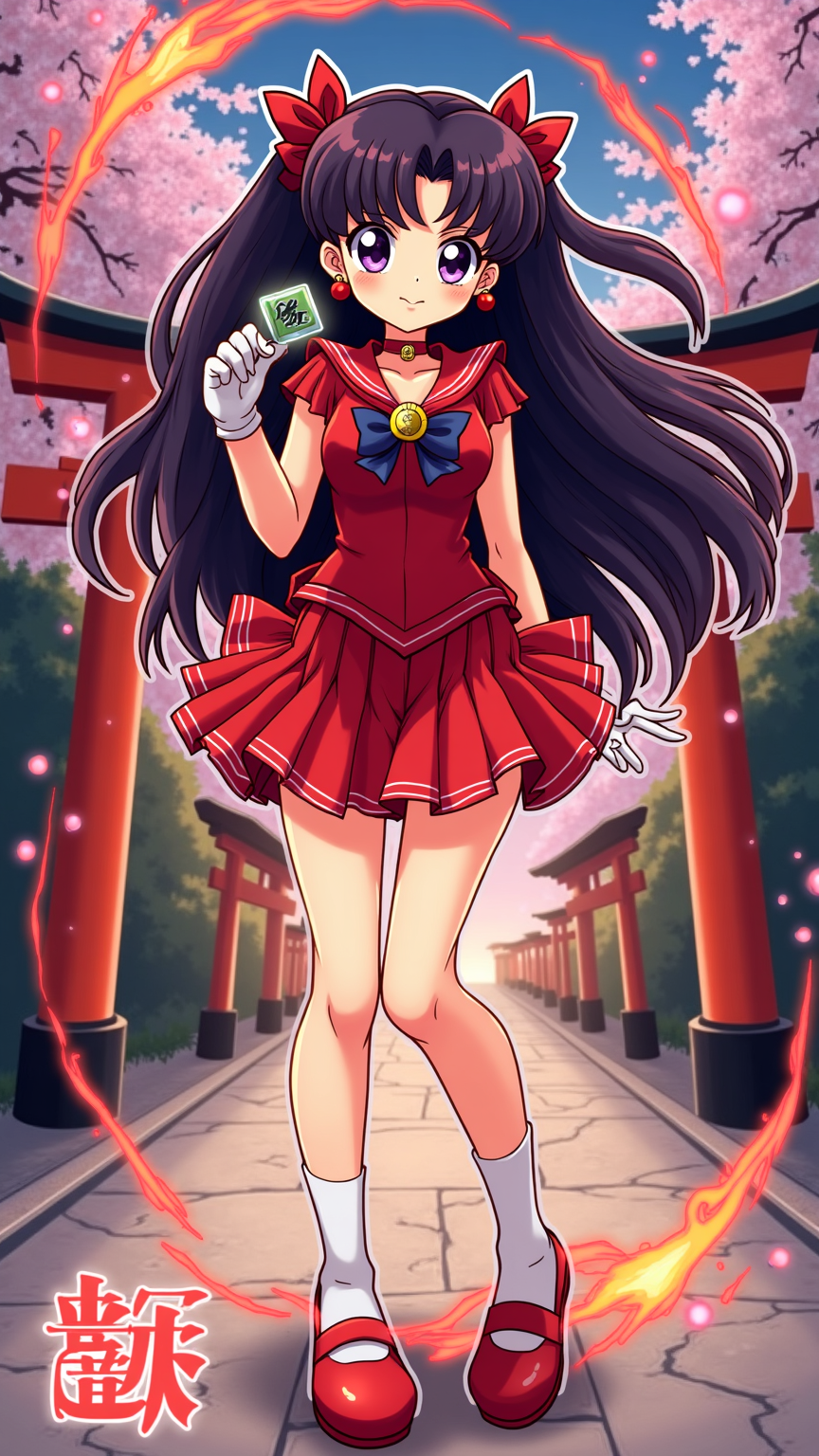
《Sailor Moon》-Rei Hino - Flux.1 dev
提示
**Prompt:** *"Anime sticker style illustration of Rei Hino (Sailor Mars) from *Sailor Moon*, featuring her iconic red shrine maiden outfit with a short pleated skirt, white tabi socks, and red shoes. Her long, dark purple hair flows gracefully, adorned with her signature red hair ribbons. She holds a *ofuda* (purification charm) in one hand, her other hand raised confidently, eyes glowing with determination. Dynamic pose with fiery energy swirling around her, capturing her fiery personality. Background: a mystical Shinto shrine gate (*torii*) at dusk, cherry blossoms drifting in the air. Vibrant colors, bold outlines, and glossy sticker-like highlights for a playful yet powerful aesthetic. Include her planetary symbol (Mars) glowing subtly in the background. Stylized with sharp, expressive eyes and exaggerated motion lines for energy."* *(Characters: 999)*
Flux AI 图像提示的详细分析
分析用于通过 Flux AI 图像生成器生成图像的详细提示。
探索Flux AI图像生成器的提示词
如何通过 Flux.1 dev
按照以下四个简单步骤创建您想要的图像。
步骤 1:输入您的文字 (可以优化您的提示以获得更好的结果)
步骤 2:选择图片宽高比
步骤 3:选择您的 Flux 模型:
步骤 4:点击生成按钮,等待几秒钟获取您的图像
与提示相关的 Flux AI 工具 Flux.1 dev
发现来自 Flux AI 的高级工具,提升您的创意工作流程。