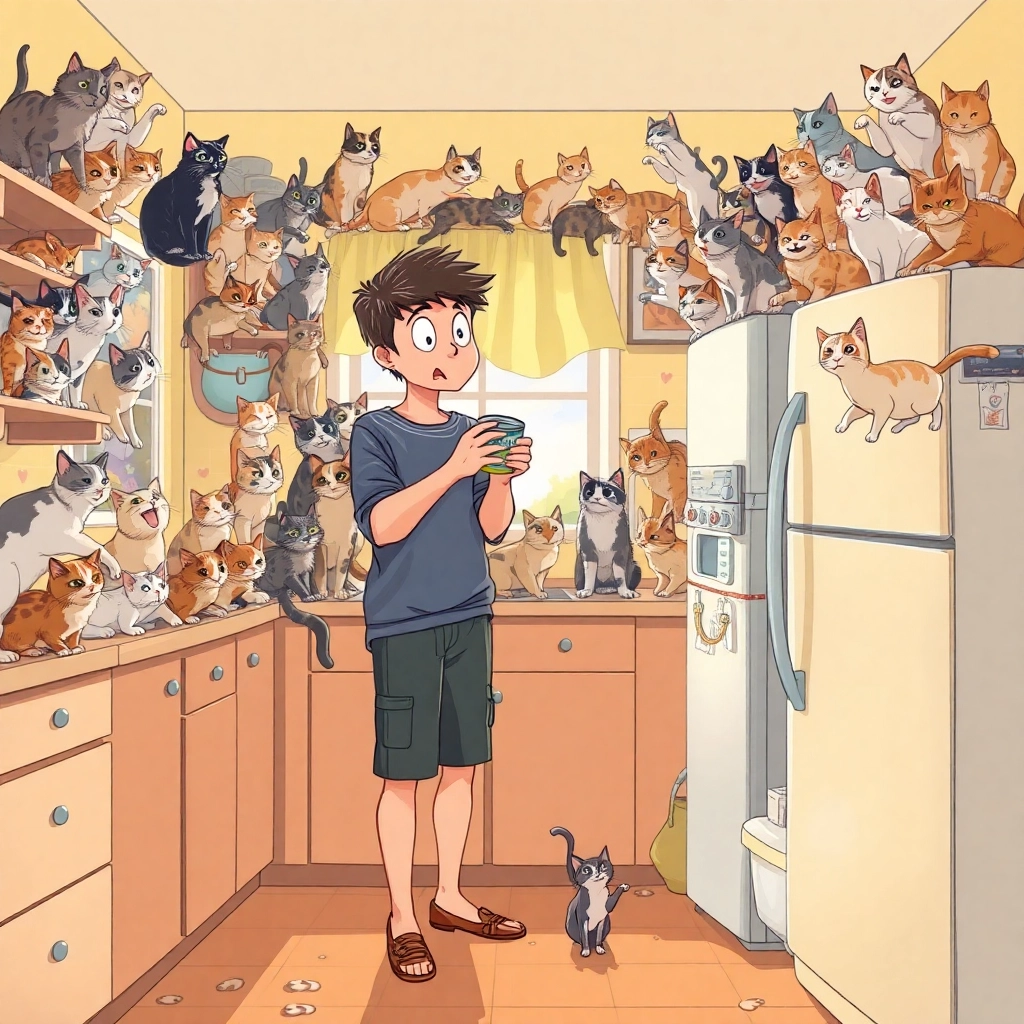
Tuna Tumble: Cat Chaos Unleashed - Flux.1 schnell
Eingabe
Prompt: A humorous kitchen scene with a surprised young adult standing at a counter, surrounded by a swarm of curious cats. The focal point is the person's hands fumbling with a can opener and a tuna can, while dozens of feline eyes are fixed intently on them. Soft, warm lighting filters through a nearby window, casting a golden glow on the scene. The kitchen has a cozy, lived-in feel with pastel colors and vintage appliances. Cats of various breeds and colors are perched on every available surface – countertops, shelves, and even atop the refrigerator. Some cats are mid-leap towards the tuna, creating dynamic motion. The person's expression is a mix of bewilderment and awe, realizing their newfound power over the feline horde. Employ a whimsical, illustration-style artwork with soft edges and slightly exaggerated features. Use a warm color palette dominated by yellows, oranges, and soft blues. Include small, playful details like scattered cat toys, pawprints on the floor, and a few mischievous cats attempting to open drawers or cabinets in the background.
Detaillierte Analyse des Flux KI Image Prompt
Analysiere den detaillierten Prompt, der zur Erstellung des Bildes mit dem Flux KI Image Generator verwendet wurde.
Flux-Prompts für den KI-Bildgenerator erkunden
Wie man ein Bild generiert von Flux.1 schnell
Folge diesen vier einfachen Schritten, um das gewünschte Bild zu erstellen.
Schritt 1: Gib deinen Text ein (Fühle dich frei, deinen Prompt für bessere Ergebnisse zu verfeinern)
Schritt 2: Wähle das Bildseitenverhältnis
Schritt 3: Wähle dein Flux-Modell:
Schritt 4: Klicke auf die Generieren-Schaltfläche und warte ein paar Sekunden auf dein Bild
Verwandte Flux KI Tools für Prompts über Flux.1 schnell
Entdecke fortschrittliche Tools von Flux KI, um deinen kreativen Workflow zu verbessern.