Meatloaf - Flux.1 pro
Eingabe
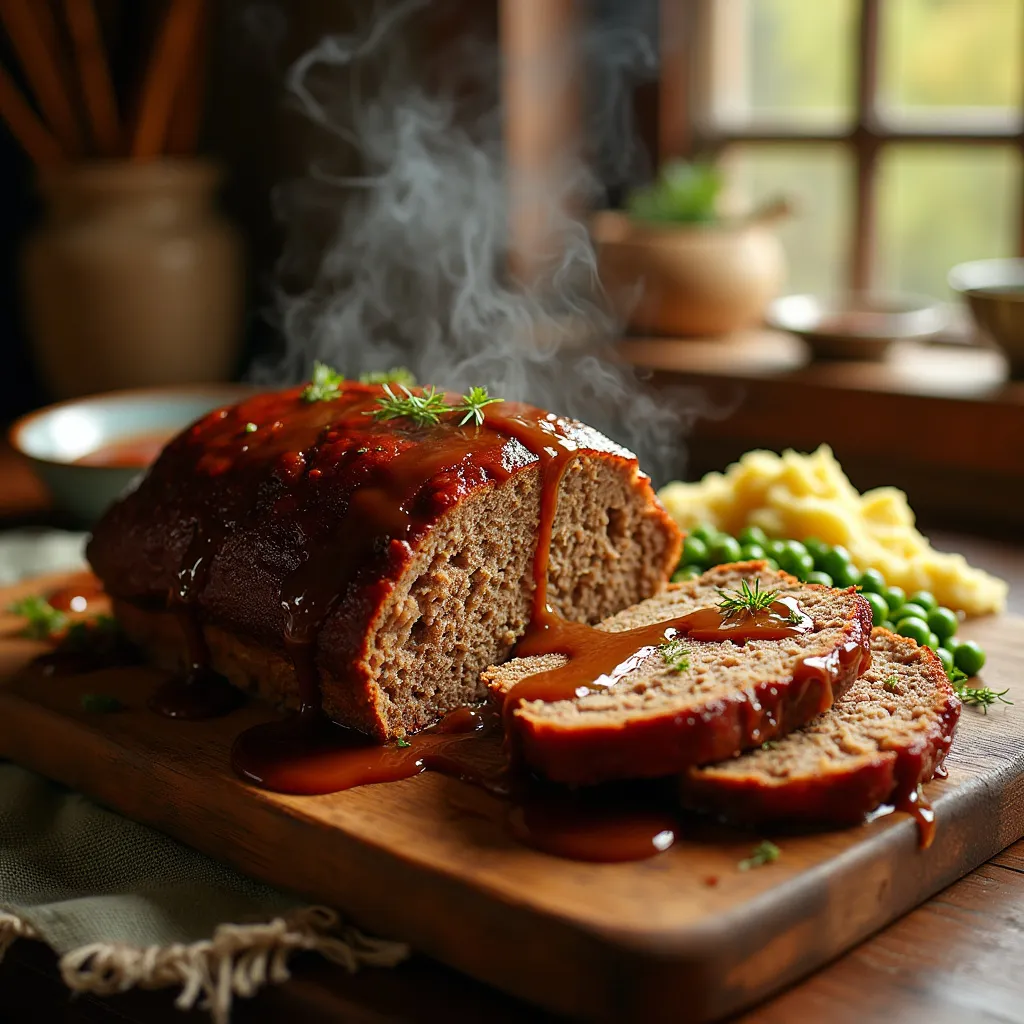
A succulent meatloaf, perfectly browned and glistening, sits center stage on a rustic wooden cutting board. Its rich, mahogany exterior gives way to a tender, juicy interior visible from a freshly cut slice. A velvety river of savory brown gravy cascades over the top, pooling around the base. Beside it, a golden mound of buttery mashed potatoes and vibrant green peas complete the comfort food tableau. The scene is set in a cozy farmhouse kitchen, warm light streaming through a nearby window, casting a gentle glow on the dish. Wisps of steam rise, carrying the irresistible aroma of herbs and spices. The composition is a close-up, emphasizing the meatloaf's mouthwatering textures and colors. Captured in a style reminiscent of rustic food photography, the image highlights the homemade charm and hearty appeal of this classic dish. Soft focus on the background draws attention to the star of the show – a perfectly executed, home-cooked meatloaf that promises warmth and satisfaction with every bite.
Detaillierte Analyse des Flux KI Image Prompt
Analysiere den detaillierten Prompt, der zur Erstellung des Bildes mit dem Flux KI Image Generator verwendet wurde.
Flux-Prompts für den KI-Bildgenerator erkunden
Wie man ein Bild generiert von Flux.1 pro
Folge diesen vier einfachen Schritten, um das gewünschte Bild zu erstellen.
Schritt 1: Gib deinen Text ein (Fühle dich frei, deinen Prompt für bessere Ergebnisse zu verfeinern)
Schritt 2: Wähle das Bildseitenverhältnis
Schritt 3: Wähle dein Flux-Modell:
Schritt 4: Klicke auf die Generieren-Schaltfläche und warte ein paar Sekunden auf dein Bild
Verwandte Flux KI Tools für Prompts über Flux.1 pro
Entdecke fortschrittliche Tools von Flux KI, um deinen kreativen Workflow zu verbessern.