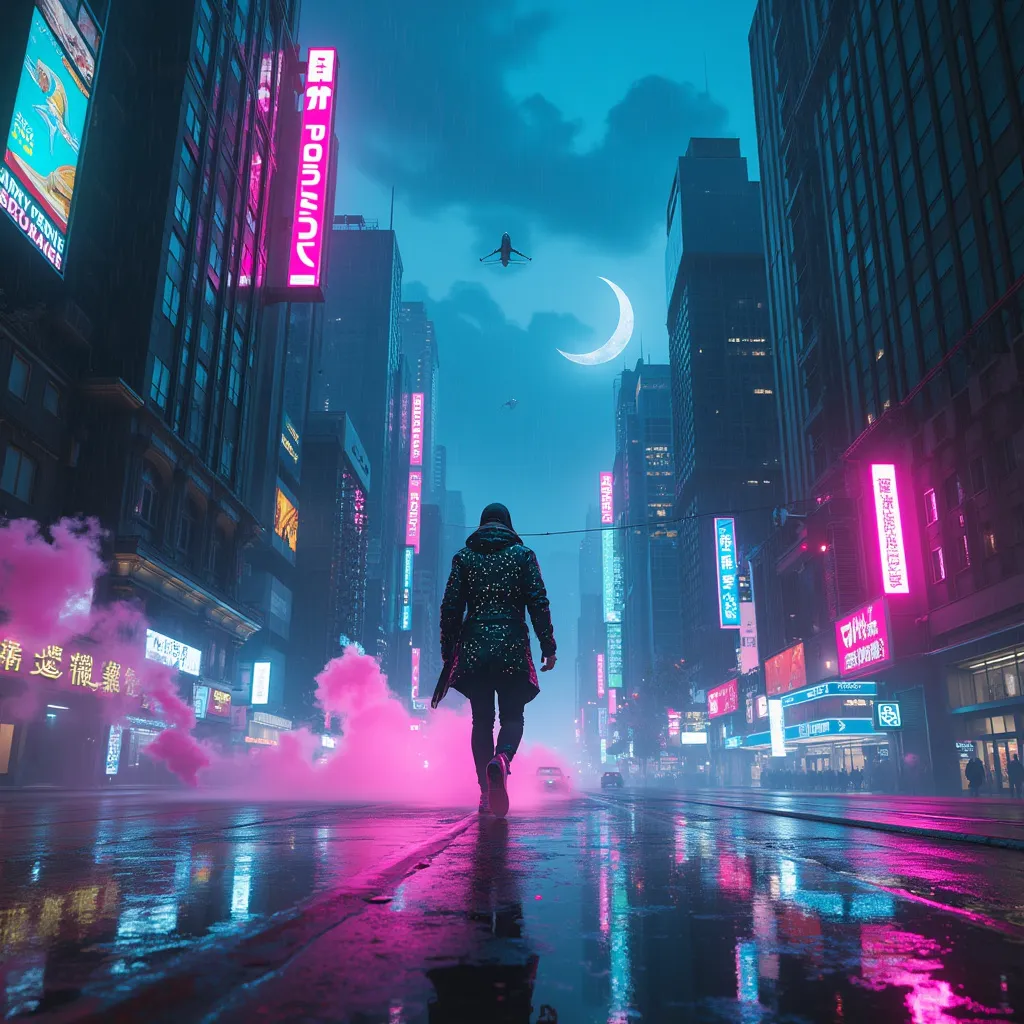
Neon Shadows: A Cyberpunk Chase - Flux.1 pro
Eingabe
In a sprawling cyberpunk metropolis, a starlit skyline shimmers with neon hues of electric blue and vibrant magenta, casting a surreal glow over the rain-slicked streets below. A rogue data courier, clad in a sleek, reflective jacket adorned with pulsating circuit patterns, expertly navigates through a labyrinth of holographic obstacles that flicker and dance like ethereal spirits. Wisps of digital smoke swirl around him, illuminated by the soft luminescence of floating advertisements and augmented reality billboards. The air is thick with the hum of drones zipping overhead, their headlights piercing the twilight, while distant skyscrapers loom like giants, their facades draped in shimmering glass and chrome. Above, a crescent moon glows faintly, partially obscured by swirling clouds, adding an air of mystery to the bustling urban landscape. The scene pulsates with energy, capturing the essence of a world where technology and danger intertwine in a mesmerizing dance.
Detaillierte Analyse des Flux KI Image Prompt
Analysiere den detaillierten Prompt, der zur Erstellung des Bildes mit dem Flux KI Image Generator verwendet wurde.
Flux-Prompts für den KI-Bildgenerator erkunden
Wie man ein Bild generiert von Flux.1 pro
Folge diesen vier einfachen Schritten, um das gewünschte Bild zu erstellen.
Schritt 1: Gib deinen Text ein (Fühle dich frei, deinen Prompt für bessere Ergebnisse zu verfeinern)
Schritt 2: Wähle das Bildseitenverhältnis
Schritt 3: Wähle dein Flux-Modell:
Schritt 4: Klicke auf die Generieren-Schaltfläche und warte ein paar Sekunden auf dein Bild
Verwandte Flux KI Tools für Prompts über Flux.1 pro
Entdecke fortschrittliche Tools von Flux KI, um deinen kreativen Workflow zu verbessern.