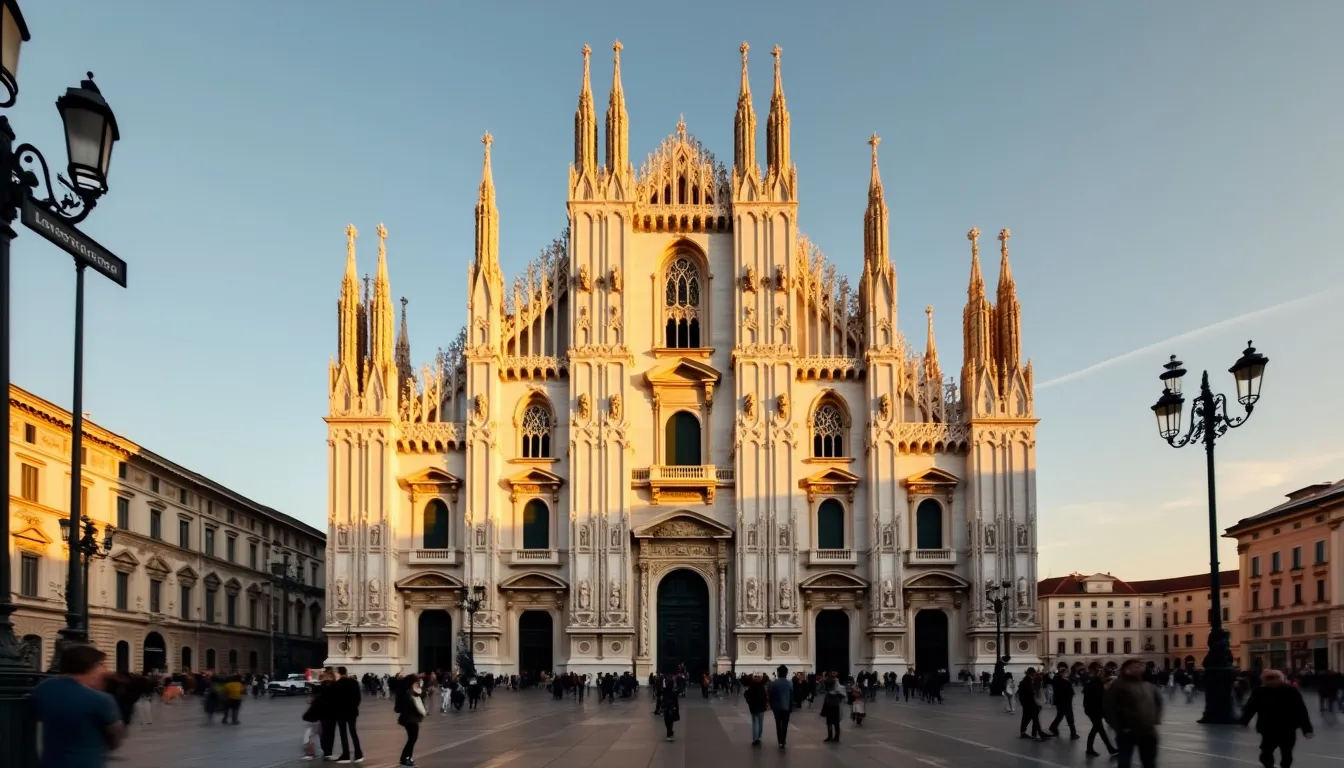
Milan Cathedral - Flux.1 pro
Eingabe
Create an image of Milan Cathedral, a stunning example of Gothic architecture, showcasing its intricate façade adorned with over 3,400 statues and 135 spires. Highlight the cathedral's striking white Candoglia marble, reflecting warm golden hues during the golden hour just before sunset. Capture the delicate details of the pointed arches, ribbed vaults, and ornate carvings that define its silhouette against a soft, pastel sky. Include the bustling Piazza del Duomo in the foreground, with visitors admiring the cathedral, framed by elegant streetlamps and historic buildings. Emphasize the contrast between the cathedral's intricate textures and the smooth cobblestone streets. Opt for a wide-angle perspective to encompass the grandeur of the scene, evoking a sense of awe and reverence for this cultural landmark steeped in history. Use a high dynamic range to enhance the vibrancy of colors and the play of light and shadow across the façade.
Detaillierte Analyse des Flux KI Image Prompt
Analysiere den detaillierten Prompt, der zur Erstellung des Bildes mit dem Flux KI Image Generator verwendet wurde.
Flux-Prompts für den KI-Bildgenerator erkunden
Wie man ein Bild generiert von Flux.1 pro
Folge diesen vier einfachen Schritten, um das gewünschte Bild zu erstellen.
Schritt 1: Gib deinen Text ein (Fühle dich frei, deinen Prompt für bessere Ergebnisse zu verfeinern)
Schritt 2: Wähle das Bildseitenverhältnis
Schritt 3: Wähle dein Flux-Modell:
Schritt 4: Klicke auf die Generieren-Schaltfläche und warte ein paar Sekunden auf dein Bild
Verwandte Flux KI Tools für Prompts über Flux.1 pro
Entdecke fortschrittliche Tools von Flux KI, um deinen kreativen Workflow zu verbessern.