Haruhi Takamura - Flux.1 schnell
Eingabe
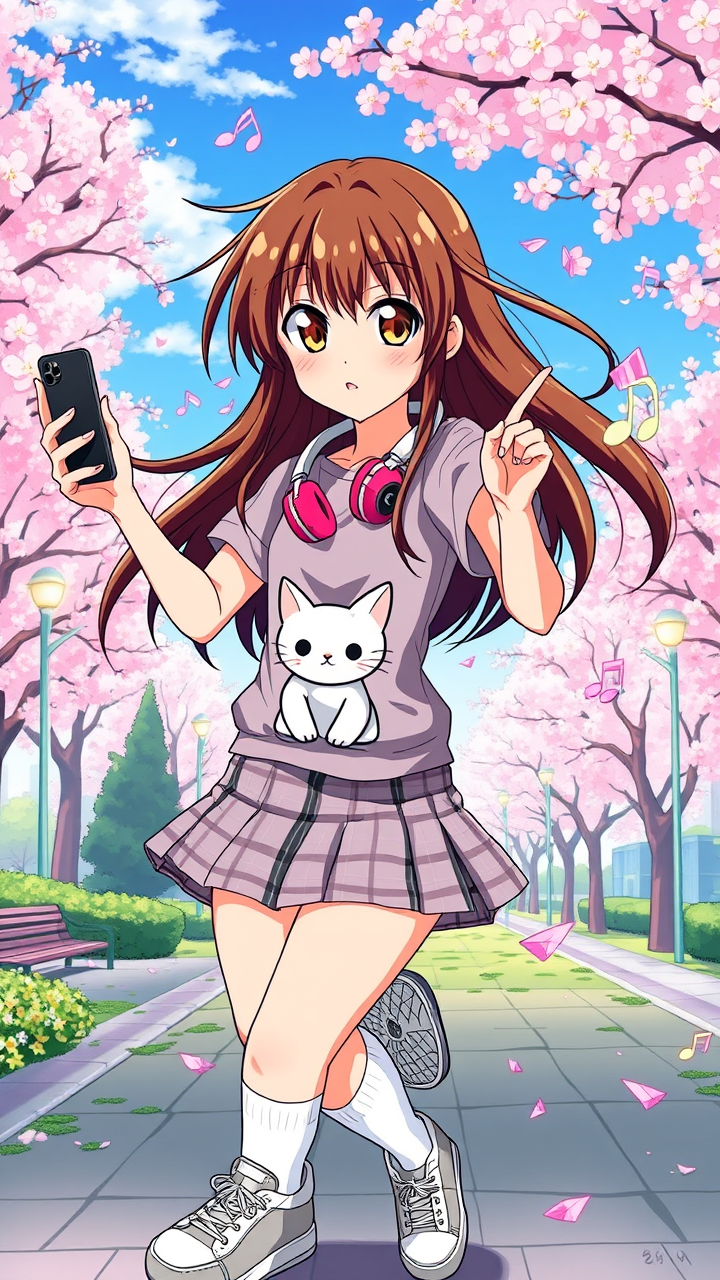
Generate an image of Haruhi Takamura in a vibrant anime style, emphasizing her long, flowing chestnut hair adorned with a pair of stylish headphones resting around her neck. She wears a trendy, casual outfit consisting of a fitted graphic tee featuring a cute cat design, paired with a plaid skirt and knee-high socks, complemented by stylish sneakers. Capture her bright, expressive hazel eyes, filled with determination and a hint of mischief. Haruhi strikes a dynamic pose, one hand playfully tossing her hair back while the other holds a smartphone, ready to snap a photo. Her expression radiates enthusiasm and confidence, showcasing her adventurous spirit. The background features a lively urban park scene with cherry blossom trees in full bloom, creating a vibrant atmosphere. Use a colorful anime art style with bold outlines and soft shading, incorporating signature elements like musical notes and playful sparkles around her, enhancing her energetic presence.
Detaillierte Analyse des Flux KI Image Prompt
Analysiere den detaillierten Prompt, der zur Erstellung des Bildes mit dem Flux KI Image Generator verwendet wurde.
Flux-Prompts für den KI-Bildgenerator erkunden
Wie man ein Bild generiert von Flux.1 schnell
Folge diesen vier einfachen Schritten, um das gewünschte Bild zu erstellen.
Schritt 1: Gib deinen Text ein (Fühle dich frei, deinen Prompt für bessere Ergebnisse zu verfeinern)
Schritt 2: Wähle das Bildseitenverhältnis
Schritt 3: Wähle dein Flux-Modell:
Schritt 4: Klicke auf die Generieren-Schaltfläche und warte ein paar Sekunden auf dein Bild
Verwandte Flux KI Tools für Prompts über Flux.1 schnell
Entdecke fortschrittliche Tools von Flux KI, um deinen kreativen Workflow zu verbessern.