Neon Shadows: A Hacker's Awakening - Flux.1 dev
Eingabe
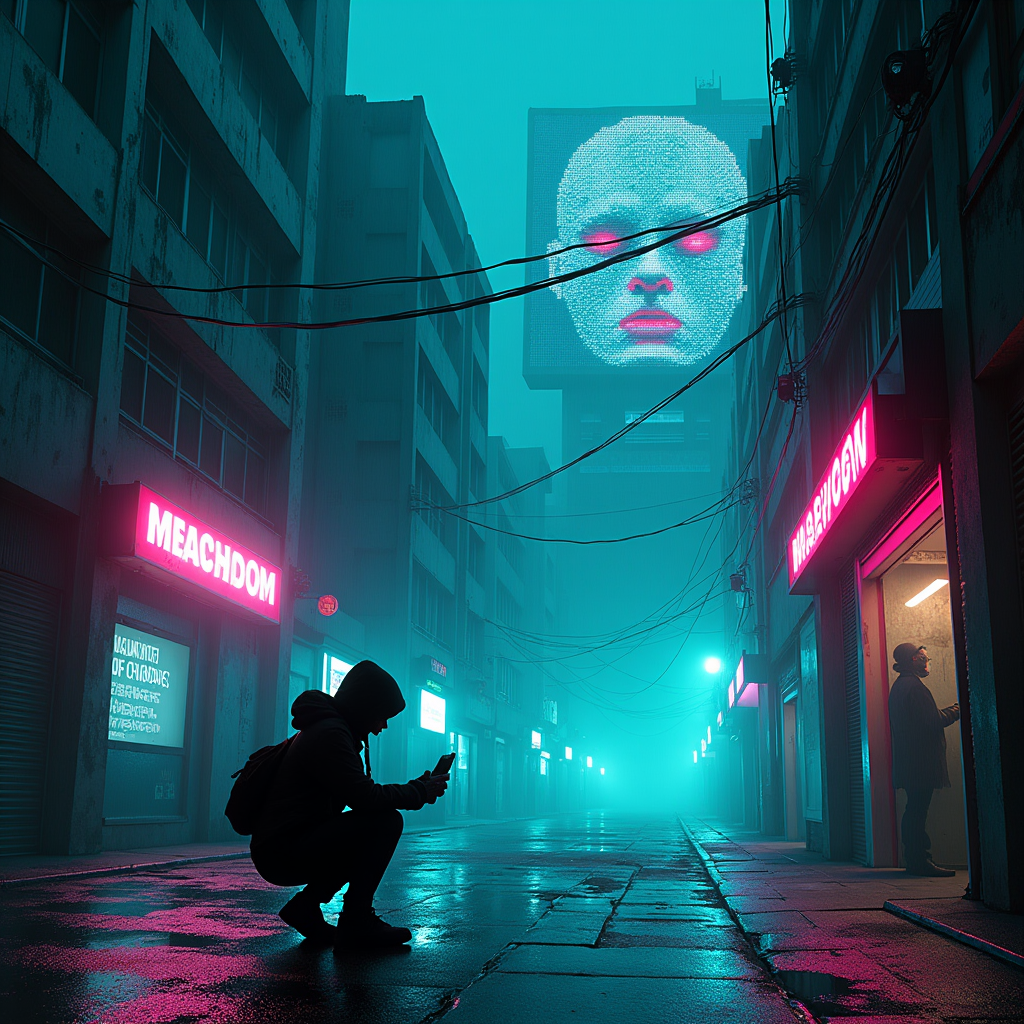
A lone hacker crouches in a rain-slicked alley, her silhouette illuminated by the pulsing neon signs above. Her cybernetic fingers dance across a holographic interface, streams of code reflecting in her augmented eyes. The towering skyscrapers around her seem alive, their windows flickering with data streams and electric currents. Shadows shift and morph on the wet pavement, cast by the ever-changing neon lights in shades of electric blue, acid green, and hot pink. The air is thick with a misty haze, giving the scene an ethereal quality. In the background, a massive digital billboard displays a glitching face—the city's AI consciousness—its pixelated eyes seeming to watch the hacker's every move. Cables and wires snake across the buildings and along the ground, pulsing with energy. The overall atmosphere is tense and electric, with a sense of impending digital revolution. The composition is dynamic, with strong diagonals created by the looming architecture and streaks of neon light cutting through the darkness. The color palette is dominated by deep blacks and vibrant, artificial hues, creating a stark contrast that emphasizes the merging of the physical and digital worlds.
Detaillierte Analyse des Flux KI Image Prompt
Analysiere den detaillierten Prompt, der zur Erstellung des Bildes mit dem Flux KI Image Generator verwendet wurde.
Flux-Prompts für den KI-Bildgenerator erkunden
Wie man ein Bild generiert von Flux.1 dev
Folge diesen vier einfachen Schritten, um das gewünschte Bild zu erstellen.
Schritt 1: Gib deinen Text ein (Fühle dich frei, deinen Prompt für bessere Ergebnisse zu verfeinern)
Schritt 2: Wähle das Bildseitenverhältnis
Schritt 3: Wähle dein Flux-Modell:
Schritt 4: Klicke auf die Generieren-Schaltfläche und warte ein paar Sekunden auf dein Bild
Verwandte Flux KI Tools für Prompts über Flux.1 dev
Entdecke fortschrittliche Tools von Flux KI, um deinen kreativen Workflow zu verbessern.