Neon Oracles: Prophecies in Rain - Flux.1 schnell
Eingabe
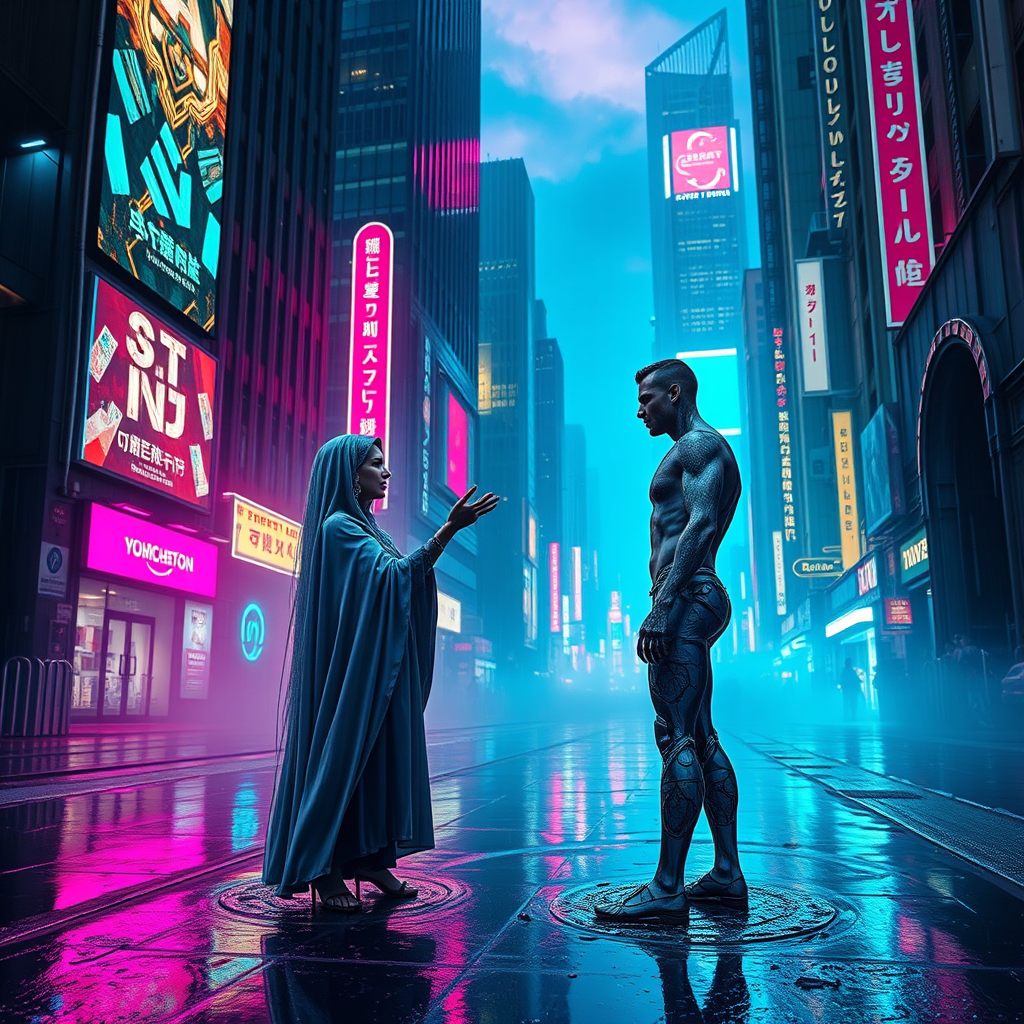
In a neon-drenched cityscape, rain-slicked pavement glistens like liquid glass under a canopy of electric twilight, where vibrant hues of cobalt blue and magenta intermingle with the soft glow of flickering holograms. Towering skyscrapers loom overhead, their surfaces adorned with pulsating advertisements and intricate circuitry that hums with life. At the forefront, two cybernetic oracles, their bodies a fusion of organic and mechanical, stand poised in a swirling mist, their eyes glowing with an ethereal light as they exchange cryptic prophecies. One oracle, draped in a flowing, iridescent cloak, gestures with slender fingers, while the other, adorned with intricate tattoos that pulse rhythmically, listens intently, a holographic interface swirling around them. The atmosphere is thick with anticipation, electric energy crackling in the air, as the distant sound of rain pattering against metal echoes through the alleyways, creating a symphony of urban mystique.
Detaillierte Analyse des Flux KI Image Prompt
Analysiere den detaillierten Prompt, der zur Erstellung des Bildes mit dem Flux KI Image Generator verwendet wurde.
Flux-Prompts für den KI-Bildgenerator erkunden
Wie man ein Bild generiert von Flux.1 schnell
Folge diesen vier einfachen Schritten, um das gewünschte Bild zu erstellen.
Schritt 1: Gib deinen Text ein (Fühle dich frei, deinen Prompt für bessere Ergebnisse zu verfeinern)
Schritt 2: Wähle das Bildseitenverhältnis
Schritt 3: Wähle dein Flux-Modell:
Schritt 4: Klicke auf die Generieren-Schaltfläche und warte ein paar Sekunden auf dein Bild
Verwandte Flux KI Tools für Prompts über Flux.1 schnell
Entdecke fortschrittliche Tools von Flux KI, um deinen kreativen Workflow zu verbessern.