Hikaru Sato - Flux.1 schnell
Eingabe
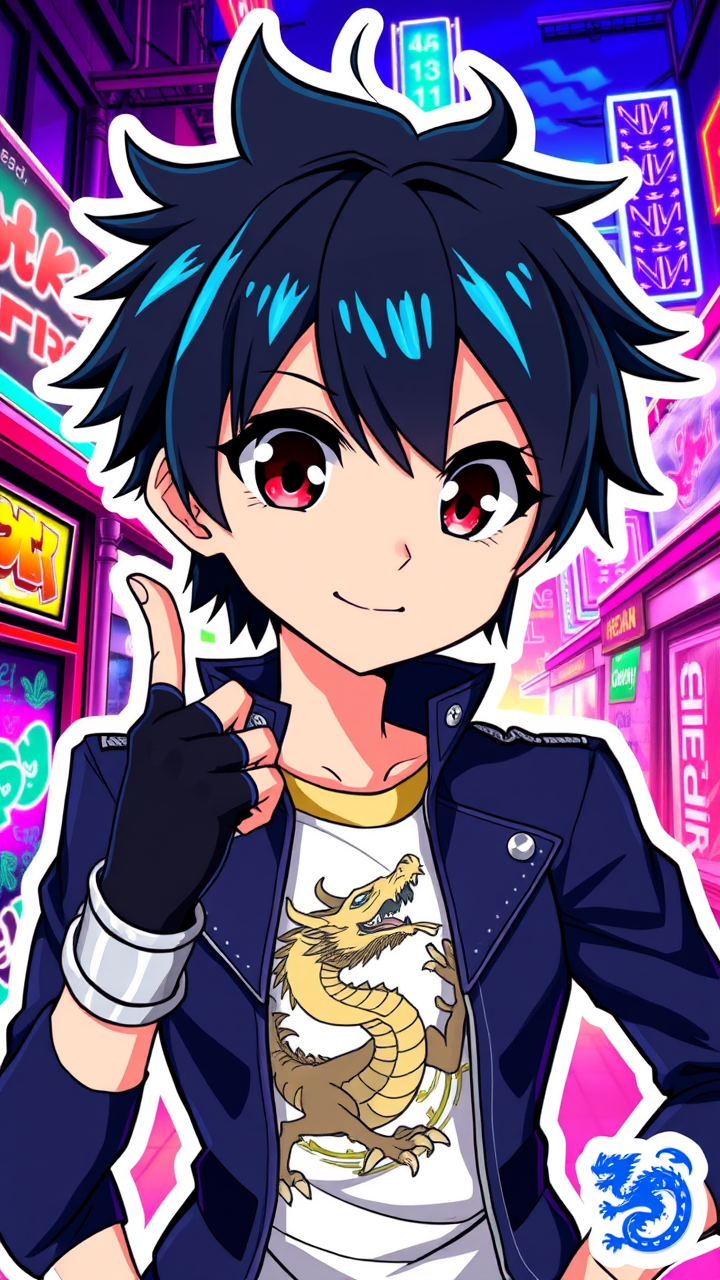
Create an image of Hikaru Sato in a vibrant anime sticker style, featuring large, expressive eyes that shimmer with determination. Hikaru has short, spiky black hair with a few bright blue streaks, wearing a stylish, fitted navy jacket adorned with silver accents and a high collar. Underneath, a graphic tee showcases a dynamic dragon design. Accessories include fingerless gloves and a sleek silver wristband. Capture Hikaru's confident smile, with a slight tilt of the head, and a pose that suggests readiness for action, one hand raised in a playful gesture. The background should be a colorful urban landscape, filled with neon lights and graffiti art, emphasizing a modern, energetic vibe. Use bold outlines and a vibrant color palette typical of anime sticker art, ensuring the character stands out against the lively backdrop. Include a small, stylized dragon emblem in the corner as a signature element associated with Hikaru.
Detaillierte Analyse des Flux KI Image Prompt
Analysiere den detaillierten Prompt, der zur Erstellung des Bildes mit dem Flux KI Image Generator verwendet wurde.
Flux-Prompts für den KI-Bildgenerator erkunden
Wie man ein Bild generiert von Flux.1 schnell
Folge diesen vier einfachen Schritten, um das gewünschte Bild zu erstellen.
Schritt 1: Gib deinen Text ein (Fühle dich frei, deinen Prompt für bessere Ergebnisse zu verfeinern)
Schritt 2: Wähle das Bildseitenverhältnis
Schritt 3: Wähle dein Flux-Modell:
Schritt 4: Klicke auf die Generieren-Schaltfläche und warte ein paar Sekunden auf dein Bild
Verwandte Flux KI Tools für Prompts über Flux.1 schnell
Entdecke fortschrittliche Tools von Flux KI, um deinen kreativen Workflow zu verbessern.