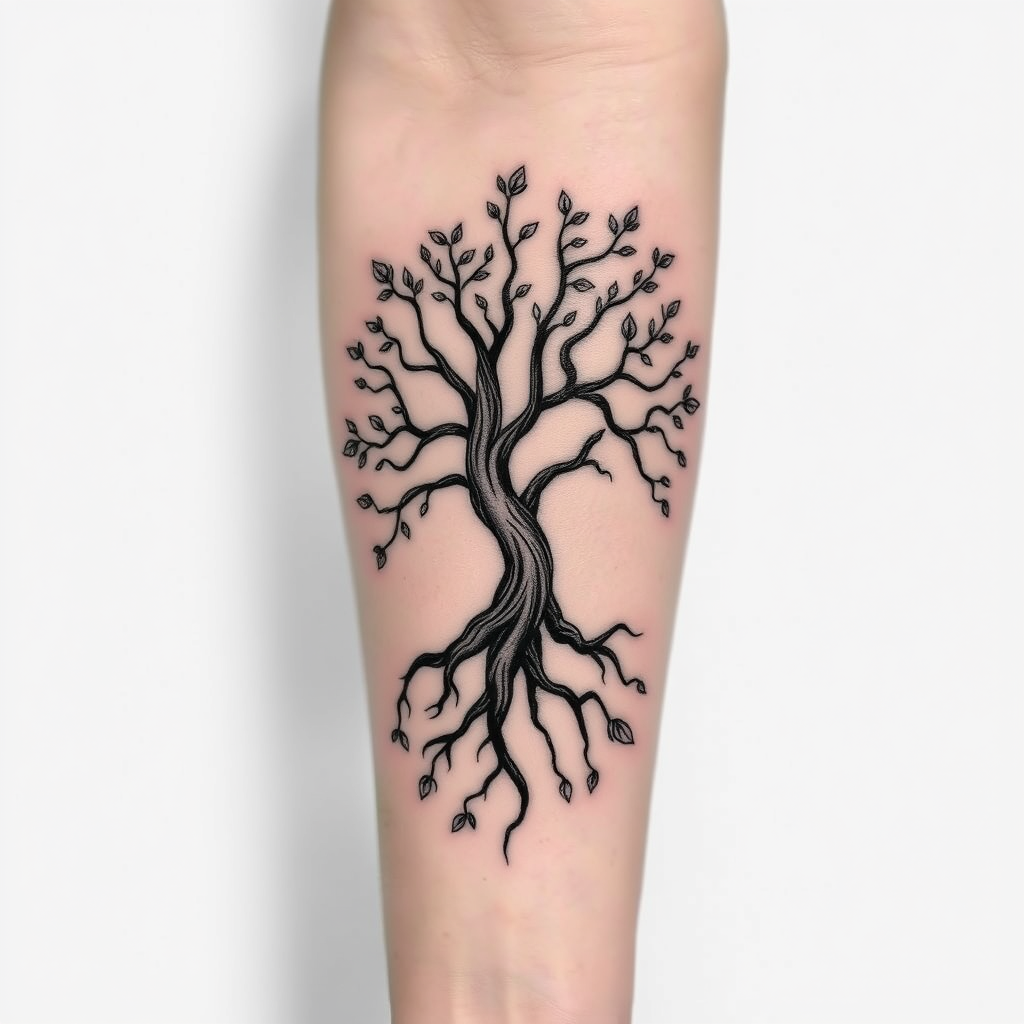
Elegant Tree of Life Tattoo - Flux.1 schnell
Eingabe
Create a tattoo design for the side of the forearm featuring a stylized tree of life. The tree should have intricate, swirling roots that intertwine with delicate branches, symbolizing growth and connection. Incorporate small, detailed leaves that vary in size, adding a sense of movement. The artistic style should be a blend of realistic and illustrative, with fine line work and shading to enhance depth. The tattoo should cover approximately two-thirds of the forearm, allowing for a striking visual impact. Utilize a monochromatic color palette, focusing on deep blacks and soft grays to highlight the details. Add subtle textures to the bark and leaves, creating a tactile quality. The design should evoke a sense of harmony and balance, reflecting themes of life, nature, and interconnectedness, while maintaining an elegant and timeless aesthetic.
Detaillierte Analyse des Flux KI Image Prompt
Analysiere den detaillierten Prompt, der zur Erstellung des Bildes mit dem Flux KI Image Generator verwendet wurde.
Flux-Prompts für den KI-Bildgenerator erkunden
Wie man ein Bild generiert von Flux.1 schnell
Folge diesen vier einfachen Schritten, um das gewünschte Bild zu erstellen.
Schritt 1: Gib deinen Text ein (Fühle dich frei, deinen Prompt für bessere Ergebnisse zu verfeinern)
Schritt 2: Wähle das Bildseitenverhältnis
Schritt 3: Wähle dein Flux-Modell:
Schritt 4: Klicke auf die Generieren-Schaltfläche und warte ein paar Sekunden auf dein Bild
Verwandte Flux KI Tools für Prompts über Flux.1 schnell
Entdecke fortschrittliche Tools von Flux KI, um deinen kreativen Workflow zu verbessern.