Neon Oracles of the Cyber Twilight - Flux.1 dev
Eingabe
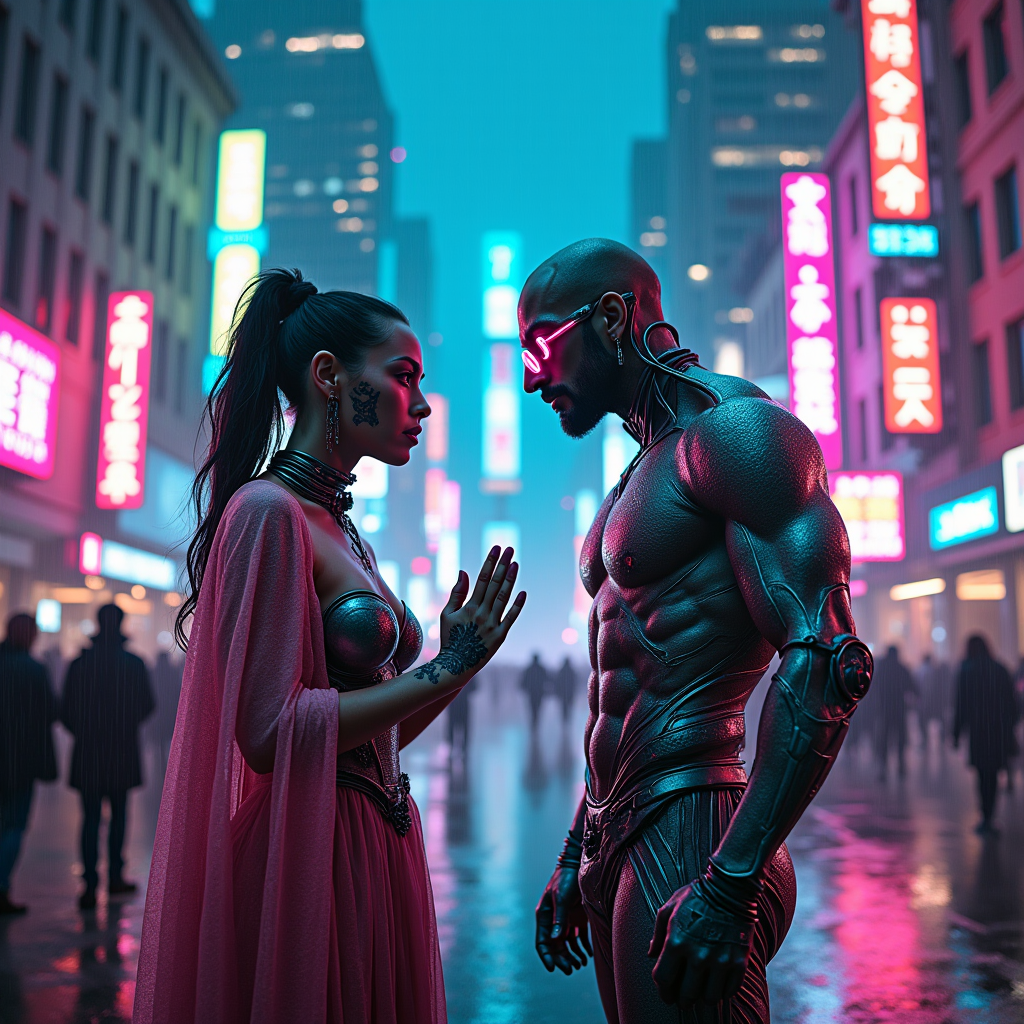
In a bustling cyberpunk metropolis, neon-lit streets glisten with rain, reflecting vibrant hues of electric blue, hot pink, and acid green. Towering skyscrapers, adorned with pulsating holograms, loom overhead, casting a surreal glow over the scene. Amidst the electric twilight, two cybernetic oracles, their eyes glowing with ethereal light, stand at a weathered street corner, exchanging cryptic prophecies. One oracle, adorned with intricate circuitry tattoos and a flowing cloak made of shimmering fabric, gestures dramatically, while the other, with a sleek chrome exoskeleton and luminous tattoos, listens intently, their faces illuminated by the flickering glow of nearby neon signs. Wisps of digital smoke curl around them, adding an air of mystery, while the distant hum of hover cars and the chatter of a diverse crowd create an immersive atmosphere of anticipation and intrigue.
Detaillierte Analyse des Flux KI Image Prompt
Analysiere den detaillierten Prompt, der zur Erstellung des Bildes mit dem Flux KI Image Generator verwendet wurde.
Flux-Prompts für den KI-Bildgenerator erkunden
Wie man ein Bild generiert von Flux.1 dev
Folge diesen vier einfachen Schritten, um das gewünschte Bild zu erstellen.
Schritt 1: Gib deinen Text ein (Fühle dich frei, deinen Prompt für bessere Ergebnisse zu verfeinern)
Schritt 2: Wähle das Bildseitenverhältnis
Schritt 3: Wähle dein Flux-Modell:
Schritt 4: Klicke auf die Generieren-Schaltfläche und warte ein paar Sekunden auf dein Bild
Verwandte Flux KI Tools für Prompts über Flux.1 dev
Entdecke fortschrittliche Tools von Flux KI, um deinen kreativen Workflow zu verbessern.