Neon Dreams: Rogue Mechanic's Rebellion - Flux.1 dev
Eingabe
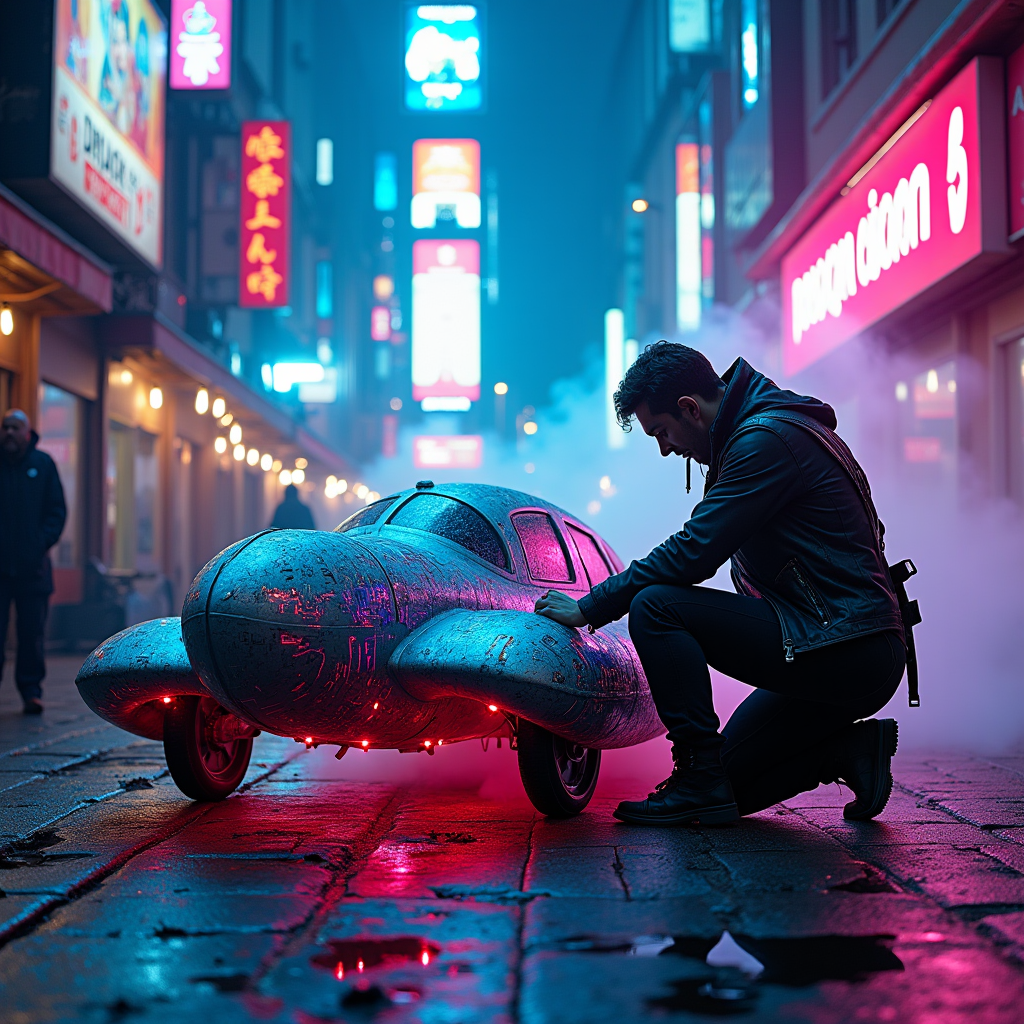
In a bustling neon-lit alley, vibrant hues of electric blue and hot pink illuminate the damp cobblestones, reflecting off the metallic surfaces of scattered debris. A rogue mechanic, clad in a patchwork of leather and tech-infused gear, kneels beside a sleek, futuristic hovercraft, its body adorned with glowing circuit patterns and flickering holographic decals. The mechanic’s hands, stained with oil and grime, deftly adjust the hovercraft's engine, surrounded by a haze of steam and the faint hum of machinery. Above, the electric sky crackles with energy, casting a surreal glow over the scene, while towering skyscrapers loom in the background, their windows ablaze with vibrant advertisements. Wisps of neon smoke curl around the alley, creating an intoxicating atmosphere of rebellion and innovation, as distant sirens wail and the pulse of the city beats like a living organism, alive with possibility and danger.
Detaillierte Analyse des Flux KI Image Prompt
Analysiere den detaillierten Prompt, der zur Erstellung des Bildes mit dem Flux KI Image Generator verwendet wurde.
Flux-Prompts für den KI-Bildgenerator erkunden
Wie man ein Bild generiert von Flux.1 dev
Folge diesen vier einfachen Schritten, um das gewünschte Bild zu erstellen.
Schritt 1: Gib deinen Text ein (Fühle dich frei, deinen Prompt für bessere Ergebnisse zu verfeinern)
Schritt 2: Wähle das Bildseitenverhältnis
Schritt 3: Wähle dein Flux-Modell:
Schritt 4: Klicke auf die Generieren-Schaltfläche und warte ein paar Sekunden auf dein Bild
Verwandte Flux KI Tools für Prompts über Flux.1 dev
Entdecke fortschrittliche Tools von Flux KI, um deinen kreativen Workflow zu verbessern.