Neon Verses: Hope in Shadows - Flux.1.1 pro
Eingabe
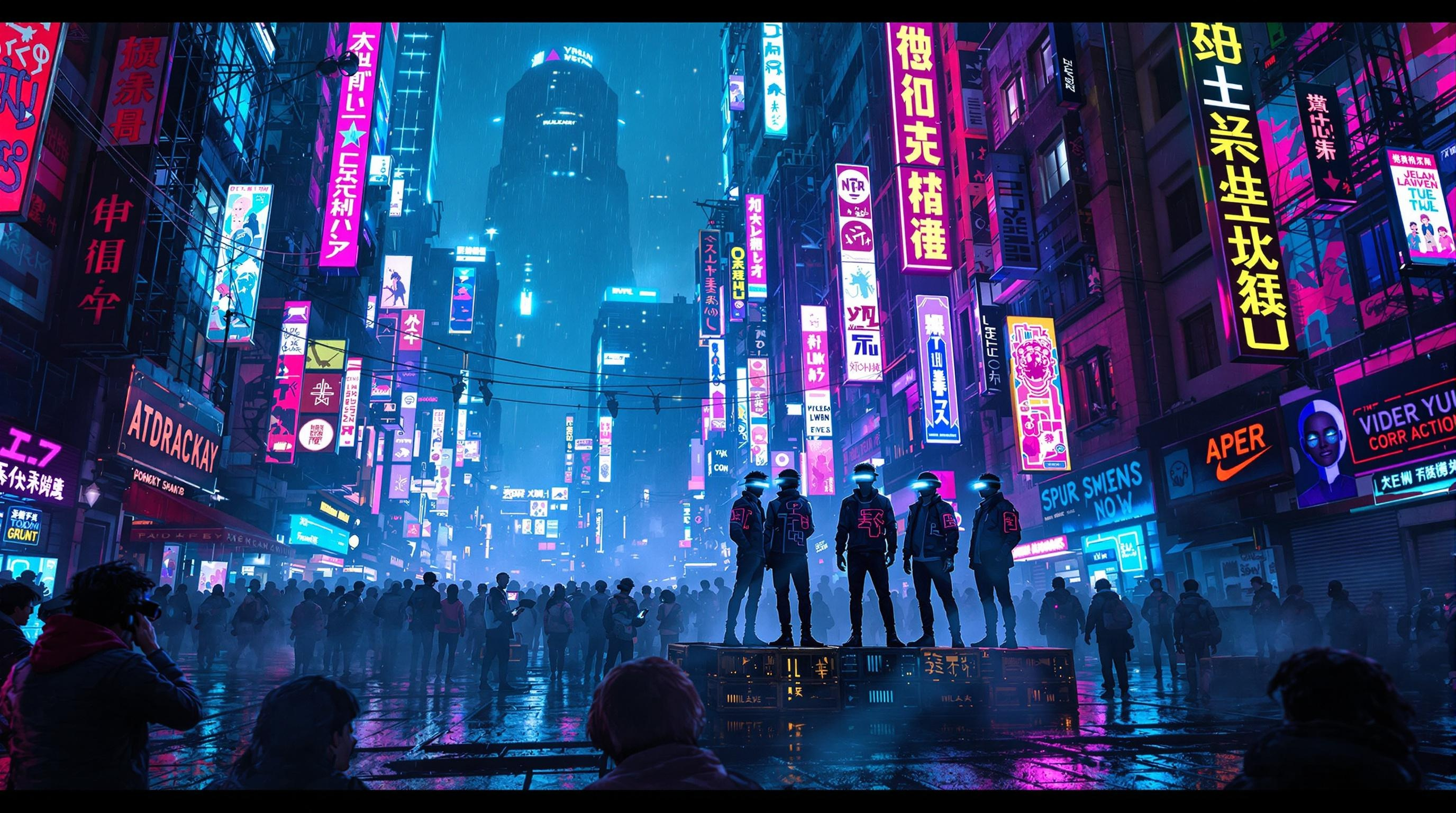
In a bustling cyberpunk cityscape, neon-lit shadows pulse rhythmically against rain-slicked streets, vibrant hues of electric blue and hot pink illuminating the air with a surreal glow. Towering skyscrapers adorned with flickering holograms loom overhead, their surfaces alive with animated graffiti that shifts as if breathing. Amidst this electric jungle, a group of augmented street poets, their eyes gleaming with augmented reality interfaces, stand on a makeshift stage of crates, passionately reciting verses that weave tales of resilience and hope. Their attire blends urban grit with high-tech flair—glowing tattoos and circuit-patterned jackets reflecting the neon lights. Wisps of steam rise from the gutters, mingling with the scent of rain and street food, creating an atmosphere thick with creativity and rebellion. In the foreground, a captivated audience, faces illuminated by the vibrant glow, leans in, their expressions a blend of awe and inspiration, as the poets’ words ignite a spark of hope amidst the chaos.
Detaillierte Analyse des Flux KI Image Prompt
Analysiere den detaillierten Prompt, der zur Erstellung des Bildes mit dem Flux KI Image Generator verwendet wurde.
Flux-Prompts für den KI-Bildgenerator erkunden
Wie man ein Bild generiert von Flux.1.1 pro
Folge diesen vier einfachen Schritten, um das gewünschte Bild zu erstellen.
Schritt 1: Gib deinen Text ein (Fühle dich frei, deinen Prompt für bessere Ergebnisse zu verfeinern)
Schritt 2: Wähle das Bildseitenverhältnis
Schritt 3: Wähle dein Flux-Modell:
Schritt 4: Klicke auf die Generieren-Schaltfläche und warte ein paar Sekunden auf dein Bild
Verwandte Flux KI Tools für Prompts über Flux.1.1 pro
Entdecke fortschrittliche Tools von Flux KI, um deinen kreativen Workflow zu verbessern.