Neon Shadows: Secrets Unleashed - Flux.1 dev
Eingabe
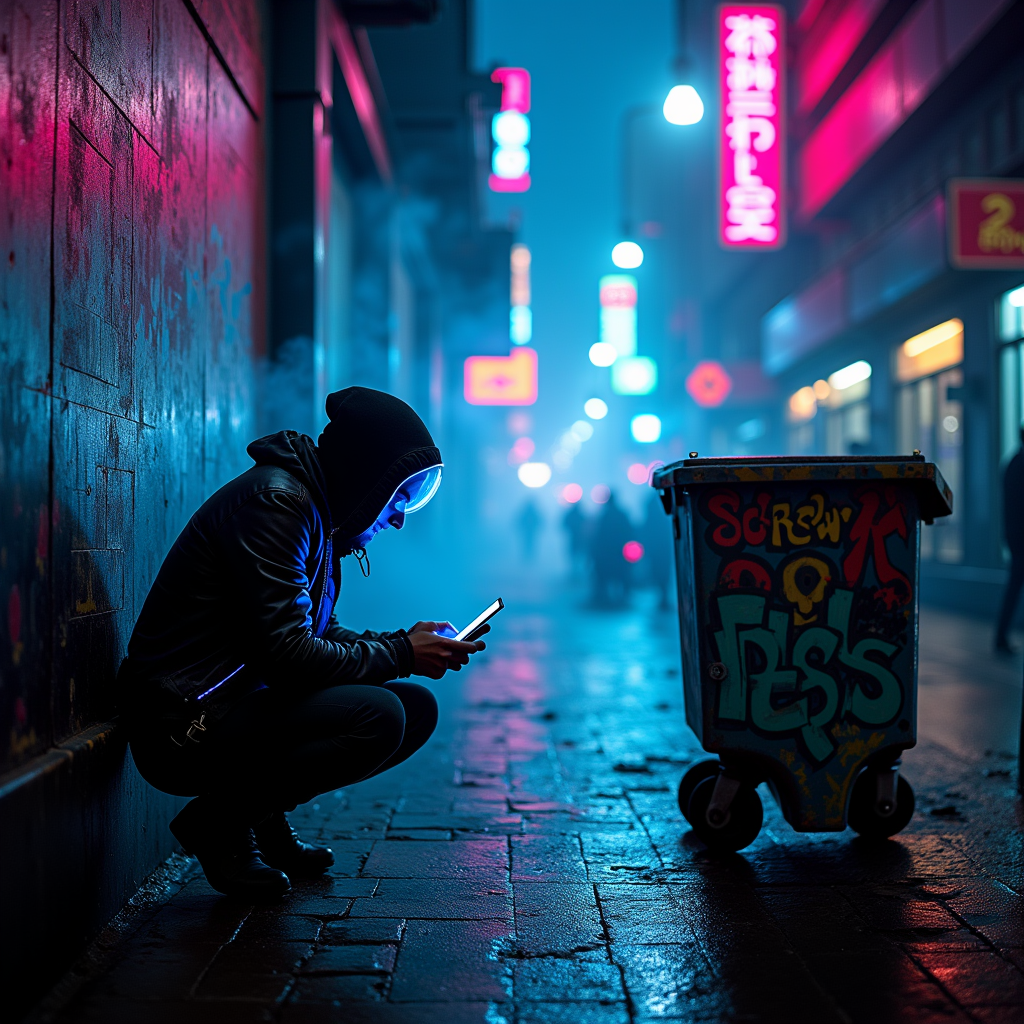
In a dimly lit alley shrouded in a swirling neon haze, a rogue hacker crouches behind a graffiti-covered dumpster, illuminated by the pulsating glow of electric blue and vibrant pink lights. The air is thick with a palpable tension, as holographic advertisements flicker overhead, casting a kaleidoscope of colors onto rain-slicked cobblestones. The hacker, clad in a tattered leather jacket adorned with LED strips, deftly manipulates a sleek, translucent device, its screen casting a ghostly light on their focused face, partially obscured by a high-tech visor. Shadows dance around them, where the silhouettes of towering skyscrapers loom, their windows aglow with ominous red and green hues. In the distance, chaotic sounds of sirens and distant explosions echo, hinting at a city on the brink of collapse, while tendrils of digital code spiral through the air like wisps of smoke, representing the stolen corporate secrets that swirl in the atmosphere, waiting to be unleashed.
Detaillierte Analyse des Flux KI Image Prompt
Analysiere den detaillierten Prompt, der zur Erstellung des Bildes mit dem Flux KI Image Generator verwendet wurde.
Flux-Prompts für den KI-Bildgenerator erkunden
Wie man ein Bild generiert von Flux.1 dev
Folge diesen vier einfachen Schritten, um das gewünschte Bild zu erstellen.
Schritt 1: Gib deinen Text ein (Fühle dich frei, deinen Prompt für bessere Ergebnisse zu verfeinern)
Schritt 2: Wähle das Bildseitenverhältnis
Schritt 3: Wähle dein Flux-Modell:
Schritt 4: Klicke auf die Generieren-Schaltfläche und warte ein paar Sekunden auf dein Bild
Verwandte Flux KI Tools für Prompts über Flux.1 dev
Entdecke fortschrittliche Tools von Flux KI, um deinen kreativen Workflow zu verbessern.