Stonehenge - Flux.1 schnell
Eingabe
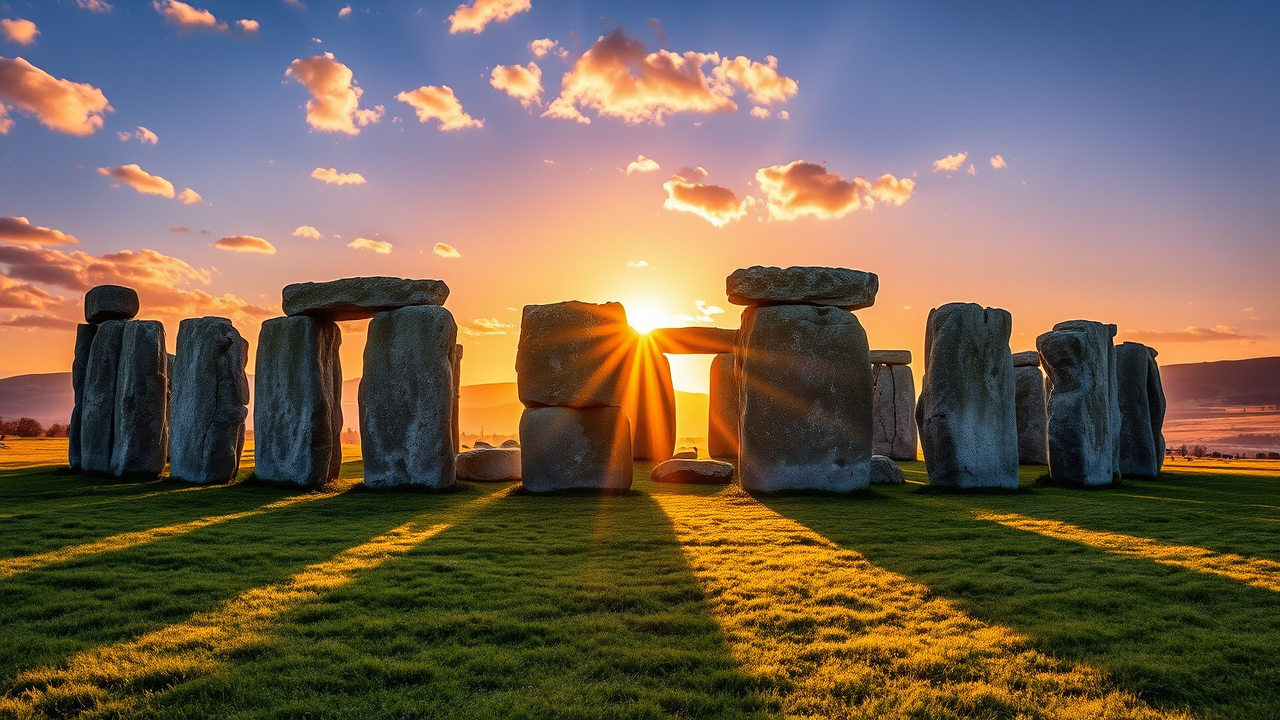
Create an image of Stonehenge at dawn, bathed in soft golden light as the first rays of the sun illuminate the ancient stones. The massive sarsen stones, weathered and rough, stand in a circular formation, their gray hues contrasting with the vibrant greens of the surrounding grassland. Wisps of morning mist curl around the stones, adding an ethereal quality to the scene. The sky transitions from deep blue to warm orange, with scattered clouds reflecting the dawn light. In the background, gentle hills roll under a blanket of dew, enhancing the sense of tranquility. Capture the majesty of the structure with a low-angle shot that emphasizes the towering stones against the expansive sky, evoking a sense of mystery and reverence for its historical significance as a Neolithic monument. Use a wide-angle lens to encompass both the stones and the vast landscape, highlighting the connection between architecture and nature.
Detaillierte Analyse des Flux KI Image Prompt
Analysiere den detaillierten Prompt, der zur Erstellung des Bildes mit dem Flux KI Image Generator verwendet wurde.
Flux-Prompts für den KI-Bildgenerator erkunden
Wie man ein Bild generiert von Flux.1 schnell
Folge diesen vier einfachen Schritten, um das gewünschte Bild zu erstellen.
Schritt 1: Gib deinen Text ein (Fühle dich frei, deinen Prompt für bessere Ergebnisse zu verfeinern)
Schritt 2: Wähle das Bildseitenverhältnis
Schritt 3: Wähle dein Flux-Modell:
Schritt 4: Klicke auf die Generieren-Schaltfläche und warte ein paar Sekunden auf dein Bild
Verwandte Flux KI Tools für Prompts über Flux.1 schnell
Entdecke fortschrittliche Tools von Flux KI, um deinen kreativen Workflow zu verbessern.