Neon Abyss: Hackers in Shadows - Flux.1 dev
Eingabe
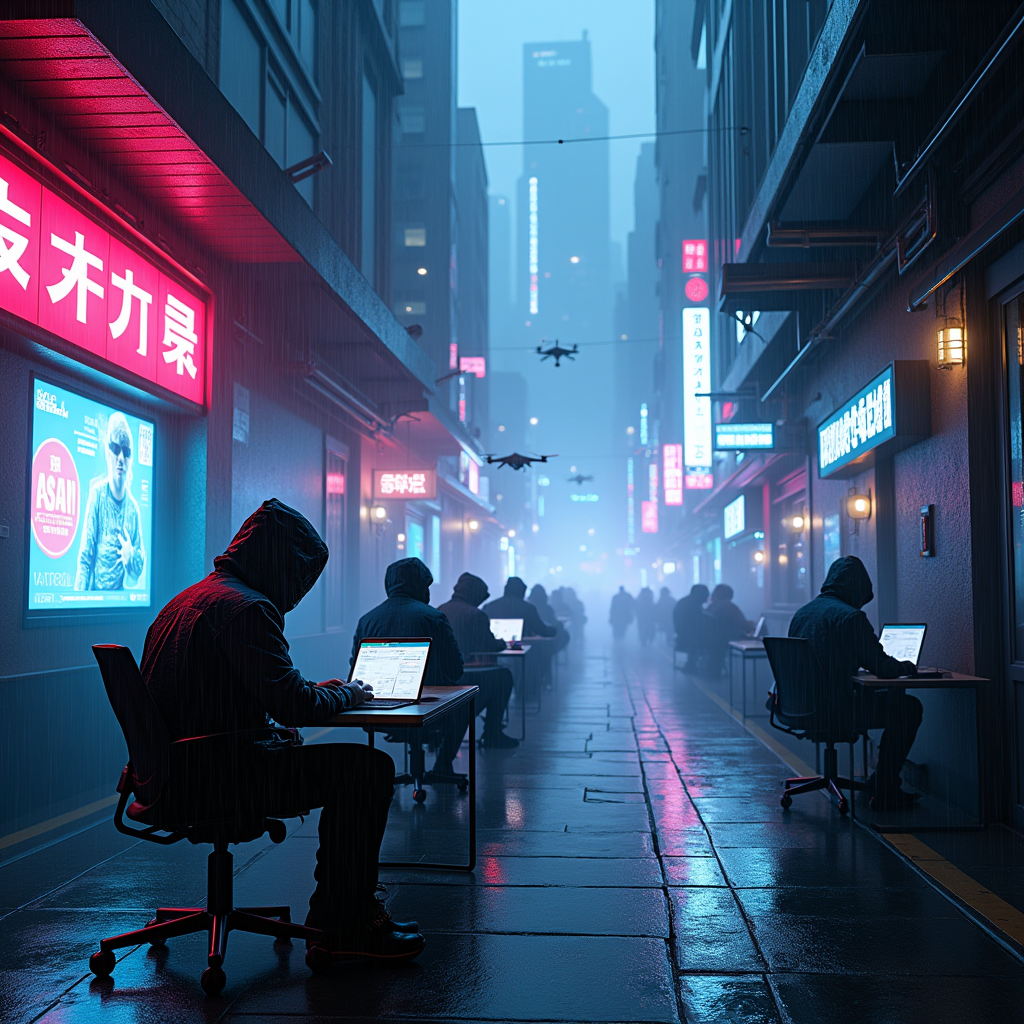
In a sprawling cyberpunk metropolis, neon shadows flicker against rain-soaked streets, where towering skyscrapers loom like sentinels, their glass facades reflecting vibrant hues of electric blue and hot pink. Drones zip through the air, their mechanical whirring blending with the distant hum of a bustling city; beneath them, a group of hackers, cloaked in dark, hooded jackets adorned with glowing circuitry, hunch over their sleek, holographic interfaces, fingers dancing across virtual keyboards. The atmosphere is thick with a sense of urgency, illuminated by the pulsating lights of advertisements for digital enhancements and underground networks. A nearby alley is shrouded in mist, where the faint glow of a neon sign flickers ominously, casting eerie shadows on the wet pavement, while a digital rain cascades from above, creating a surreal, otherworldly ambiance that encapsulates the essence of a world teetering on the edge of reality and the digital abyss.
Detaillierte Analyse des Flux KI Image Prompt
Analysiere den detaillierten Prompt, der zur Erstellung des Bildes mit dem Flux KI Image Generator verwendet wurde.
Flux-Prompts für den KI-Bildgenerator erkunden
Wie man ein Bild generiert von Flux.1 dev
Folge diesen vier einfachen Schritten, um das gewünschte Bild zu erstellen.
Schritt 1: Gib deinen Text ein (Fühle dich frei, deinen Prompt für bessere Ergebnisse zu verfeinern)
Schritt 2: Wähle das Bildseitenverhältnis
Schritt 3: Wähle dein Flux-Modell:
Schritt 4: Klicke auf die Generieren-Schaltfläche und warte ein paar Sekunden auf dein Bild
Verwandte Flux KI Tools für Prompts über Flux.1 dev
Entdecke fortschrittliche Tools von Flux KI, um deinen kreativen Workflow zu verbessern.