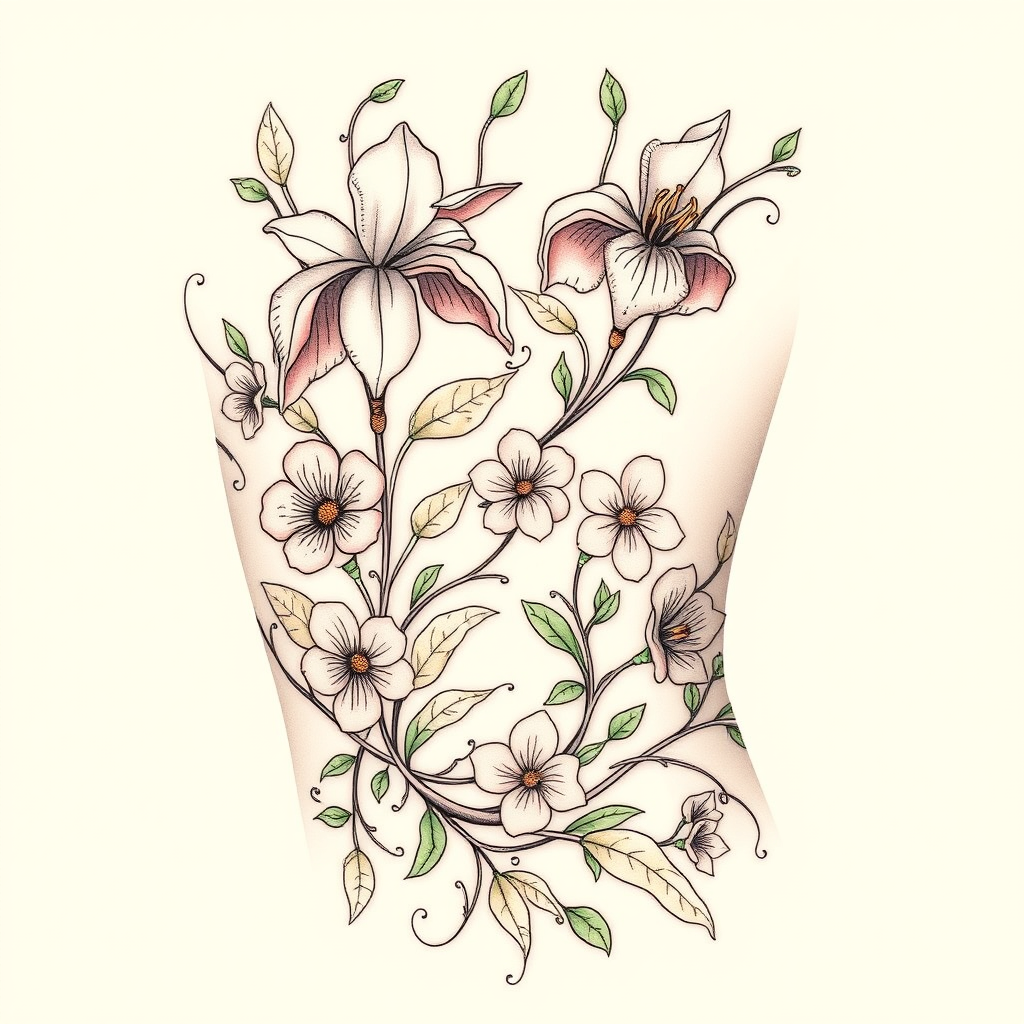
Whimsical Floral Ribcage Tattoo - Flux.1 schnell
Eingabe
Create a tattoo design for the ribcage featuring an intricate Art Nouveau floral pattern. Incorporate elegant, flowing lines that form stylized flowers such as irises and lilies, intertwined with delicate vines and leaves that wrap around the ribs. The artistic style should be a blend of realistic and illustrative, capturing the organic beauty of nature while maintaining a whimsical touch. The tattoo should span from the lower ribcage to just below the armpit, with a size that allows for detailed examination yet remains cohesive with the body's contours. Use a muted color palette of soft greens, pastel pinks, and subtle gold accents, enhancing the elegant feel. Include intricate textures in the petals and leaves to create depth. The design should evoke a sense of serenity and grace, reflecting themes of growth and transformation, reminiscent of the natural world’s beauty.
Detaillierte Analyse des Flux KI Image Prompt
Analysiere den detaillierten Prompt, der zur Erstellung des Bildes mit dem Flux KI Image Generator verwendet wurde.
Flux-Prompts für den KI-Bildgenerator erkunden
Wie man ein Bild generiert von Flux.1 schnell
Folge diesen vier einfachen Schritten, um das gewünschte Bild zu erstellen.
Schritt 1: Gib deinen Text ein (Fühle dich frei, deinen Prompt für bessere Ergebnisse zu verfeinern)
Schritt 2: Wähle das Bildseitenverhältnis
Schritt 3: Wähle dein Flux-Modell:
Schritt 4: Klicke auf die Generieren-Schaltfläche und warte ein paar Sekunden auf dein Bild
Verwandte Flux KI Tools für Prompts über Flux.1 schnell
Entdecke fortschrittliche Tools von Flux KI, um deinen kreativen Workflow zu verbessern.