《Tomb Raider》-Jonah Maiava - Flux.1 schnell
Eingabe
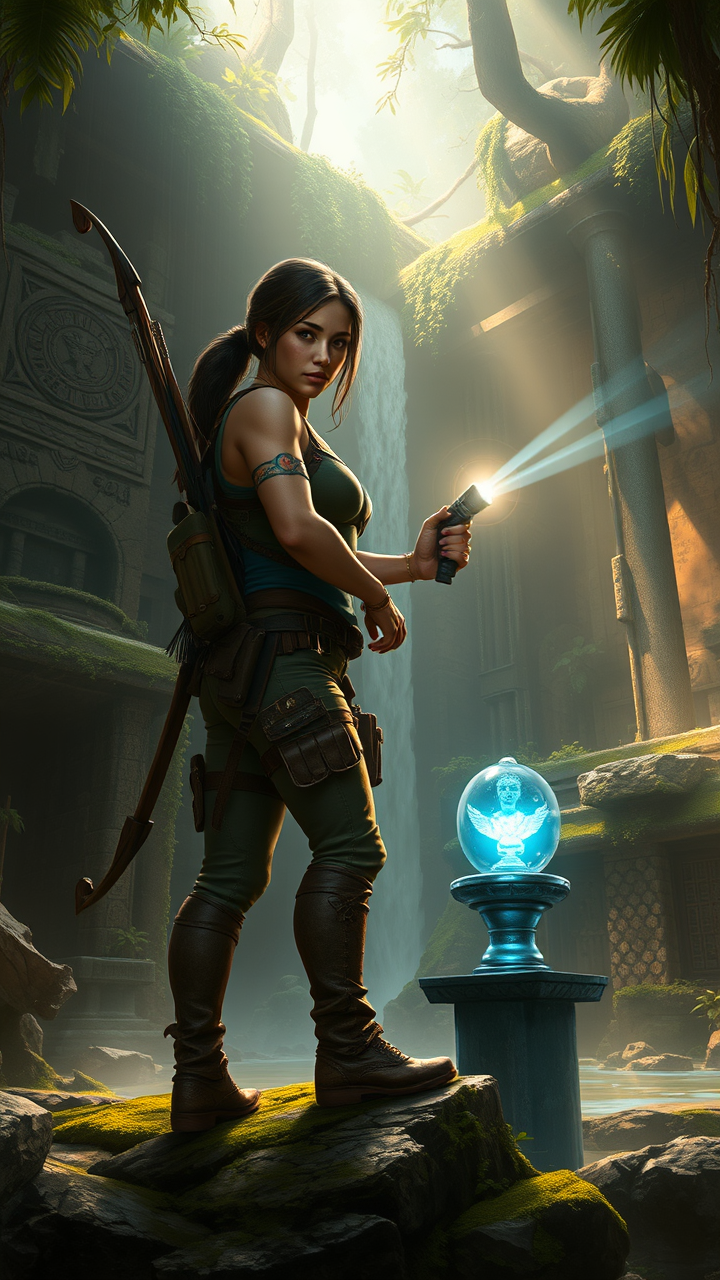
**Prompt:** *"Dynamic action-adventure game artwork inspired by *Tomb Raider*, featuring the daring explorer Lara Croft and her loyal ally Jonah Maiava. Lara, clad in rugged tactical gear with a bow slung across her back, stands poised in a misty jungle ruin, her determined gaze fixed on ancient carvings. Jonah, a broad-shouldered figure with a warm yet resolute expression, holds a flashlight, illuminating moss-covered stone relics. The environment is lush and treacherous—vines snake over crumbling temples, waterfalls cascade into hidden pools, and shafts of golden light pierce the dense canopy. A mysterious artifact, glowing with an eerie blue hue, rests on a weathered pedestal. The atmosphere is tense with discovery, blending danger and wonder, evoking the thrill of uncharted adventure. Cinematic lighting, hyper-detailed textures, and a palette of deep greens, earthy browns, and ethereal blues enhance the immersive, cinematic feel."* (Characters: Lara Croft, Jonah Maiava | Setting: Ancient jungle ruins | Key Items: Bow, flashlight, glowing artifact | Mood: Adventurous, mysterious, perilous.)
Detaillierte Analyse des Flux KI Image Prompt
Analysiere den detaillierten Prompt, der zur Erstellung des Bildes mit dem Flux KI Image Generator verwendet wurde.
Flux-Prompts für den KI-Bildgenerator erkunden
Wie man ein Bild generiert von Flux.1 schnell
Folge diesen vier einfachen Schritten, um das gewünschte Bild zu erstellen.
Schritt 1: Gib deinen Text ein (Fühle dich frei, deinen Prompt für bessere Ergebnisse zu verfeinern)
Schritt 2: Wähle das Bildseitenverhältnis
Schritt 3: Wähle dein Flux-Modell:
Schritt 4: Klicke auf die Generieren-Schaltfläche und warte ein paar Sekunden auf dein Bild
Verwandte Flux KI Tools für Prompts über Flux.1 schnell
Entdecke fortschrittliche Tools von Flux KI, um deinen kreativen Workflow zu verbessern.