Rembrandt - Flux.1 dev
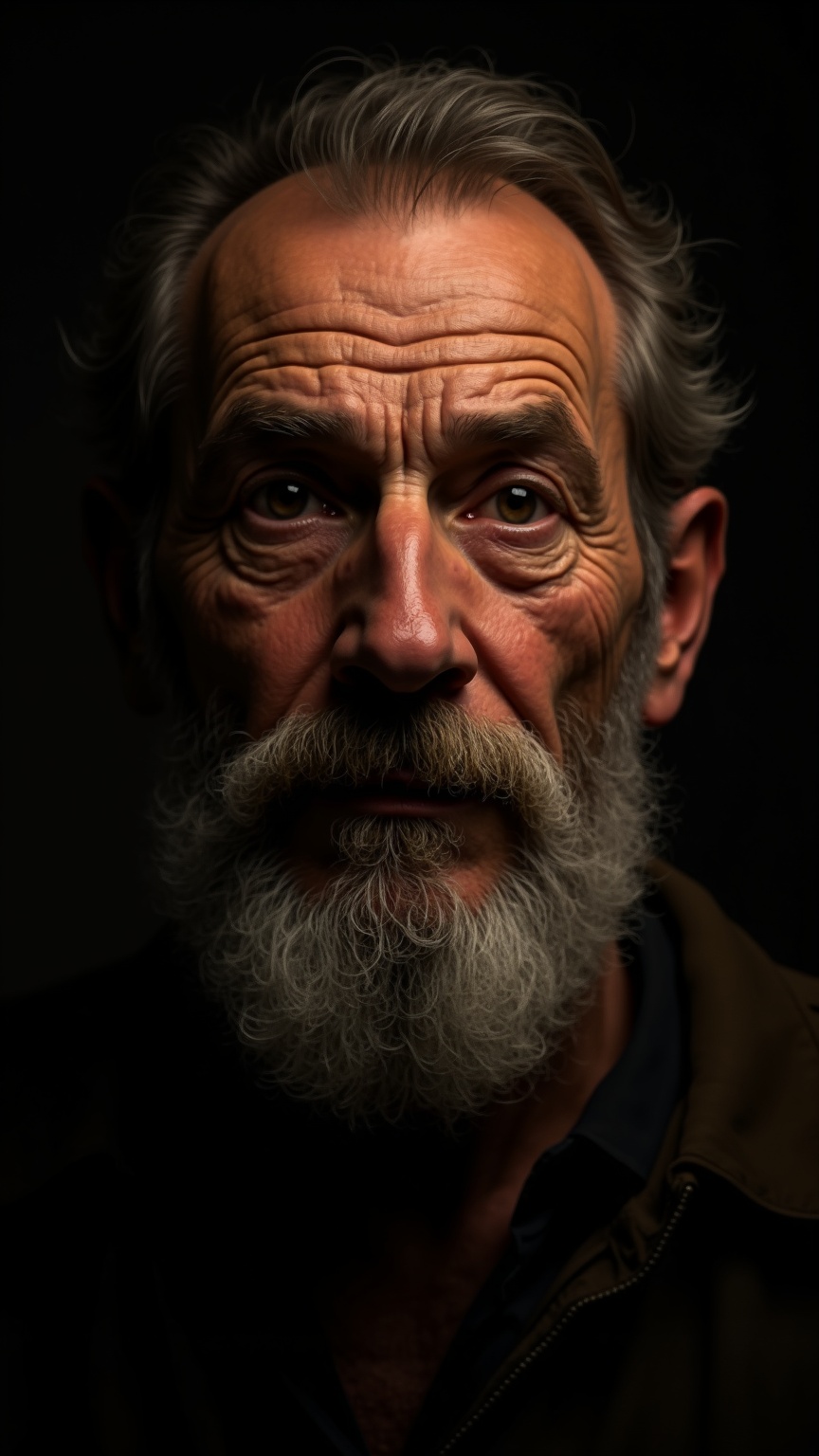
Eingabe
**Prompt:** "Create a highly detailed, photorealistic portrait in the style of Rembrandt, featuring a middle-aged man with a strong, expressive face. Capture deep-set, soulful eyes with subtle wrinkles, a prominent nose, and a full, slightly unkempt beard with fine texture. Use dramatic chiaroscuro lighting to highlight the subject's weathered yet wise expression, casting soft shadows that enhance depth and emotion. The background should be dark and muted, with a faint golden glow reminiscent of 17th-century Dutch Baroque painting. Render the skin with lifelike imperfections—pores, faint blemishes, and natural oil highlights—to evoke authenticity. Frame the subject in a three-quarter pose, slightly turned toward the viewer, with a contemplative, introspective gaze. Use a soft-focus effect on the edges to draw attention to the face, and emulate the rich, warm color palette of aged oil paintings. Ultra-high resolution, 8K, cinematic lighting, photorealistic textures." (998 characters)
Detaillierte Analyse des Flux KI Image Prompt
Analysiere den detaillierten Prompt, der zur Erstellung des Bildes mit dem Flux KI Image Generator verwendet wurde.
Flux-Prompts für den KI-Bildgenerator erkunden
Wie man ein Bild generiert von Flux.1 dev
Folge diesen vier einfachen Schritten, um das gewünschte Bild zu erstellen.
Schritt 1: Gib deinen Text ein (Fühle dich frei, deinen Prompt für bessere Ergebnisse zu verfeinern)
Schritt 2: Wähle das Bildseitenverhältnis
Schritt 3: Wähle dein Flux-Modell:
Schritt 4: Klicke auf die Generieren-Schaltfläche und warte ein paar Sekunden auf dein Bild
Verwandte Flux KI Tools für Prompts über Flux.1 dev
Entdecke fortschrittliche Tools von Flux KI, um deinen kreativen Workflow zu verbessern.