Marie Antoinette - Flux.1 schnell
Eingabe
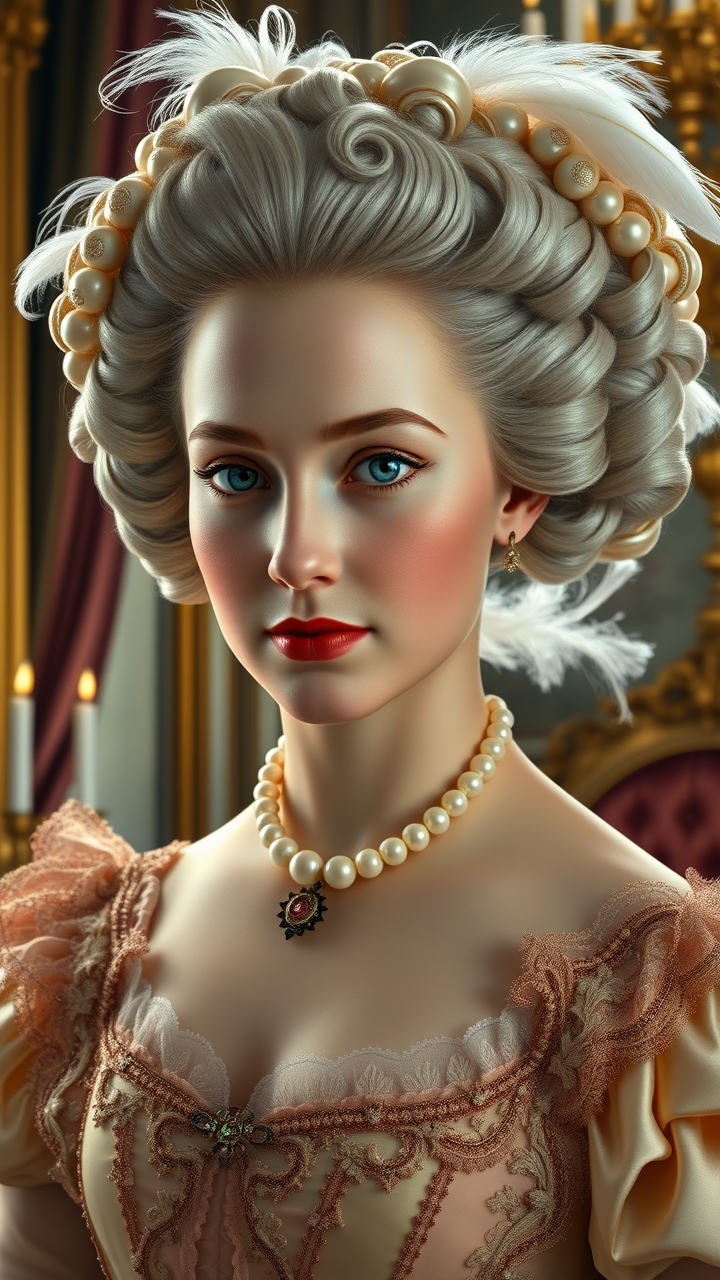
Create a highly detailed portrait of Marie Antoinette, embodying regal elegance and opulence. She has delicate, symmetrical features with porcelain skin, rosy cheeks, and piercing blue eyes framed by arched eyebrows. Her lips are full and slightly parted in a composed, enigmatic smile. Her elaborate powdered wig is adorned with intricate curls, pearls, and feathers, cascading over her shoulders. She wears a lavish 18th-century gown in pastel silk, embellished with lace, ribbons, and embroidery, complemented by a pearl choker and jeweled accessories. The lighting is soft and diffused, mimicking candlelit grandeur, with a subtle glow highlighting her face and the textures of her attire. The background features a luxurious Versailles-inspired interior with gilded details and velvet drapes. Render the scene in a Baroque-style oil painting aesthetic, with rich colors, fine brushstrokes, and a dreamy, ethereal atmosphere. Use a medium close-up composition with a slight low-angle perspective to emphasize her majesty, at 85mm focal length for a flattering, lifelike depth of field." (999 characters)
Detaillierte Analyse des Flux KI Image Prompt
Analysiere den detaillierten Prompt, der zur Erstellung des Bildes mit dem Flux KI Image Generator verwendet wurde.
Flux-Prompts für den KI-Bildgenerator erkunden
Wie man ein Bild generiert von Flux.1 schnell
Folge diesen vier einfachen Schritten, um das gewünschte Bild zu erstellen.
Schritt 1: Gib deinen Text ein (Fühle dich frei, deinen Prompt für bessere Ergebnisse zu verfeinern)
Schritt 2: Wähle das Bildseitenverhältnis
Schritt 3: Wähle dein Flux-Modell:
Schritt 4: Klicke auf die Generieren-Schaltfläche und warte ein paar Sekunden auf dein Bild
Verwandte Flux KI Tools für Prompts über Flux.1 schnell
Entdecke fortschrittliche Tools von Flux KI, um deinen kreativen Workflow zu verbessern.