《Devil May Cry 5》-Nero - Flux.1 dev
Eingabe
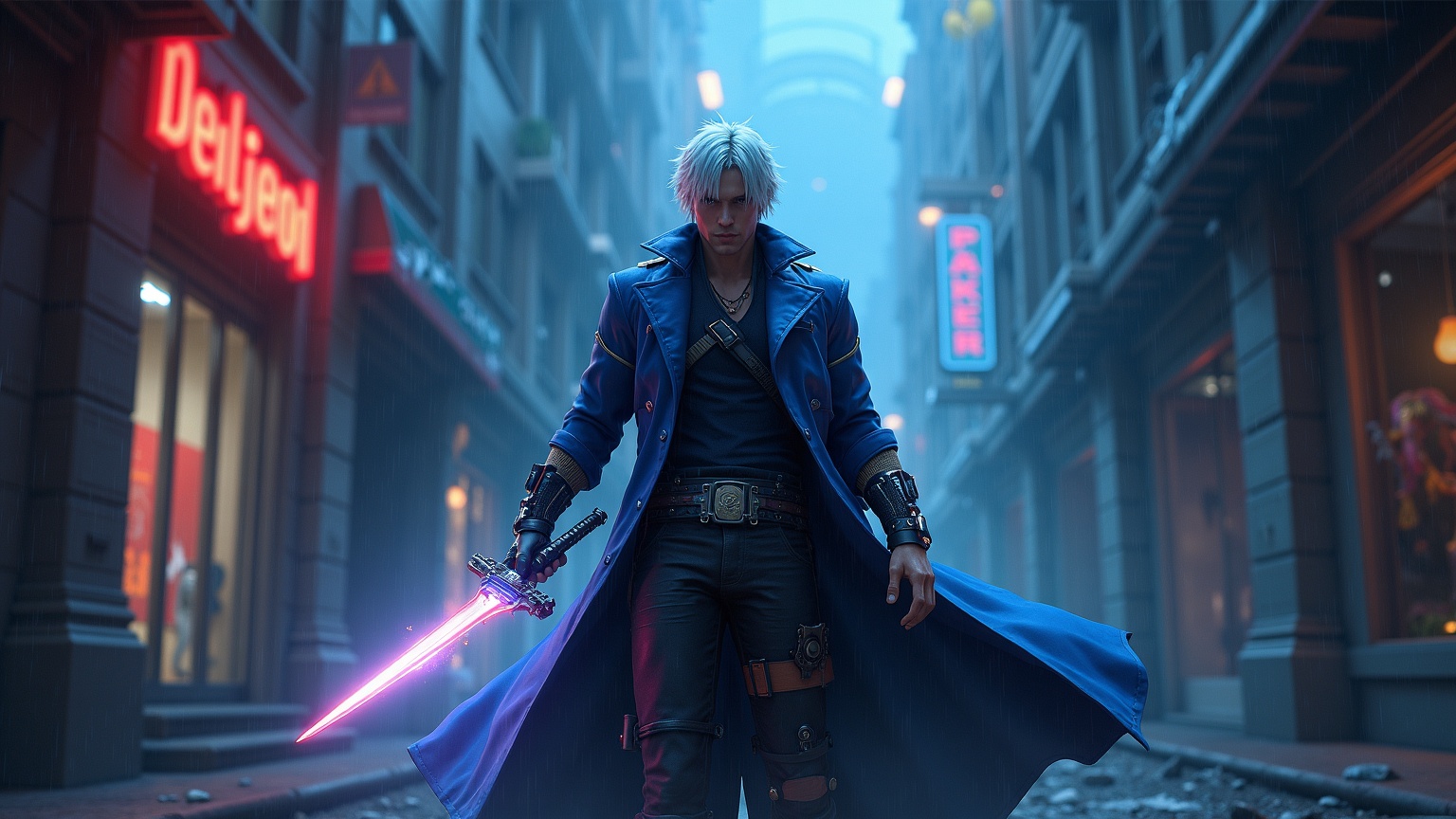
**Image Generation Prompt:** *"Dynamic action shot of Nero from *Devil May Cry 5*, a stylish hack-and-slash game. Nero stands confidently in a rain-soaked, neon-lit urban ruin, his blue longcoat billowing with motion. His cybernetic Devil Breaker arm glows with electric energy, contrasting his rugged, youthful features and white hair. His iconic sword, the Red Queen, is revved up, flames trailing from its engine-powered blade, while his pistol, Blue Rose, is holstered at his side. The environment is a mix of gothic architecture and modern decay, with shattered concrete and flickering streetlights casting dramatic shadows. The atmosphere is intense, charged with adrenaline and a sense of rebellion, blending high-octane combat with dark, cinematic flair. Hyper-detailed, high-contrast lighting, and a vibrant color palette emphasize the game's over-the-top action aesthetic."*
Detaillierte Analyse des Flux KI Image Prompt
Analysiere den detaillierten Prompt, der zur Erstellung des Bildes mit dem Flux KI Image Generator verwendet wurde.
Flux-Prompts für den KI-Bildgenerator erkunden
Wie man ein Bild generiert von Flux.1 dev
Folge diesen vier einfachen Schritten, um das gewünschte Bild zu erstellen.
Schritt 1: Gib deinen Text ein (Fühle dich frei, deinen Prompt für bessere Ergebnisse zu verfeinern)
Schritt 2: Wähle das Bildseitenverhältnis
Schritt 3: Wähle dein Flux-Modell:
Schritt 4: Klicke auf die Generieren-Schaltfläche und warte ein paar Sekunden auf dein Bild
Verwandte Flux KI Tools für Prompts über Flux.1 dev
Entdecke fortschrittliche Tools von Flux KI, um deinen kreativen Workflow zu verbessern.