Earthworm - Flux.1 schnell
Eingabe
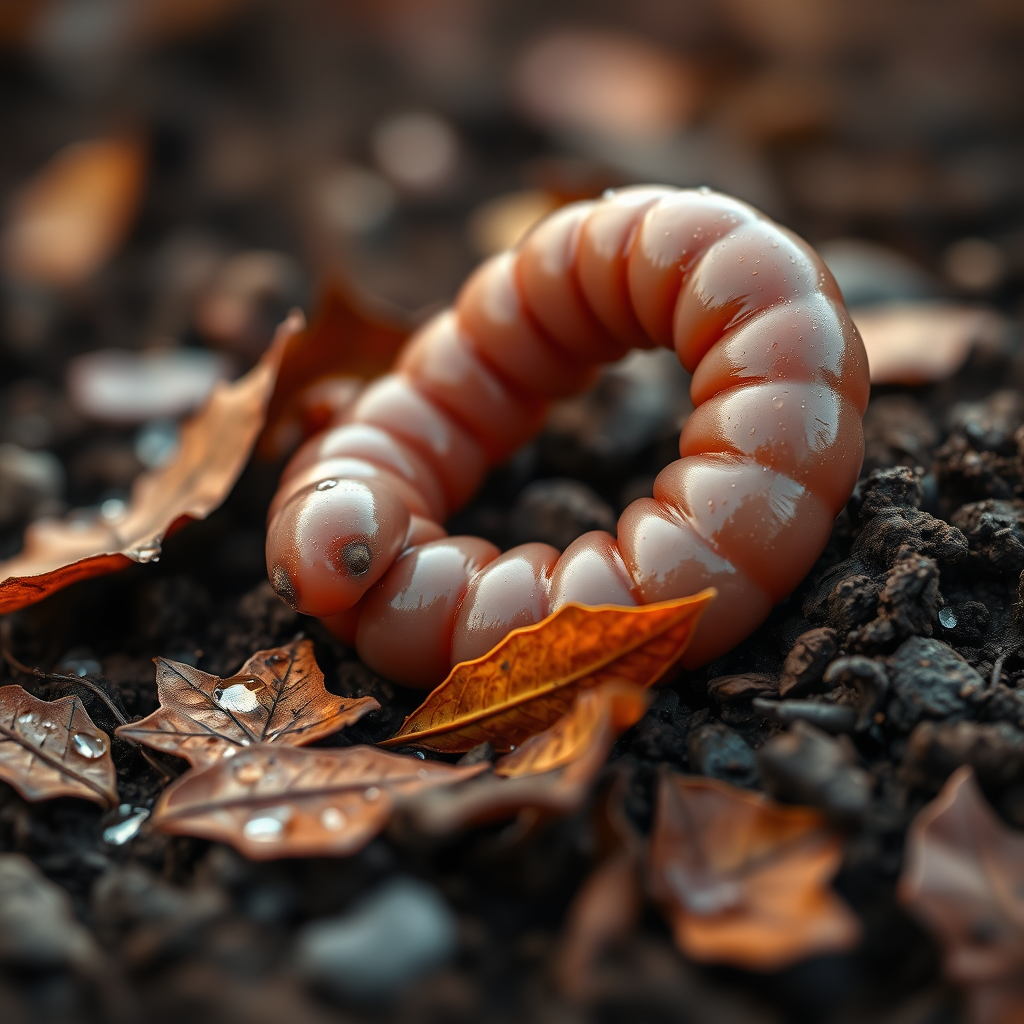
**Image Prompt:** A close-up, hyper-detailed macro photograph of a glistening earthworm emerging from rich, dark soil, its segmented pinkish-brown body glistening with moisture. The worm is curled slightly, revealing the faint striations of its skin and tiny bristles catching the light. Surrounding it are scattered autumn leaves in shades of burnt orange and deep brown, with droplets of dew clinging to their edges. The background blurs into a soft, earthy gradient, emphasizing the worm’s texture. **Artistic Style:** Photorealistic with a touch of scientific illustration precision. **Lighting:** Soft, diffused morning light with subtle backlighting to highlight translucency. **Color Palette:** Warm browns, muted oranges, and soft greens, evoking a damp forest floor. **Mood:** Serene yet intimate, capturing quiet resilience. **Camera Angle:** Low-angle shot, slightly tilted for depth. **Composition:** Rule of thirds, worm positioned off-center with negative space balancing the frame. **Additional Elements:** A few tiny mushrooms and pebbles for natural context.
Detaillierte Analyse des Flux KI Image Prompt
Analysiere den detaillierten Prompt, der zur Erstellung des Bildes mit dem Flux KI Image Generator verwendet wurde.
Flux-Prompts für den KI-Bildgenerator erkunden
Wie man ein Bild generiert von Flux.1 schnell
Folge diesen vier einfachen Schritten, um das gewünschte Bild zu erstellen.
Schritt 1: Gib deinen Text ein (Fühle dich frei, deinen Prompt für bessere Ergebnisse zu verfeinern)
Schritt 2: Wähle das Bildseitenverhältnis
Schritt 3: Wähle dein Flux-Modell:
Schritt 4: Klicke auf die Generieren-Schaltfläche und warte ein paar Sekunden auf dein Bild
Verwandte Flux KI Tools für Prompts über Flux.1 schnell
Entdecke fortschrittliche Tools von Flux KI, um deinen kreativen Workflow zu verbessern.