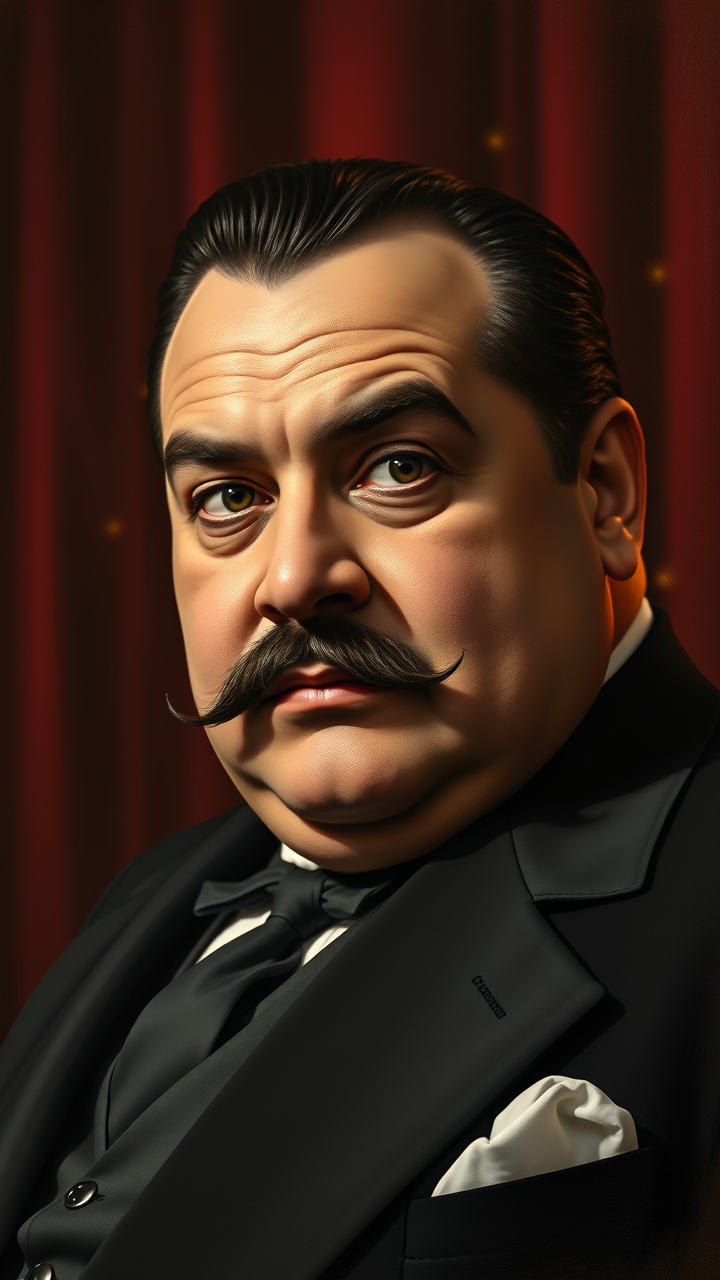
Enrico Caruso - Flux.1 schnell
Eingabe
**Prompt:** "Create a dramatic, high-resolution portrait of Enrico Caruso, the legendary Italian tenor, in a classic early 20th-century style. Capture his expressive face with sharp, chiseled features—deep-set eyes, a strong Roman nose, and a well-groomed mustache. His expression should convey passion and intensity, as if mid-performance, with a hint of theatrical flair. Use soft, Rembrandt-style lighting to highlight his facial contours, casting subtle shadows that enhance depth and emotion. The background should be a rich, dark velvet curtain with faint stage lights glowing in the distance, evoking an opera house ambiance. Render the portrait in a hyper-realistic oil painting style, with fine brushstrokes and warm, earthy tones. Focus on a close-up composition, shot with an 85mm lens at f/1.4 for a shallow depth of field, blurring the background slightly to emphasize Caruso’s commanding presence. Add delicate details like the sheen on his formal suit and the texture of his skin for authenticity." (998 characters)
Detaillierte Analyse des Flux KI Image Prompt
Analysiere den detaillierten Prompt, der zur Erstellung des Bildes mit dem Flux KI Image Generator verwendet wurde.
Flux-Prompts für den KI-Bildgenerator erkunden
Wie man ein Bild generiert von Flux.1 schnell
Folge diesen vier einfachen Schritten, um das gewünschte Bild zu erstellen.
Schritt 1: Gib deinen Text ein (Fühle dich frei, deinen Prompt für bessere Ergebnisse zu verfeinern)
Schritt 2: Wähle das Bildseitenverhältnis
Schritt 3: Wähle dein Flux-Modell:
Schritt 4: Klicke auf die Generieren-Schaltfläche und warte ein paar Sekunden auf dein Bild
Verwandte Flux KI Tools für Prompts über Flux.1 schnell
Entdecke fortschrittliche Tools von Flux KI, um deinen kreativen Workflow zu verbessern.