Brad Pitt - Flux.1 dev
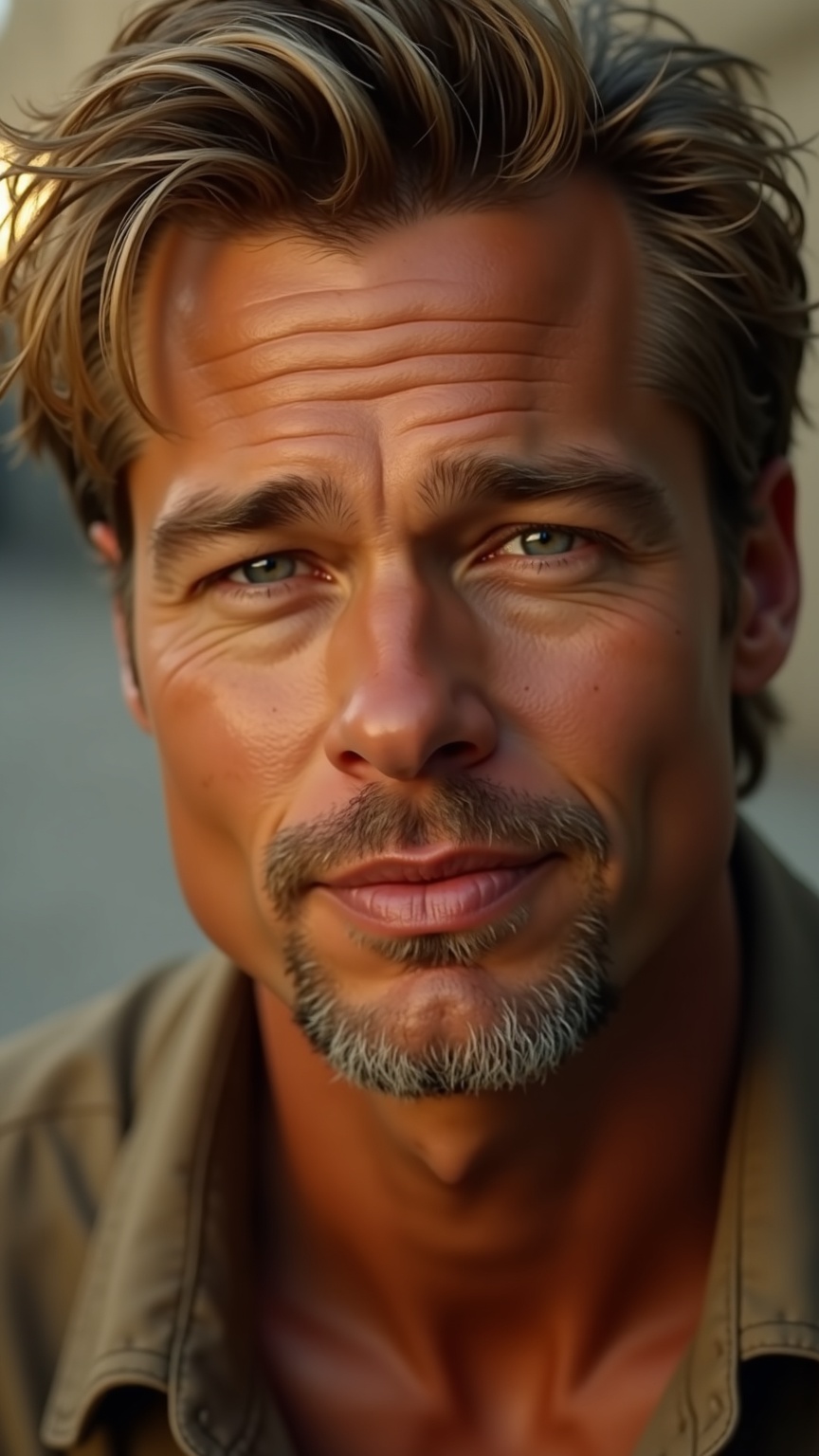
Eingabe
**Prompt:** "Generate a hyper-realistic portrait of Brad Pitt, capturing his striking features: chiseled jawline, high cheekbones, piercing blue eyes with subtle crow's feet, and full lips slightly parted. His golden blonde hair is tousled, with natural highlights catching the light. The expression is confident yet approachable—a faint smirk playing at the corners of his mouth. Use soft, diffused lighting with a warm golden hue to enhance his sun-kissed complexion, casting gentle shadows that accentuate his bone structure. Render the image in a cinematic style, shot with a 85mm lens at f/1.8 for a shallow depth of field, blurring the background slightly. The composition is a close-up, slightly off-center, with a hint of a blurred urban or natural backdrop. The mood is effortlessly charismatic, evoking classic Hollywood glamour with a modern edge. Ultra-detailed skin texture, fine stubble, and realistic pores for lifelike authenticity." (Characters: 899)
Detaillierte Analyse des Flux KI Image Prompt
Analysiere den detaillierten Prompt, der zur Erstellung des Bildes mit dem Flux KI Image Generator verwendet wurde.
Flux-Prompts für den KI-Bildgenerator erkunden
Wie man ein Bild generiert von Flux.1 dev
Folge diesen vier einfachen Schritten, um das gewünschte Bild zu erstellen.
Schritt 1: Gib deinen Text ein (Fühle dich frei, deinen Prompt für bessere Ergebnisse zu verfeinern)
Schritt 2: Wähle das Bildseitenverhältnis
Schritt 3: Wähle dein Flux-Modell:
Schritt 4: Klicke auf die Generieren-Schaltfläche und warte ein paar Sekunden auf dein Bild
Verwandte Flux KI Tools für Prompts über Flux.1 dev
Entdecke fortschrittliche Tools von Flux KI, um deinen kreativen Workflow zu verbessern.