Arm-Snake Coiling Branch - Flux.1 schnell
Eingabe
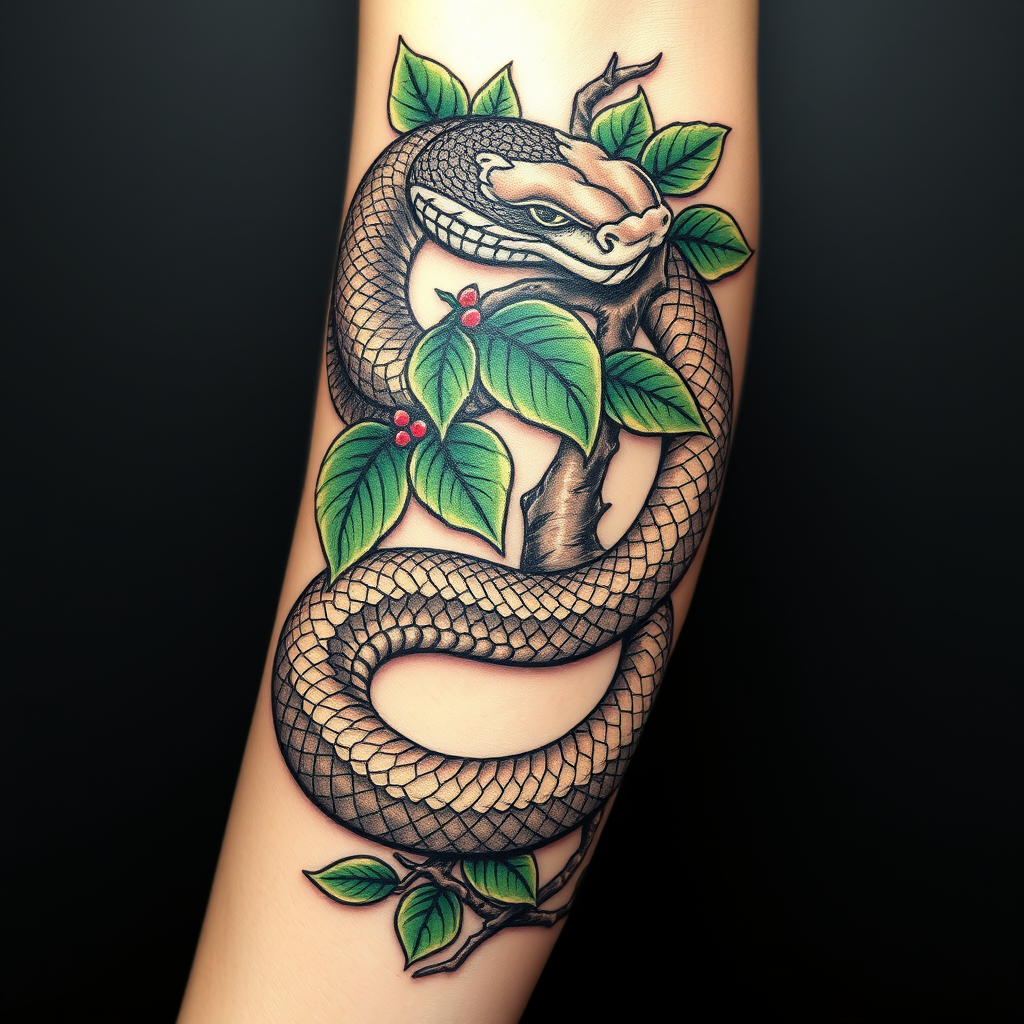
**Prompt:** A detailed, neo-traditional tattoo design featuring a sinuous snake coiling around a gnarled, leafy branch, wrapping dynamically along the outer arm. The snake’s scales are intricately textured with subtle shading, while the branch displays realistic bark grooves and vibrant green leaves. Bold black outlines with rich, earthy tones—deep greens, browns, and hints of crimson—accentuate the contrast. The design flows seamlessly with the arm’s anatomy, medium to large in scale, evoking a balance of strength and nature. Symbolizes rebirth and resilience, with a mood that’s both fierce and organic. Optional delicate floral accents for added intricacy.
Detaillierte Analyse des Flux KI Image Prompt
Analysiere den detaillierten Prompt, der zur Erstellung des Bildes mit dem Flux KI Image Generator verwendet wurde.
Flux-Prompts für den KI-Bildgenerator erkunden
Wie man ein Bild generiert von Flux.1 schnell
Folge diesen vier einfachen Schritten, um das gewünschte Bild zu erstellen.
Schritt 1: Gib deinen Text ein (Fühle dich frei, deinen Prompt für bessere Ergebnisse zu verfeinern)
Schritt 2: Wähle das Bildseitenverhältnis
Schritt 3: Wähle dein Flux-Modell:
Schritt 4: Klicke auf die Generieren-Schaltfläche und warte ein paar Sekunden auf dein Bild
Verwandte Flux KI Tools für Prompts über Flux.1 schnell
Entdecke fortschrittliche Tools von Flux KI, um deinen kreativen Workflow zu verbessern.