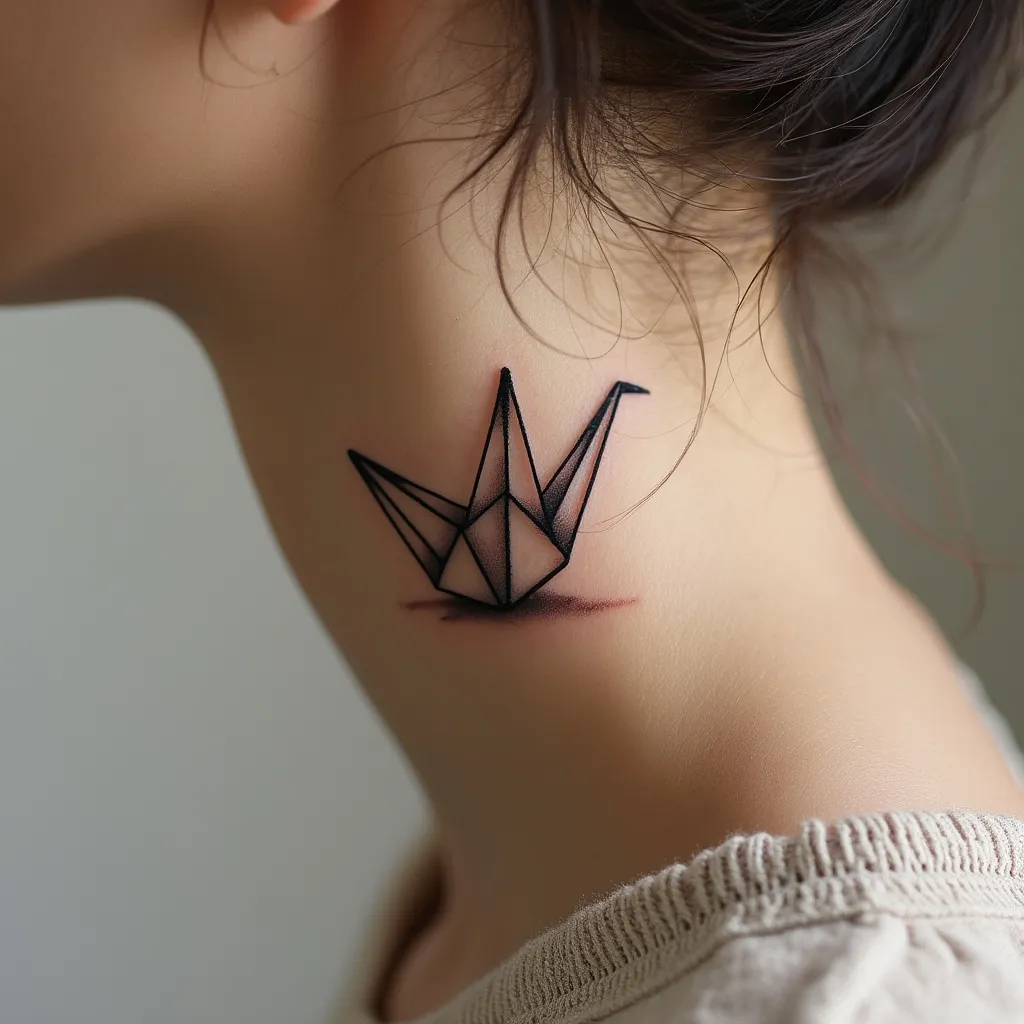
Ethereal Origami Crane Tattoo - Flux.1 pro
Indicador
Create a delicate, minimalist origami crane tattoo design for placement behind the ear. The tattoo should be small, approximately 1 inch in height. Use clean, precise lines to form the geometric shapes of the folded paper crane, emphasizing its angular nature. The design should be monochromatic, executed in fine black ink for a subtle, elegant appearance. Incorporate subtle shading techniques to suggest depth and paper-like texture without overwhelming the simplicity of the design. The crane's head should be slightly raised, with a small, sharp beak and a single dot for an eye. Its wings should be partially extended, creating a sense of graceful movement. The overall aesthetic should evoke a sense of peace, tranquility, and mindfulness, reflecting the Japanese art of origami and its cultural significance. The tattoo should appear as if it's lightly resting on the skin, with a soft, almost ethereal quality that complements the delicate area behind the ear. Ensure the design is versatile enough to work on various skin tones.
Análisis Detallado del Prompt de Imagen de Flux IA
Analiza el prompt detallado utilizado para generar la imagen con Flux IA Image Generator.
Explorar Mensajes para Flux IA
Cómo generar una imagen por Flux.1 pro
Sigue estos cuatro sencillos pasos para crear la imagen que deseas.
Paso 1: Ingresa tu texto (No dudes en refinar tu prompt para mejores resultados)
Paso 2: Elige la relación de aspecto de la imagen
Paso 3: Selecciona tu modelo Flux:
Paso 4: Haz clic en el botón Generar y espera unos segundos para tu imagen
Herramientas Flux IA relacionadas para prompts sobre Flux.1 pro
Descubre herramientas avanzadas de Flux IA para potenciar tu flujo de trabajo creativo.