Neon Shadows: Flesh & Circuitry - Flux.1 dev
Invite
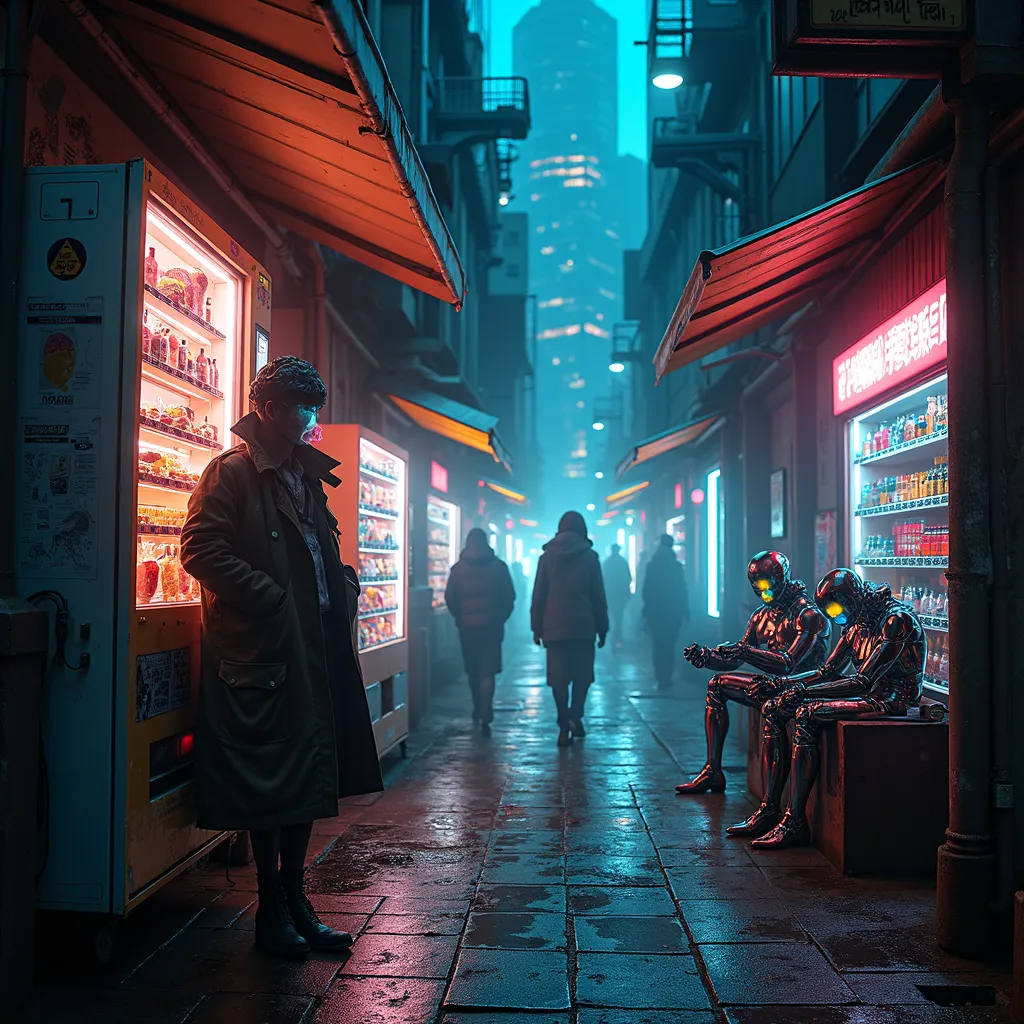
A dimly lit alleyway bathed in neon hues, where holographic advertisements flicker against rain-slicked pavement. Towering skyscrapers loom overhead, their surfaces adorned with pulsating data streams and glowing circuitry. In the foreground, a street vendor's stall overflows with black market neural implants and bio-engineered organs, illuminated by the soft glow of bioluminescent fungi. A figure in a tattered trench coat and augmented limbs leans against a rusted vending machine, inhaling a shimmering mist from an iridescent vial. Nearby, a group of chrome-skinned individuals with glowing cybernetic eyes huddle around a makeshift terminal, jacked into the network via retractable cables. Overhead, sleek drones patrol the sky, their searchlights cutting through the smog-filled air. The scene is a symphony of shadows and electric light, where the boundaries between flesh and technology blur in a haze of synthetic euphoria.
Analyse Détaillée du Prompt d'Image Flux IA
Analysez le prompt détaillé utilisé pour générer l'image avec Flux IA Image Generator.
Explorez les invites Flux IA
Comment générer une image par Flux.1 dev
Suivez ces quatre étapes simples pour créer l'image désirée.
Étape 1 : Entrez votre texte (N'hésitez pas à affiner votre prompt pour de meilleurs résultats)
Étape 2 : Choisissez le ratio d'aspect de l'image
Étape 3 : Sélectionnez votre modèle Flux :
Étape 4 : Cliquez sur le bouton Générer et attendez quelques secondes pour votre image
Outils Flux IA liés aux prompts sur Flux.1 dev
Découvrez des outils avancés de Flux IA pour booster votre flux de travail créatif.