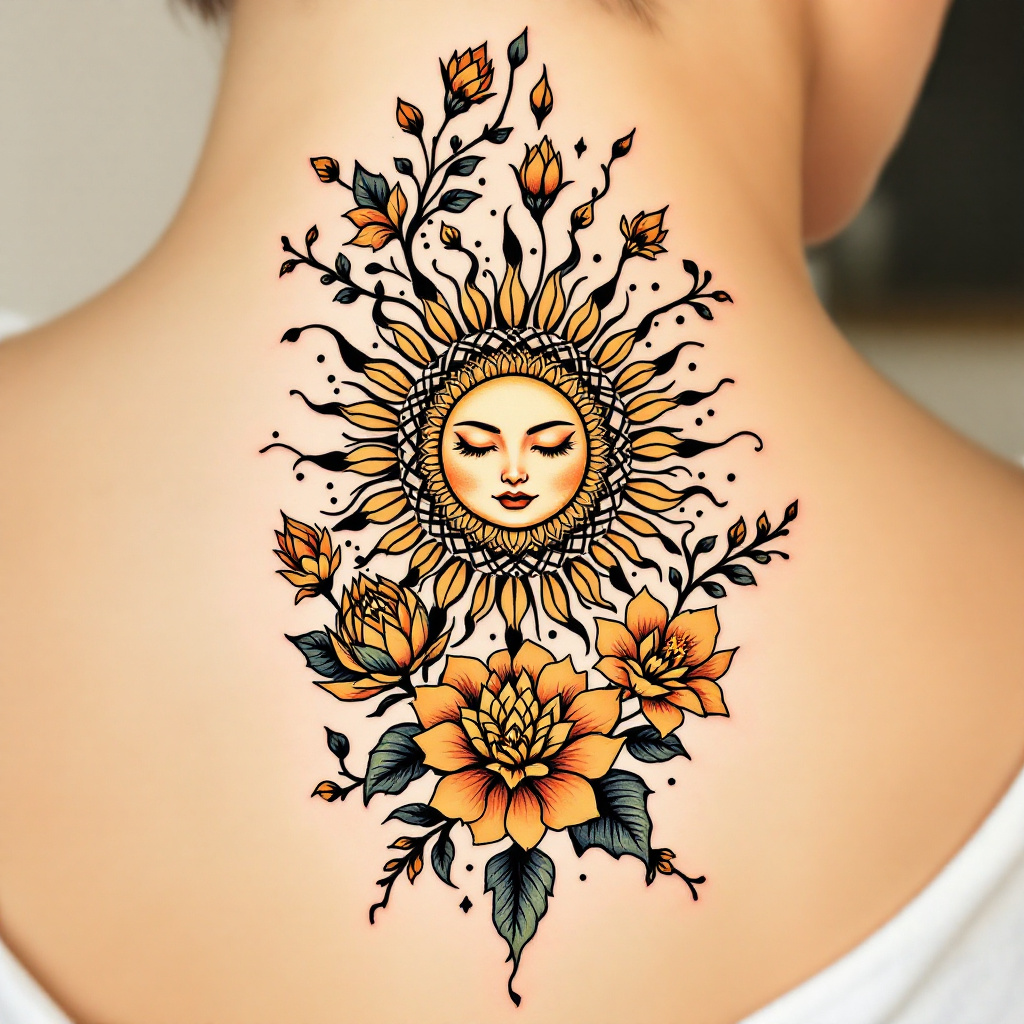
Radiant Bloom: Sun & Nature Tattoo - Flux.1.1 pro
Invite
Create a tattoo design for the lower back featuring a stylized sun at the center, its rays radiating outward in a dynamic, swirling pattern. Surround the sun with intricate floral accents, such as lotus and hibiscus flowers, intertwining vines, and delicate leaves that flow elegantly along the spine. The artistic style should be a blend of traditional and modern, with bold outlines and soft shading for depth. The tattoo should be medium-sized, covering the width of the lower back, creating a harmonious balance with the body’s curves. Use a vibrant color palette of warm yellows, oranges, and soft greens, or opt for a striking black and white design with intricate dot work and line detailing. Incorporate subtle cultural references to sun worship and renewal, evoking a sense of warmth and positivity. The overall mood should be uplifting and serene, inviting a sense of connection with nature and the cosmos.
Analyse Détaillée du Prompt d'Image Flux IA
Analysez le prompt détaillé utilisé pour générer l'image avec Flux IA Image Generator.
Explorez les invites Flux IA
Comment générer une image par Flux.1.1 pro
Suivez ces quatre étapes simples pour créer l'image désirée.
Étape 1 : Entrez votre texte (N'hésitez pas à affiner votre prompt pour de meilleurs résultats)
Étape 2 : Choisissez le ratio d'aspect de l'image
Étape 3 : Sélectionnez votre modèle Flux :
Étape 4 : Cliquez sur le bouton Générer et attendez quelques secondes pour votre image
Outils Flux IA liés aux prompts sur Flux.1.1 pro
Découvrez des outils avancés de Flux IA pour booster votre flux de travail créatif.