Neon Shadows: Tech Deals in the Dark - Flux.1.1 pro
Invite
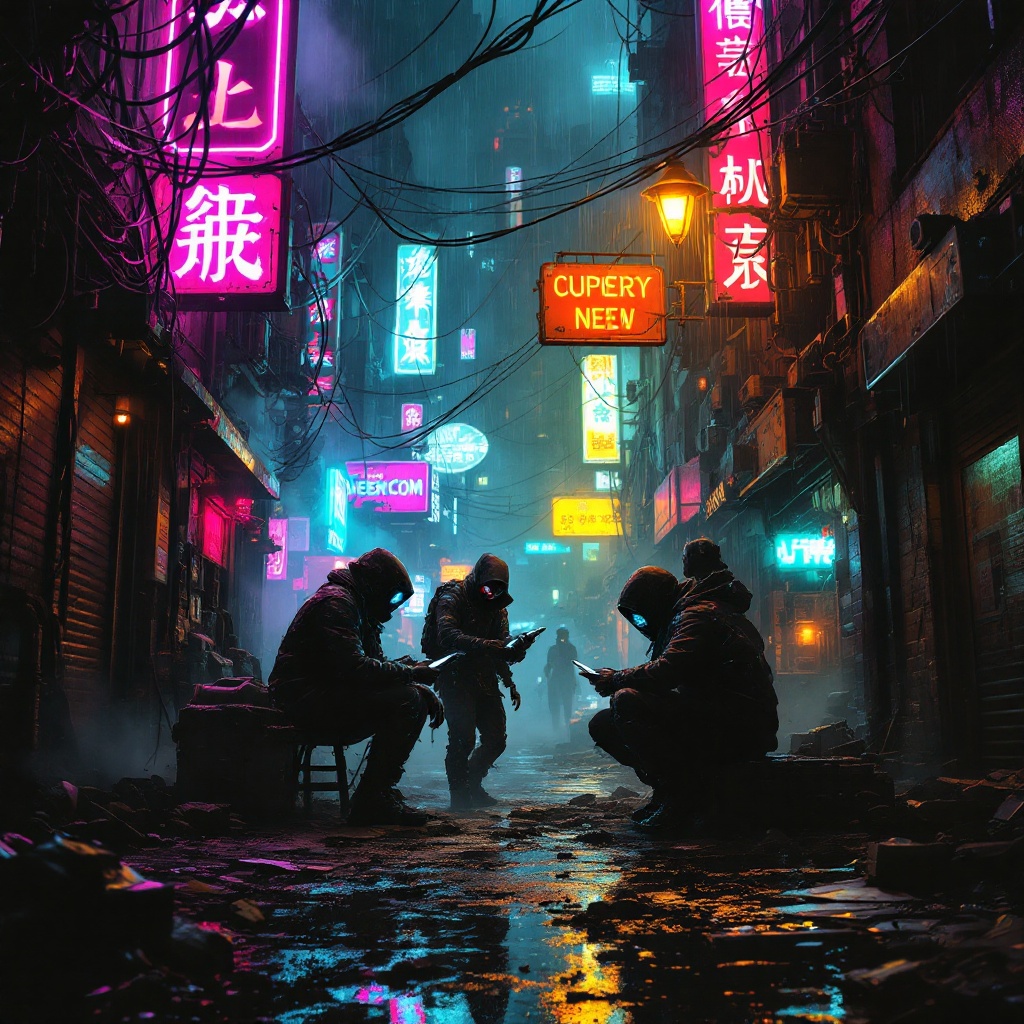
In a dimly lit, rain-soaked alleyway of a sprawling cyberpunk metropolis, tangled wires snake overhead like metallic vines, pulsating with a faint blue glow against the backdrop of towering neon signs flickering in hues of electric pink and green. Below, shadowy figures huddle in a haze of steam and smoke, their faces obscured by high-tech masks and hoods, exchanging illicit tech—glowing circuits and holographic devices—amidst the scattered debris of a forgotten world. The ground is slick with rainwater, reflecting the vibrant colors above, while the air is thick with the scent of ozone and the distant hum of machinery. A flickering streetlamp casts an eerie, golden light over the scene, illuminating the tension in the air as a pair of cybernetic eyes glint from the shadows, watching the transaction unfold with predatory interest, hinting at the danger lurking just beyond the periphery.
Analyse Détaillée du Prompt d'Image Flux IA
Analysez le prompt détaillé utilisé pour générer l'image avec Flux IA Image Generator.
Explorez les invites Flux IA
Comment générer une image par Flux.1.1 pro
Suivez ces quatre étapes simples pour créer l'image désirée.
Étape 1 : Entrez votre texte (N'hésitez pas à affiner votre prompt pour de meilleurs résultats)
Étape 2 : Choisissez le ratio d'aspect de l'image
Étape 3 : Sélectionnez votre modèle Flux :
Étape 4 : Cliquez sur le bouton Générer et attendez quelques secondes pour votre image
Outils Flux IA liés aux prompts sur Flux.1.1 pro
Découvrez des outils avancés de Flux IA pour booster votre flux de travail créatif.