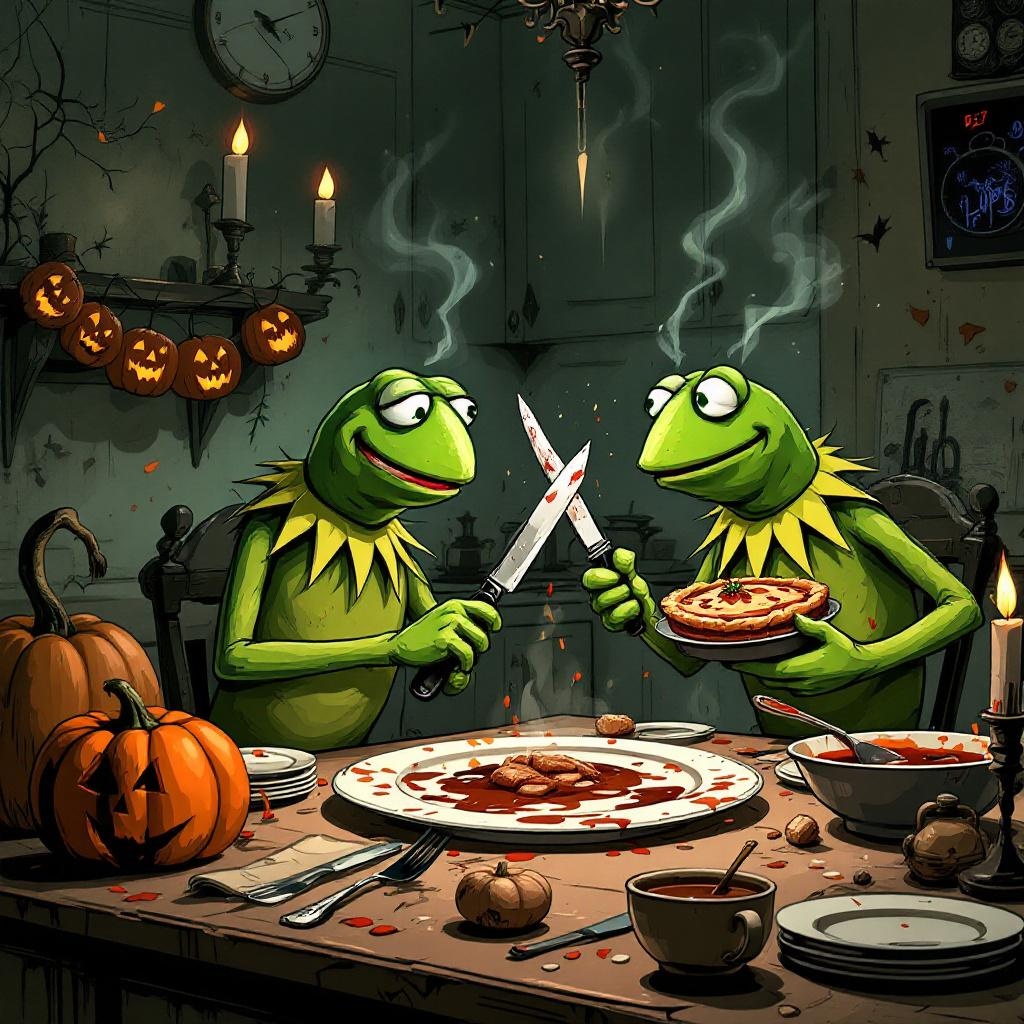
Evil Kermit Thanksgiving Plans - Flux.1.1 pro
Invite
**Prompt:** "Create a darkly humorous illustration of 'Evil Kermit Thanksgiving Plans,' featuring Kermit the Frog with sinister glowing green eyes, whispering into his own ear (representing his inner evil thoughts). The scene is set in a dimly lit, chaotic Thanksgiving kitchen—turkey burnt to a crisp, spilled gravy, and overturned dishes. Evil Kermit grins mischievously, holding a knife behind his back, while regular Kermit looks horrified, clutching a ruined pie. **Style:** Semi-realistic cartoon with exaggerated expressions, blending Disney-esque charm with Tim Burton-esque eeriness. **Colors:** Moody greens and deep browns, with warm but splattered orange/yellow accents from broken pumpkin decor. **Lighting:** Dramatic shadows cast by flickering candlelight, highlighting Evil Kermit’s menacing smirk. **Details:** Include subtle nods to Thanksgiving chaos—a smoke alarm blaring, a dog stealing food, and a 'Help Wanted' sign for a new chef.
Analyse Détaillée du Prompt d'Image Flux IA
Analysez le prompt détaillé utilisé pour générer l'image avec Flux IA Image Generator.
Explorez les invites Flux IA
Comment générer une image par Flux.1.1 pro
Suivez ces quatre étapes simples pour créer l'image désirée.
Étape 1 : Entrez votre texte (N'hésitez pas à affiner votre prompt pour de meilleurs résultats)
Étape 2 : Choisissez le ratio d'aspect de l'image
Étape 3 : Sélectionnez votre modèle Flux :
Étape 4 : Cliquez sur le bouton Générer et attendez quelques secondes pour votre image
Outils Flux IA liés aux prompts sur Flux.1.1 pro
Découvrez des outils avancés de Flux IA pour booster votre flux de travail créatif.