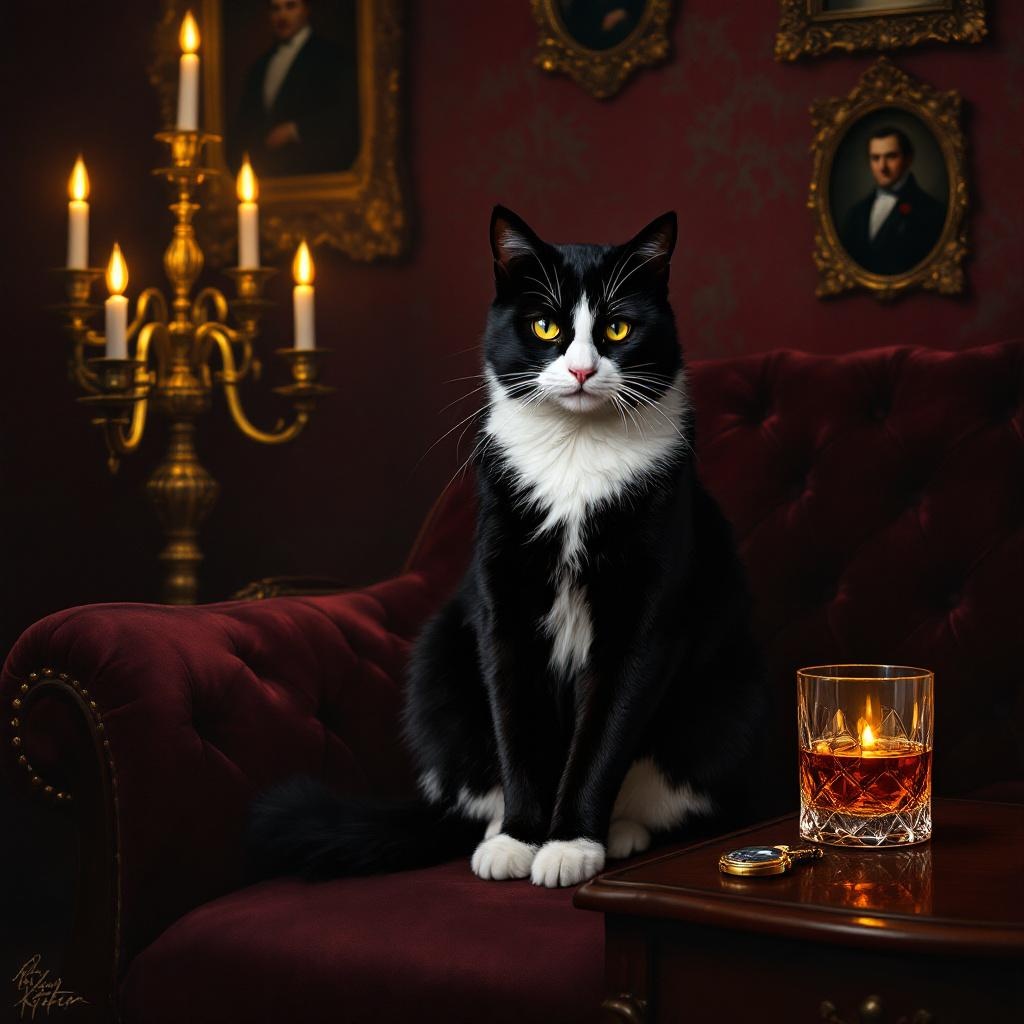
Tuxedo Cat Sophistication - Flux.1.1 pro
Invite
**Prompt:** "A sleek, black-and-white tuxedo cat sits poised on a velvet-upholstered chaise lounge in a dimly lit, opulent Victorian parlor. The cat’s fur is glossy, with crisp white markings on its chest, paws, and face, contrasting sharply against its jet-black coat. Golden candlelight flickers from an ornate brass candelabra, casting warm, dramatic shadows on the rich burgundy walls adorned with gilded-framed portraits. The cat gazes regally at the viewer, one paw resting delicately on a vintage pocket watch. A crystal glass of amber liquor sits nearby on a mahogany side table, reflecting the ambient glow. The atmosphere is luxurious, mysterious, and timeless, evoking old-world elegance. Rendered in a painterly, hyper-detailed style reminiscent of classical portraiture, with rich textures, deep chiaroscuro lighting, and a muted, moody color palette of blacks, golds, and deep reds.
Analyse Détaillée du Prompt d'Image Flux IA
Analysez le prompt détaillé utilisé pour générer l'image avec Flux IA Image Generator.
Explorez les invites Flux IA
Comment générer une image par Flux.1.1 pro
Suivez ces quatre étapes simples pour créer l'image désirée.
Étape 1 : Entrez votre texte (N'hésitez pas à affiner votre prompt pour de meilleurs résultats)
Étape 2 : Choisissez le ratio d'aspect de l'image
Étape 3 : Sélectionnez votre modèle Flux :
Étape 4 : Cliquez sur le bouton Générer et attendez quelques secondes pour votre image
Outils Flux IA liés aux prompts sur Flux.1.1 pro
Découvrez des outils avancés de Flux IA pour booster votre flux de travail créatif.