Luffy Monkey D. - Flux.1 schnell
prompt
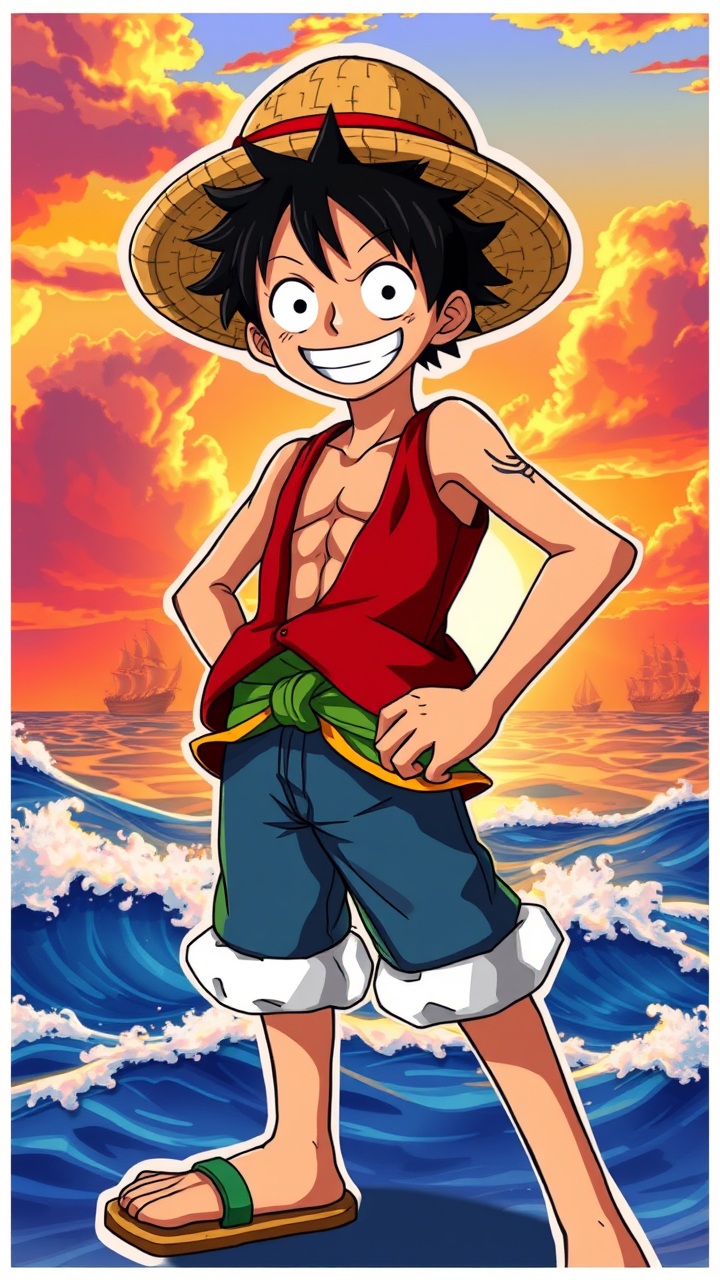
## Anime Style Prompt Generate an image of Monkey D. Luffy in the anime style. Luffy is a tall, youthful, muscular man with black hair styled in a straw hat. He wears a red vest, blue shorts, and sandals. A long scar is visible under his left eye. His expression is confident and adventurous, with a wide grin. Luffy is posed in a dynamic stance, with one hand on his hip and the other arm stretched out, showcasing his energetic personality. The background is a vibrant ocean scene with a sunset, featuring waves and a few ships in the distance. The lighting is cinematic, highlighting Luffy's figure with a warm glow. Incorporate detailed shading and vibrant colors characteristic of anime art. Ensure the image captures Luffy's signature rubber powers and his iconic straw hat. ## Anime Sticker Style Prompt Create an anime sticker-style image of Monkey D. Luffy. Luffy is depicted with exaggerated features: large eyes, a bold smile, and vibrant black hair under his straw hat. He wears a red vest and blue shorts, with sandals on his feet. A small scar is noticeable under his left eye. Luffy's pose is energetic, with one arm raised in excitement and the other hand on his hip. His expression is cheerful and adventurous. The background is a simple, gradient blue sky with a few fluffy white clouds. The art style should be colorful and flat, with bold lines and minimal shading, typical of anime stickers. Include Luffy's signature straw hat and emphasize his dynamic personality through the pose and expression. The image should be highly detailed yet maintain a stylized, cartoonish look.
Analisis Terperinci Prompt Gambar Flux AI
Analisis prompt terperinci yang digunakan untuk menghasilkan gambar dengan Generator Gambar Flux AI.
Jelajahi Prompt Flux untuk Generator Gambar AI Flux
Cara menghasilkan gambar dengan Flux.1 schnell
Ikuti empat langkah sederhana ini untuk membuat gambar yang Anda inginkan.
Langkah 1: Masukkan Teks Anda (Silakan sempurnakan prompt untuk hasil yang lebih baik)
Langkah 2: Pilih Rasio Aspek Gambar
Langkah 3: Pilih Model Flux Anda:
Langkah 4: Klik Tombol Buat dan Tunggu Beberapa Detik untuk Gambar Anda
Alat Flux AI terkait untuk prompt tentang Flux.1 schnell
Temukan alat-alat canggih dari Flux AI untuk meningkatkan alur kerja kreatif Anda.