Kenshin Himura - Flux.1 dev
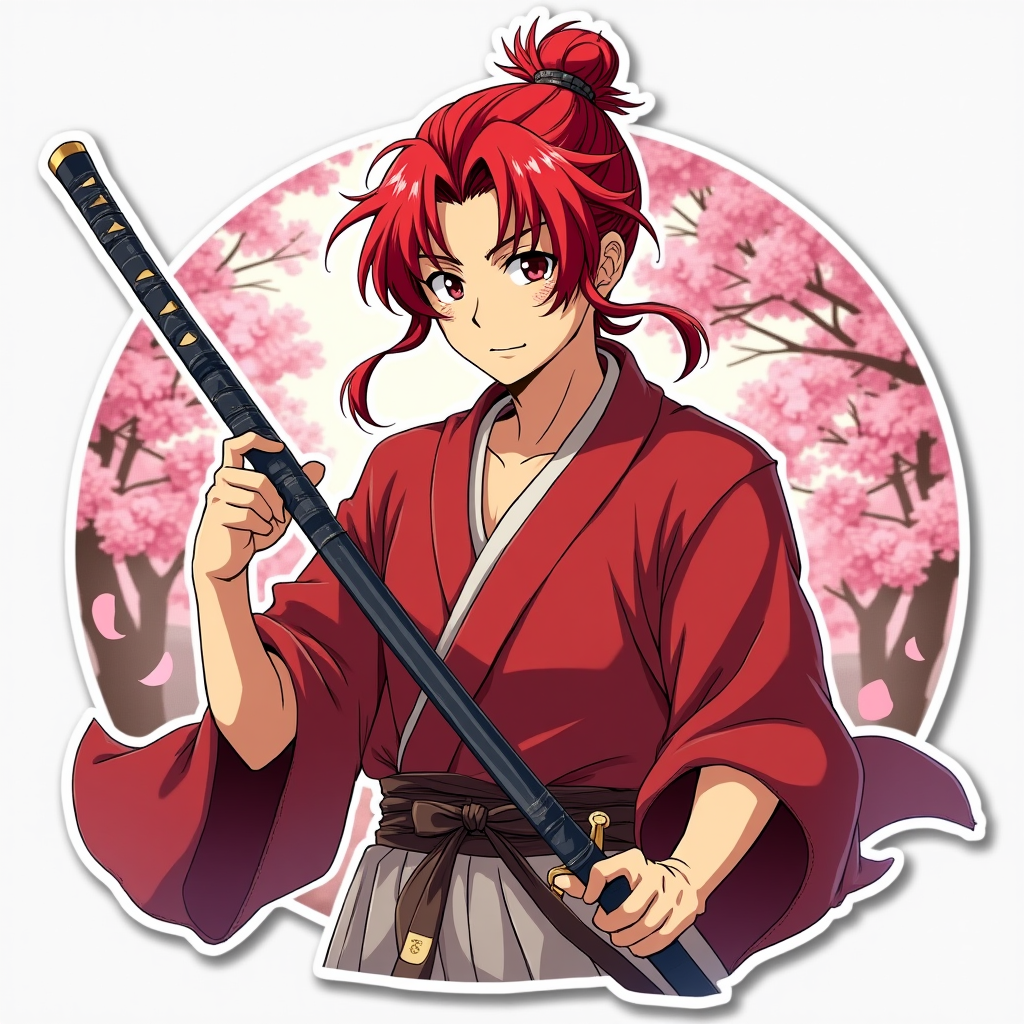
prompt
Create an image of Kenshin Himura in a vibrant anime sticker style. Capture his striking red hair, tied in a loose ponytail, and his distinctive cross-shaped scar on his left cheek. Dress him in his iconic, flowing crimson kimono, with a white hakama underneath, and a brown leather belt holding his sheathed katana. His expression should convey a mix of determination and gentleness, with a soft smile that reflects his kind-hearted nature. Position him in a dynamic pose, as if he’s ready to draw his sword, with one hand resting on the hilt and the other raised slightly in a defensive stance. Set the background in a serene, cherry blossom-filled landscape, with petals gently falling around him. Use a bright color palette and bold outlines typical of anime sticker art, emphasizing his vibrant hair and the intricate details of his attire, while incorporating signature elements like the katana and the cherry blossoms to enhance the overall composition.
Analisis Terperinci Prompt Gambar Flux AI
Analisis prompt terperinci yang digunakan untuk menghasilkan gambar dengan Generator Gambar Flux AI.
Jelajahi Prompt Flux untuk Generator Gambar AI Flux
Cara menghasilkan gambar dengan Flux.1 dev
Ikuti empat langkah sederhana ini untuk membuat gambar yang Anda inginkan.
Langkah 1: Masukkan Teks Anda (Silakan sempurnakan prompt untuk hasil yang lebih baik)
Langkah 2: Pilih Rasio Aspek Gambar
Langkah 3: Pilih Model Flux Anda:
Langkah 4: Klik Tombol Buat dan Tunggu Beberapa Detik untuk Gambar Anda
Alat Flux AI terkait untuk prompt tentang Flux.1 dev
Temukan alat-alat canggih dari Flux AI untuk meningkatkan alur kerja kreatif Anda.