Ryu's Hadouken: Urban Showdown - Flux.1.1 pro
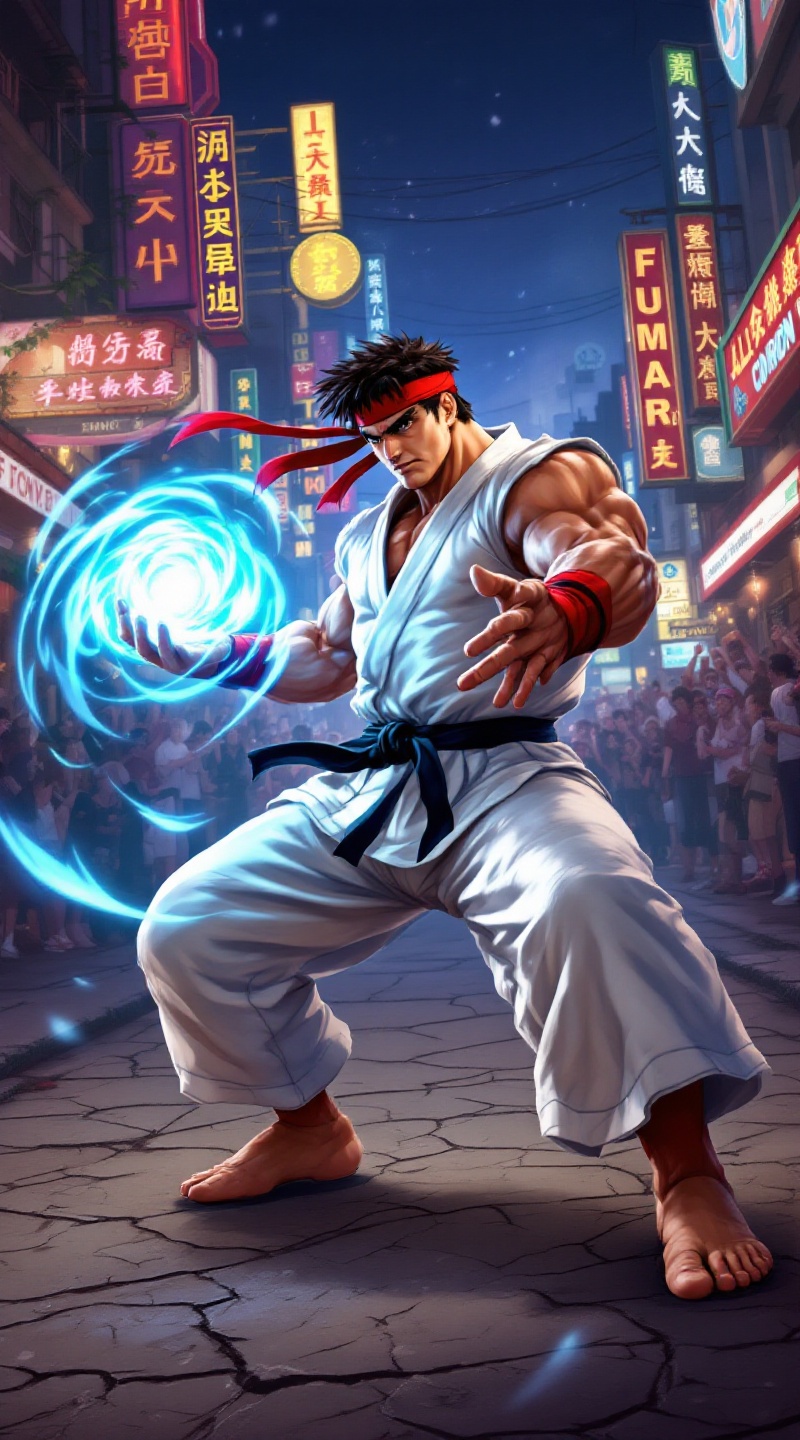
prompt
Create a dynamic and vibrant fighting game scene inspired by "Street Fighter II," featuring the iconic character Ryu. Capture Ryu in his classic white gi, with a red headband flying in the wind, showcasing his muscular build and intense focus. His signature move, the Hadouken, should be depicted as a swirling blue energy sphere in his outstretched hand, illuminating his determined expression. The background features a bustling, colorful urban setting, with neon signs and a cheering crowd, evoking the electric atmosphere of a street fight. Include elements like a cracked pavement and graffiti-covered walls to enhance the gritty aesthetic. The overall mood should be charged with adrenaline and anticipation, embodying the spirit of competition and martial arts mastery.
Analisis Terperinci Prompt Gambar Flux AI
Analisis prompt terperinci yang digunakan untuk menghasilkan gambar dengan Generator Gambar Flux AI.
Jelajahi Prompt Flux untuk Generator Gambar AI Flux
Cara menghasilkan gambar dengan Flux.1.1 pro
Ikuti empat langkah sederhana ini untuk membuat gambar yang Anda inginkan.
Langkah 1: Masukkan Teks Anda (Silakan sempurnakan prompt untuk hasil yang lebih baik)
Langkah 2: Pilih Rasio Aspek Gambar
Langkah 3: Pilih Model Flux Anda:
Langkah 4: Klik Tombol Buat dan Tunggu Beberapa Detik untuk Gambar Anda
Alat Flux AI terkait untuk prompt tentang Flux.1.1 pro
Temukan alat-alat canggih dari Flux AI untuk meningkatkan alur kerja kreatif Anda.