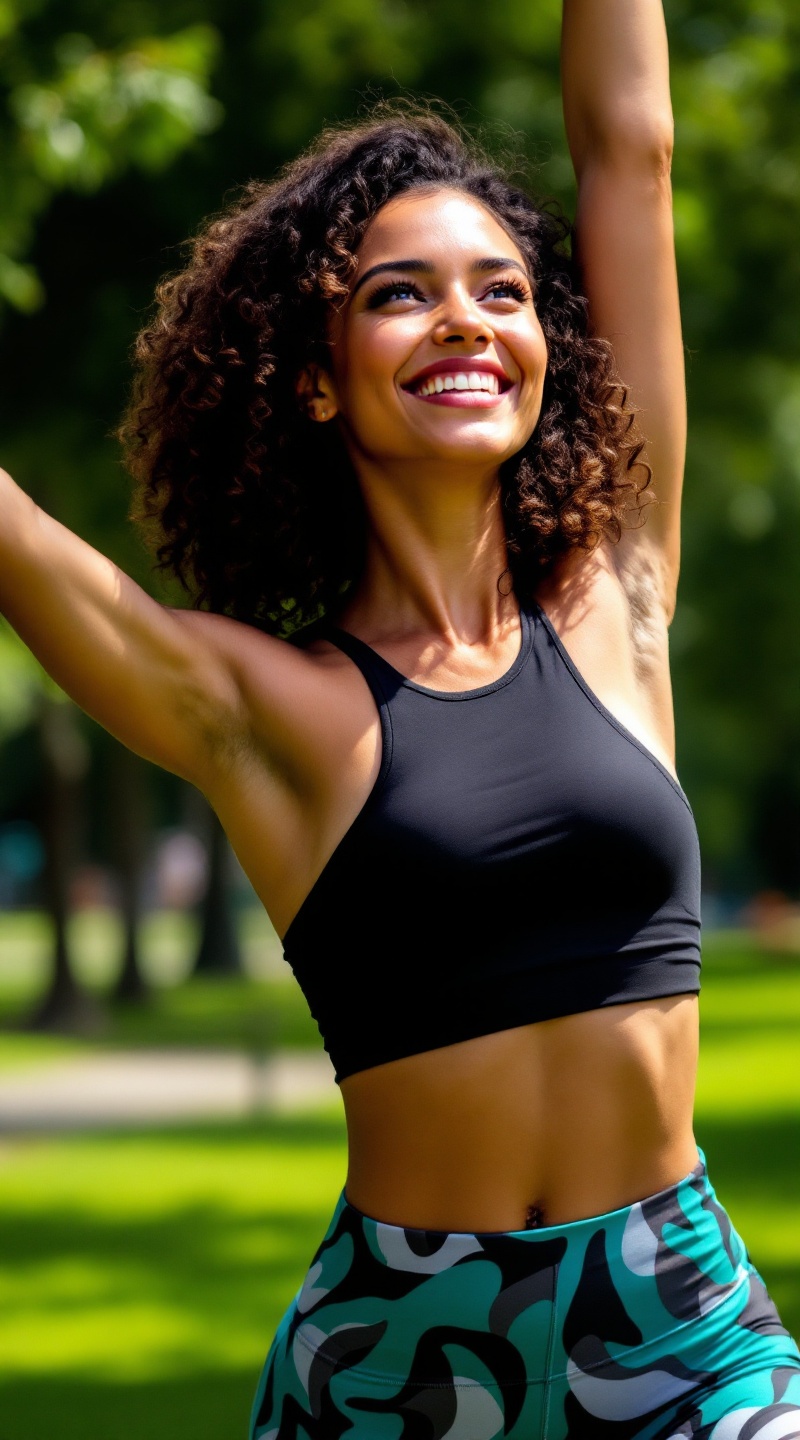
Radiant Strength in Motion - Flux.1.1 pro
prompt
Athletic woman with a radiant smile, her shoulder-length curly hair bouncing with energy. She has a sun-kissed, warm skin tone that glows with vitality. Her body is toned and fit, showcasing strong arms and defined legs, reflecting an active lifestyle. She wears vibrant, high-waisted workout leggings in a bold teal pattern, paired with a fitted, sleeveless black tank top that accentuates her athletic build. Her demeanor is confident and focused, with bright eyes sparkling with determination. She is mid-stretch, reaching towards the sky, her posture exuding strength and grace. The background features a sunlit park with green grass and trees, enhancing the sense of movement and vitality in her workout routine.
Analisis Terperinci Prompt Gambar Flux AI
Analisis prompt terperinci yang digunakan untuk menghasilkan gambar dengan Generator Gambar Flux AI.
Jelajahi Prompt Flux untuk Generator Gambar AI Flux
Cara menghasilkan gambar dengan Flux.1.1 pro
Ikuti empat langkah sederhana ini untuk membuat gambar yang Anda inginkan.
Langkah 1: Masukkan Teks Anda (Silakan sempurnakan prompt untuk hasil yang lebih baik)
Langkah 2: Pilih Rasio Aspek Gambar
Langkah 3: Pilih Model Flux Anda:
Langkah 4: Klik Tombol Buat dan Tunggu Beberapa Detik untuk Gambar Anda
Alat Flux AI terkait untuk prompt tentang Flux.1.1 pro
Temukan alat-alat canggih dari Flux AI untuk meningkatkan alur kerja kreatif Anda.