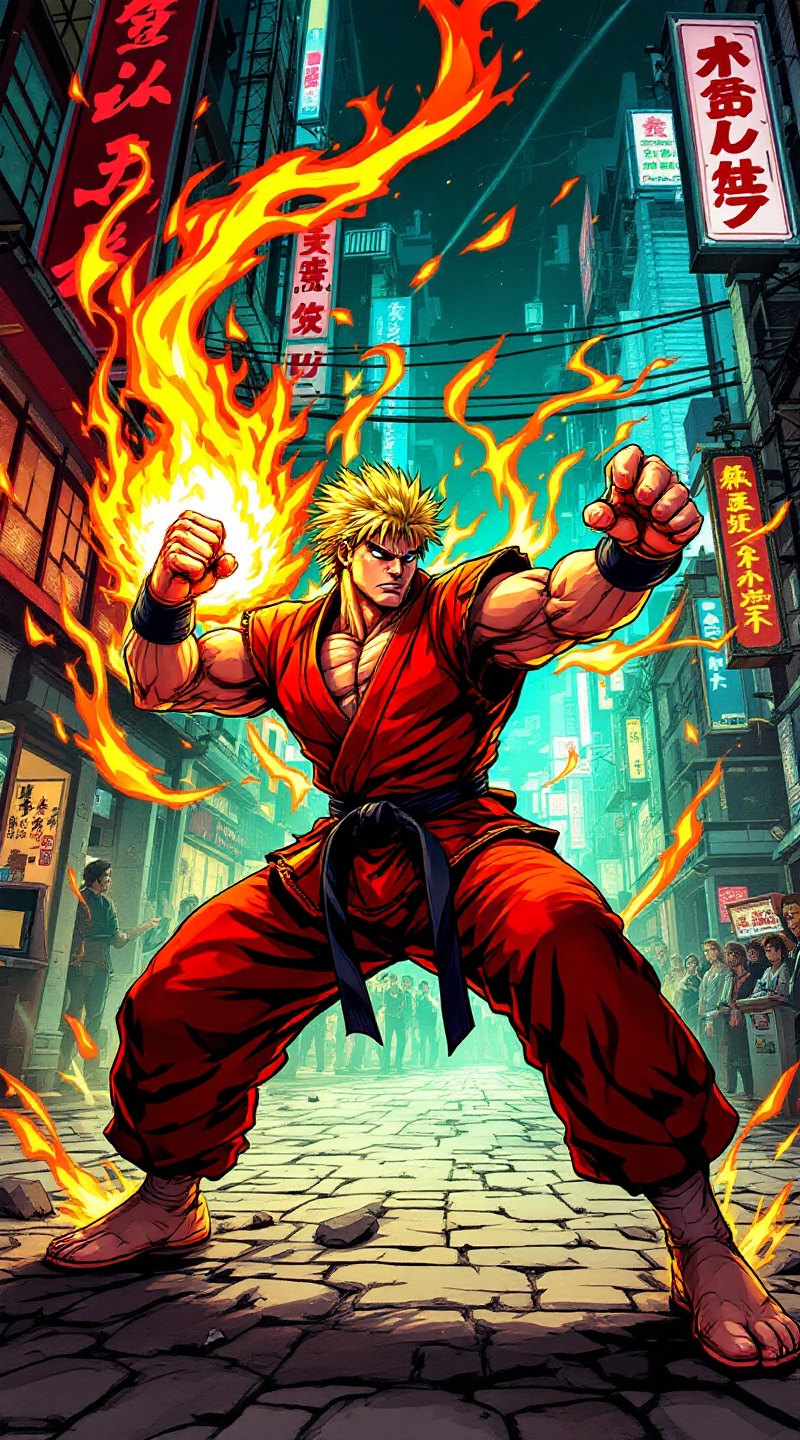
Fires of Battle: Ken's Fury - Flux.1.1 pro
prompt
**Prompt:** Create a dynamic and vibrant illustration inspired by the fighting game genre, specifically "Street Fighter II." Focus on Ken Masters, a muscular fighter with spiky blonde hair, wearing a red gi and black belt, showcasing his fierce determination. Capture his signature Shoryuken pose, with flames swirling around his fist, symbolizing his fiery spirit. The background should depict an iconic urban setting, like a bustling street in Japan, with neon lights and a cheering crowd, enhancing the competitive atmosphere. Include elements like a classic arcade machine and a dojo in the distance. The overall mood should be intense and electrifying, reflecting the adrenaline of a high-stakes battle, with bold colors and dynamic motion lines to emphasize action.
Analisis Terperinci Prompt Gambar Flux AI
Analisis prompt terperinci yang digunakan untuk menghasilkan gambar dengan Generator Gambar Flux AI.
Jelajahi Prompt Flux untuk Generator Gambar AI Flux
Cara menghasilkan gambar dengan Flux.1.1 pro
Ikuti empat langkah sederhana ini untuk membuat gambar yang Anda inginkan.
Langkah 1: Masukkan Teks Anda (Silakan sempurnakan prompt untuk hasil yang lebih baik)
Langkah 2: Pilih Rasio Aspek Gambar
Langkah 3: Pilih Model Flux Anda:
Langkah 4: Klik Tombol Buat dan Tunggu Beberapa Detik untuk Gambar Anda
Alat Flux AI terkait untuk prompt tentang Flux.1.1 pro
Temukan alat-alat canggih dari Flux AI untuk meningkatkan alur kerja kreatif Anda.