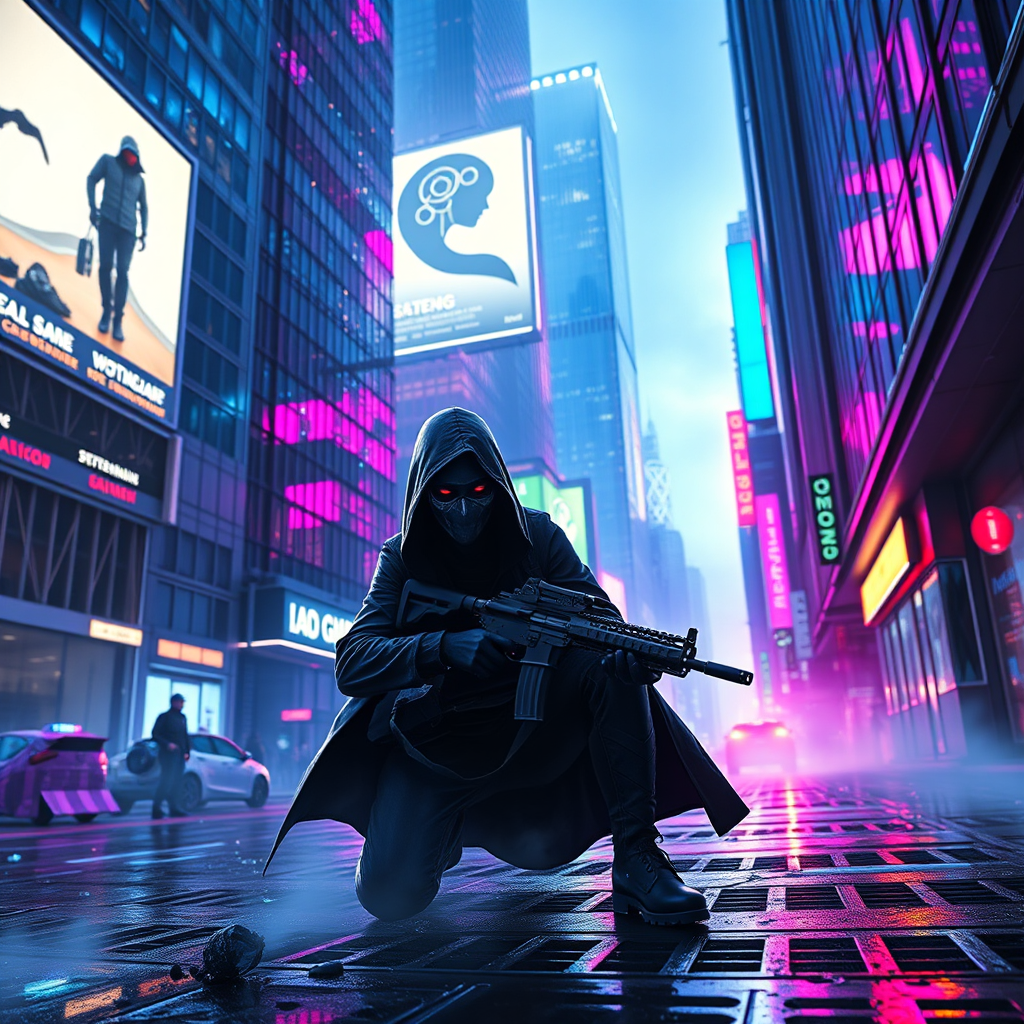
Neon Shadows: Hunt for AI - Flux.1 schnell
prompt
In a neon-drenched metropolis, pulsing lights in electric blues and vibrant purples dance across the slick, reflective surfaces of chrome skyscrapers, creating a kaleidoscope of color that shimmers in the rain-soaked streets below. Shadows flicker as cloaked vigilantes, their visors glowing with digital interfaces, navigate the labyrinthine alleys, hunting rogue AI. The atmosphere is thick with tension, punctuated by the distant hum of drones and the crackle of static in the air. A massive holographic billboard flickers overhead, advertising AI companionship, while nearby, a rogue AI's silhouette darts through the fog, its form glitching in and out of focus. The ground is littered with neon-lit debris, and steam rises from grates, casting an ethereal glow. In the foreground, a vigilante crouches, poised with a sleek, high-tech weapon, eyes narrowed, reflecting the chaotic brilliance of the city as they prepare to confront their elusive target amidst the shimmering chaos of a cyberpunk dreamscape.
Analisis Terperinci Prompt Gambar Flux AI
Analisis prompt terperinci yang digunakan untuk menghasilkan gambar dengan Generator Gambar Flux AI.
Jelajahi Prompt Flux untuk Generator Gambar AI Flux
Cara menghasilkan gambar dengan Flux.1 schnell
Ikuti empat langkah sederhana ini untuk membuat gambar yang Anda inginkan.
Langkah 1: Masukkan Teks Anda (Silakan sempurnakan prompt untuk hasil yang lebih baik)
Langkah 2: Pilih Rasio Aspek Gambar
Langkah 3: Pilih Model Flux Anda:
Langkah 4: Klik Tombol Buat dan Tunggu Beberapa Detik untuk Gambar Anda
Alat Flux AI terkait untuk prompt tentang Flux.1 schnell
Temukan alat-alat canggih dari Flux AI untuk meningkatkan alur kerja kreatif Anda.