Neon Shadows: Cyberpunk Reverie - Flux.1 dev
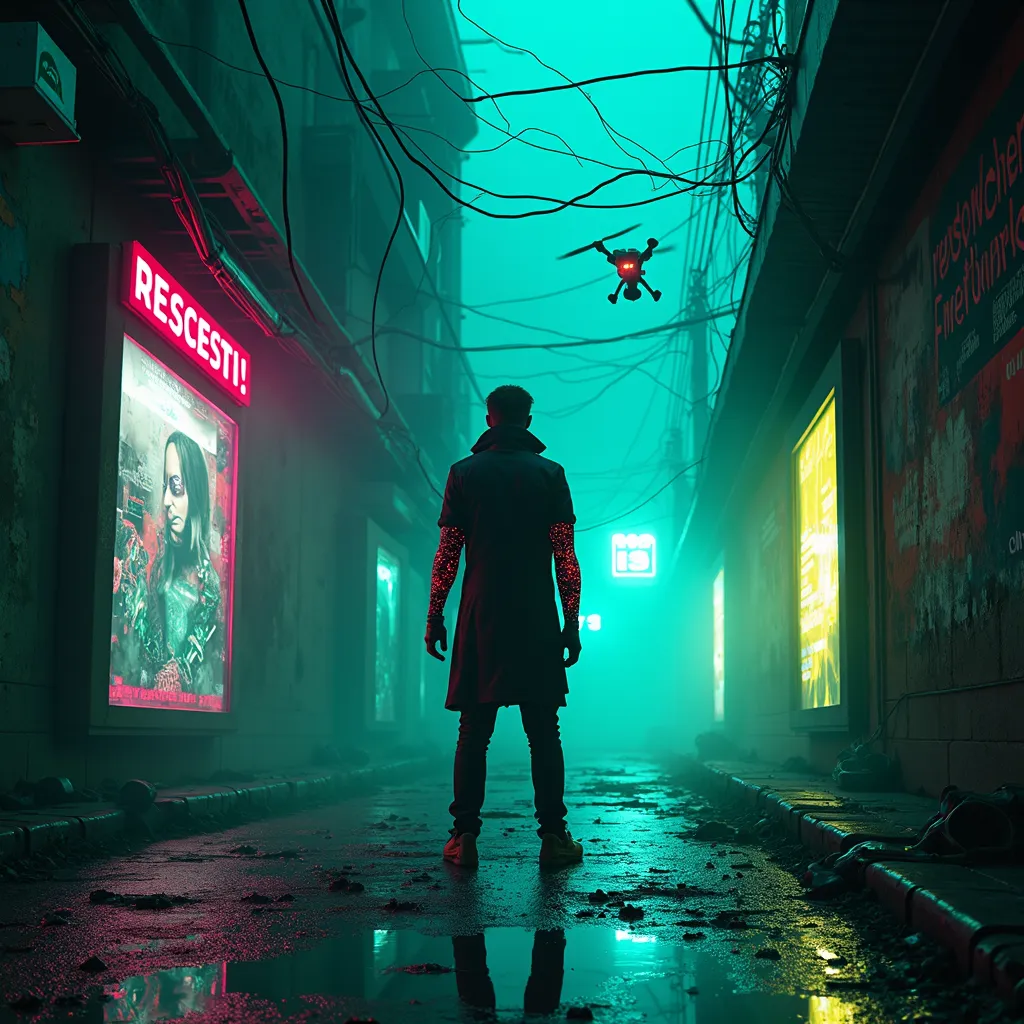
prompt
Neon-drenched alleyway bathed in electric blue and acid green hues, holographic advertisements flickering on crumbling concrete walls. A lone figure in a tattered, high-collared coat stands silhouetted against the glowing haze, their cybernetic arm gleaming with exposed circuitry. Tangles of fiber optic cables droop overhead like bioluminescent vines, casting eerie shadows on the rain-slicked pavement below. Discarded augmentation parts litter the ground, sparking and twitching with residual energy. In the background, towering megastructures pierce the smog-choked sky, their surfaces alive with scrolling data streams and pulsing lights. A hovering drone zips by, its scanning beam cutting through the mist as it searches for illicit tech. Near the figure's feet, a puddle reflects the kaleidoscopic chaos above, creating a shimmering portal to an inverted digital realm. The air is thick with the scent of ozone and synthetic incense, while distant sirens and the low hum of machinery provide an ominous ambient soundtrack to this gritty, futuristic tableau.
Analisi Dettagliata del Prompt Immagine Flux AI
Analizza il prompt dettagliato utilizzato per generare l'immagine con il Generatore Immagini Flux AI.
Esplora i Prompt Flux per il Generatore Immagini Flux AI
Come generare immagini con Flux.1 dev
Segui questi quattro semplici passaggi per creare l'immagine desiderata.
Passaggio 1: Inserisci il Tuo Testo (Sentiti libero di perfezionare il prompt per risultati migliori)
Passaggio 2: Scegli le Proporzioni dell'Immagine
Passaggio 3: Seleziona il Tuo Modello Flux:
Passaggio 4: Clicca il Pulsante Genera e Attendi Alcuni Secondi per la Tua Immagine
Strumenti Flux AI correlati per prompt su Flux.1 dev
Scopri strumenti avanzati di Flux AI per potenziare il tuo flusso di lavoro creativo.