Hayao Miyazaki - Flux.1 schnell
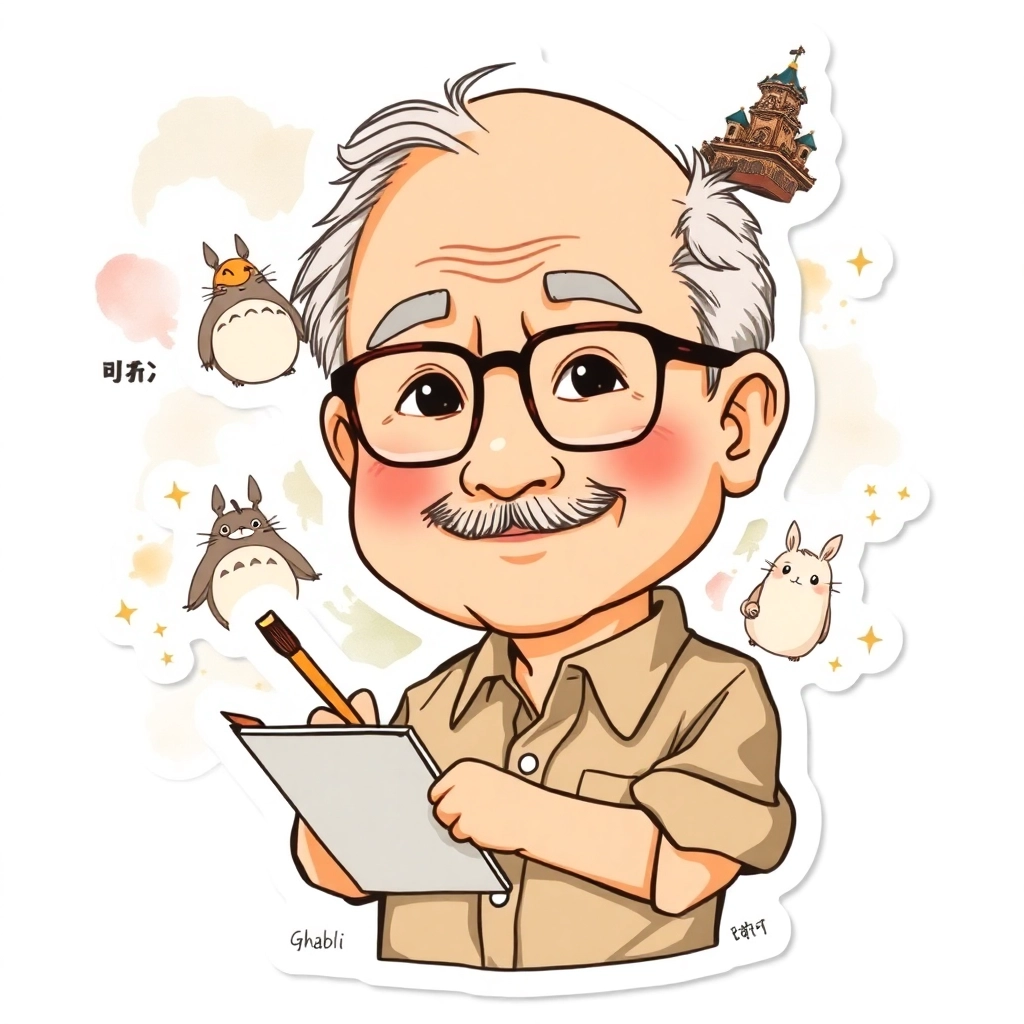
prompt
Anime sticker style, Hayao Miyazaki portrait, chibi proportions, large round head, exaggerated features, thick-rimmed glasses, bushy eyebrows, mustache, wrinkles around eyes and mouth, kind smile, rosy cheeks, balding with wispy gray hair, wearing casual button-up shirt with rolled-up sleeves, warm earth tones, holding a paintbrush and sketchbook, surrounded by floating Studio Ghibli characters like Totoro, Ponyo, and No-Face, background filled with watercolor splotches and swirling clouds, sparkles and stars scattered throughout, soft pastel color palette, clean vector lines, glossy finish, white border around sticker edge, kawaii aesthetic, minimalist shading, flat colors with subtle gradients, whimsical and playful atmosphere, small kanji for "Ghibli" in corner, tiny Catbus running along bottom edge, miniature Laputa castle floating in top corner, sticker appears slightly worn and well-loved, small crinkles and creases for authenticity, overall warm and nostalgic feeling
Analisi Dettagliata del Prompt Immagine Flux AI
Analizza il prompt dettagliato utilizzato per generare l'immagine con il Generatore Immagini Flux AI.
Esplora i Prompt Flux per il Generatore Immagini Flux AI
Come generare immagini con Flux.1 schnell
Segui questi quattro semplici passaggi per creare l'immagine desiderata.
Passaggio 1: Inserisci il Tuo Testo (Sentiti libero di perfezionare il prompt per risultati migliori)
Passaggio 2: Scegli le Proporzioni dell'Immagine
Passaggio 3: Seleziona il Tuo Modello Flux:
Passaggio 4: Clicca il Pulsante Genera e Attendi Alcuni Secondi per la Tua Immagine
Strumenti Flux AI correlati per prompt su Flux.1 schnell
Scopri strumenti avanzati di Flux AI per potenziare il tuo flusso di lavoro creativo.