Neon Shadows: Data Dreams - Flux.1 dev
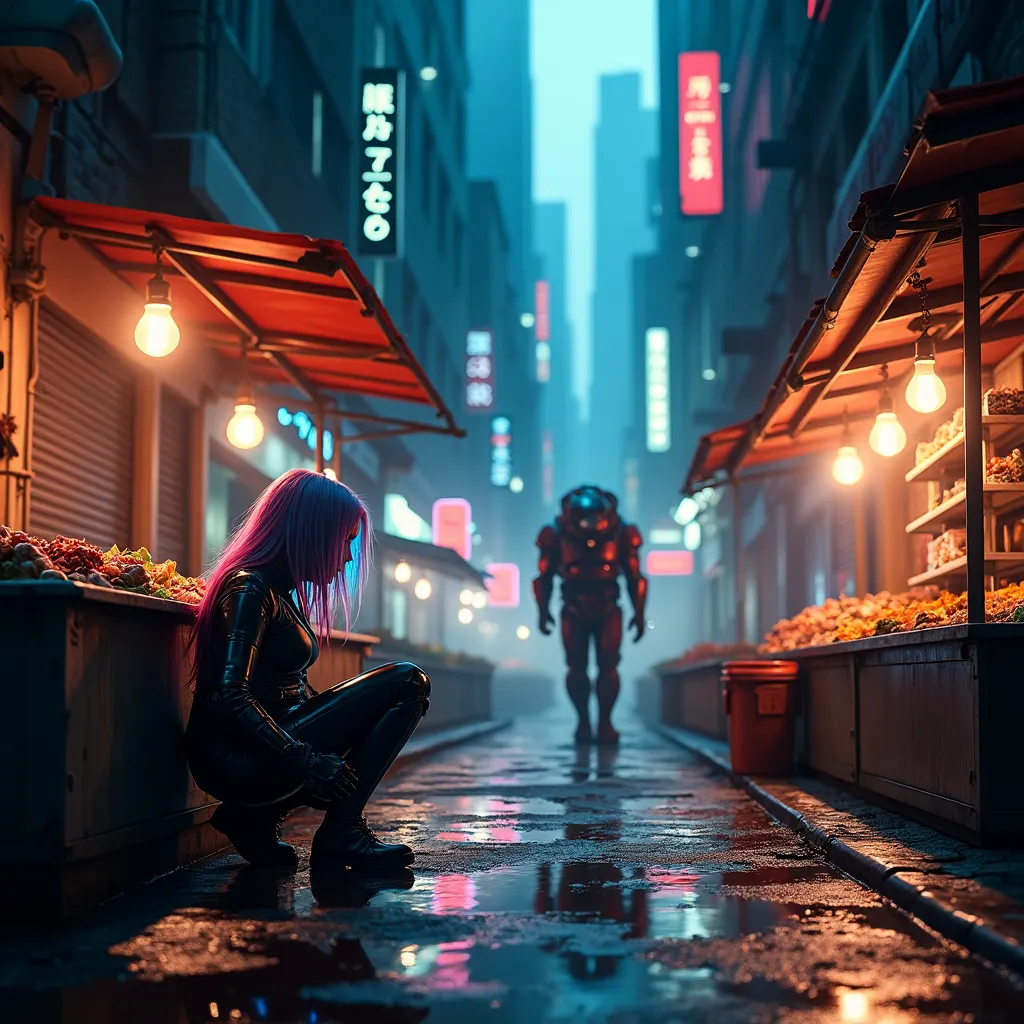
prompt
A dimly-lit alleyway in a sprawling megacity, bathed in the eerie glow of holographic advertisements. Neon-rimmed puddles reflect fractured images of towering skyscrapers above. In the foreground, a rogue data courier crouches beside a rusted dumpster, her cybernetic arm interfacing with a hidden access port. Her iridescent hair shimmers as she downloads stolen memories, her eyes flickering with streams of binary code. Nearby, a street vendor's stall overflows with black market neural chips and bio-engineered organs, illuminated by the warm glow of old-fashioned incandescent bulbs. In the background, a hulking cyborg enforcer patrols the street, its chrome exoskeleton gleaming under the harsh neon lights. Wisps of steam rise from sewer grates, mingling with the acrid smoke of illicit substances. The scene is a chaotic blend of high-tech and grime, where the boundaries between flesh and machine, reality and virtuality, blur into a neon-soaked tapestry of urban decay and technological advancement.
Analisi Dettagliata del Prompt Immagine Flux AI
Analizza il prompt dettagliato utilizzato per generare l'immagine con il Generatore Immagini Flux AI.
Esplora i Prompt Flux per il Generatore Immagini Flux AI
Come generare immagini con Flux.1 dev
Segui questi quattro semplici passaggi per creare l'immagine desiderata.
Passaggio 1: Inserisci il Tuo Testo (Sentiti libero di perfezionare il prompt per risultati migliori)
Passaggio 2: Scegli le Proporzioni dell'Immagine
Passaggio 3: Seleziona il Tuo Modello Flux:
Passaggio 4: Clicca il Pulsante Genera e Attendi Alcuni Secondi per la Tua Immagine
Strumenti Flux AI correlati per prompt su Flux.1 dev
Scopri strumenti avanzati di Flux AI per potenziare il tuo flusso di lavoro creativo.