Honeycomb Harmony: Nature's Art - Flux.1 pro
prompt
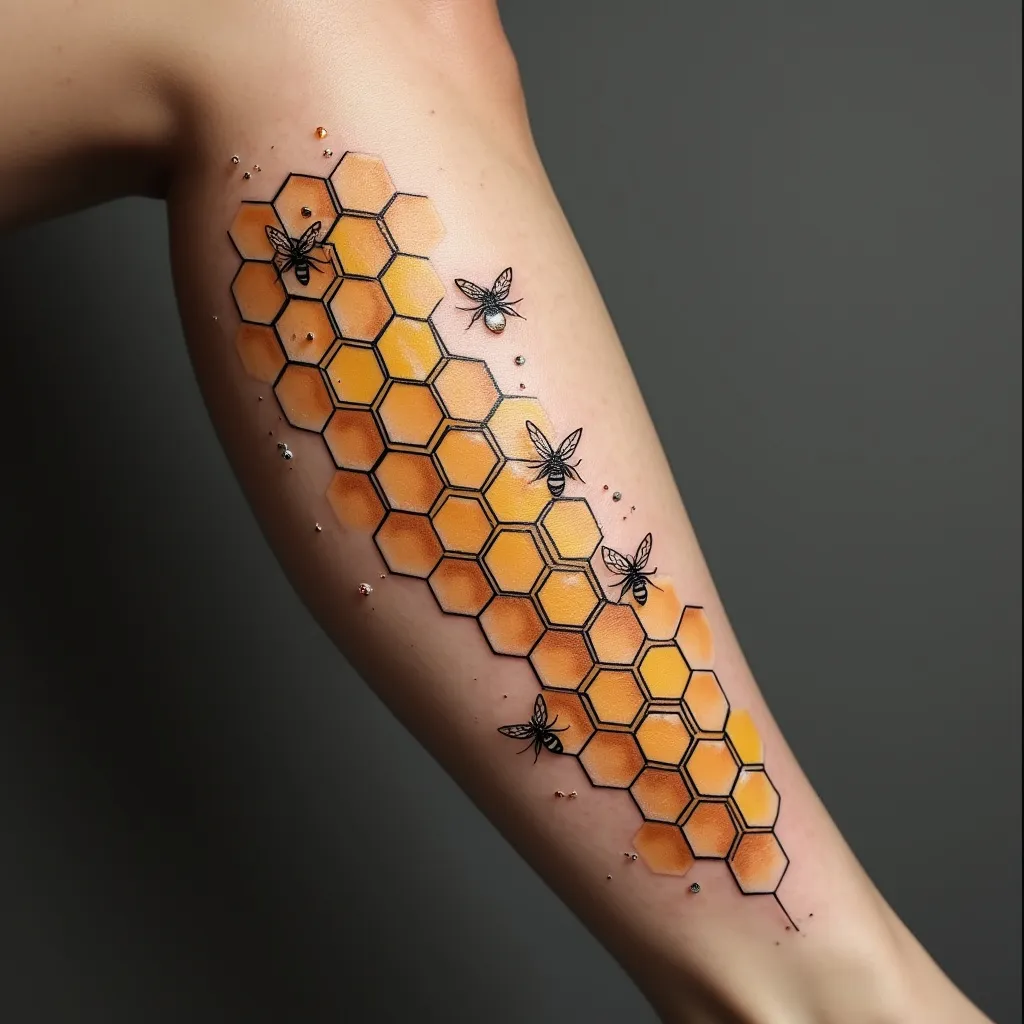
Intricate geometric honeycomb pattern adorning the side of the calf, spanning from just below the knee to above the ankle. Hexagonal cells form a precise, tessellating structure, gradually fading in size from larger at the top to smaller at the bottom. Delicate, stylized bees, no larger than a fingernail, are scattered throughout, some in flight and others perched on the honeycomb edges. The design blends minimalist and neo-traditional styles, with clean lines and subtle shading. A warm, golden-yellow hue dominates, accented by rich amber and deep bronze tones. Fine black outlines define each cell and bee, creating contrast and depth. Hints of iridescent white highlights suggest honey and movement. The overall aesthetic is both modern and timeless, evoking themes of community, hard work, and natural geometry. The tattoo wraps slightly around the calf's curve, enhancing the three-dimensional illusion. Tiny pollen particles float between the bees, adding a whimsical touch to the otherwise precise design.
Analisi Dettagliata del Prompt Immagine Flux AI
Analizza il prompt dettagliato utilizzato per generare l'immagine con il Generatore Immagini Flux AI.
Esplora i Prompt Flux per il Generatore Immagini Flux AI
Come generare immagini con Flux.1 pro
Segui questi quattro semplici passaggi per creare l'immagine desiderata.
Passaggio 1: Inserisci il Tuo Testo (Sentiti libero di perfezionare il prompt per risultati migliori)
Passaggio 2: Scegli le Proporzioni dell'Immagine
Passaggio 3: Seleziona il Tuo Modello Flux:
Passaggio 4: Clicca il Pulsante Genera e Attendi Alcuni Secondi per la Tua Immagine
Strumenti Flux AI correlati per prompt su Flux.1 pro
Scopri strumenti avanzati di Flux AI per potenziare il tuo flusso di lavoro creativo.